Work & organize

Frappe Books
Browser-based accounting, invoicing and stock for small teams on a Frappe server.
Release notes / v16.2.1
Released 2026-11-12. Snapshot from the included release data, not a live check.
Bug fix release for Frappe Books on Frappe Framework version 16. - When no cash denominations are set, cashiers now type the cash amount when they open and close a POS shift. Before, a shift could only open with no cash, and closing wrote off all of its cash. Update: ``` bench update --apps frappe_books ```
Read the full release notes on GitHub ↗Available on these platforms
Requires Frappe Books host.
Server systems, compatibility details and official sources
A Frappe v16 server, MariaDB, Redis, backups, updates and access controls. The old desktop app is no longer supported.
- Linux (server) - Stable Frappe v16, MariaDB 11.8, Redis, Python 3.14 and Node.js 24
- Web (client) - Browser interface served by the host
Official availability checked 2026-11-15. Availability is not feature parity. The recorded release and license refer to the linked source project; separate clients can differ. No install or compatibility test was run.
Before you install
Small-team books, now on a shared server.
- What does it need?
- Stable Frappe v16, MariaDB 11.8, Redis, Python 3.14 and Node.js 24
- Where is my data?
- The Frappe site database, not a local .db desktop file. Users sign in through a browser with roles and permissions.
- What will I maintain?
- A Frappe v16 server, MariaDB, Redis, backups, updates and access controls. The old desktop app is no longer supported.
Advice and funding routes source-checked November 15, 2026. Researched, not an install or restore test. Installation source ↗ · Report a correction
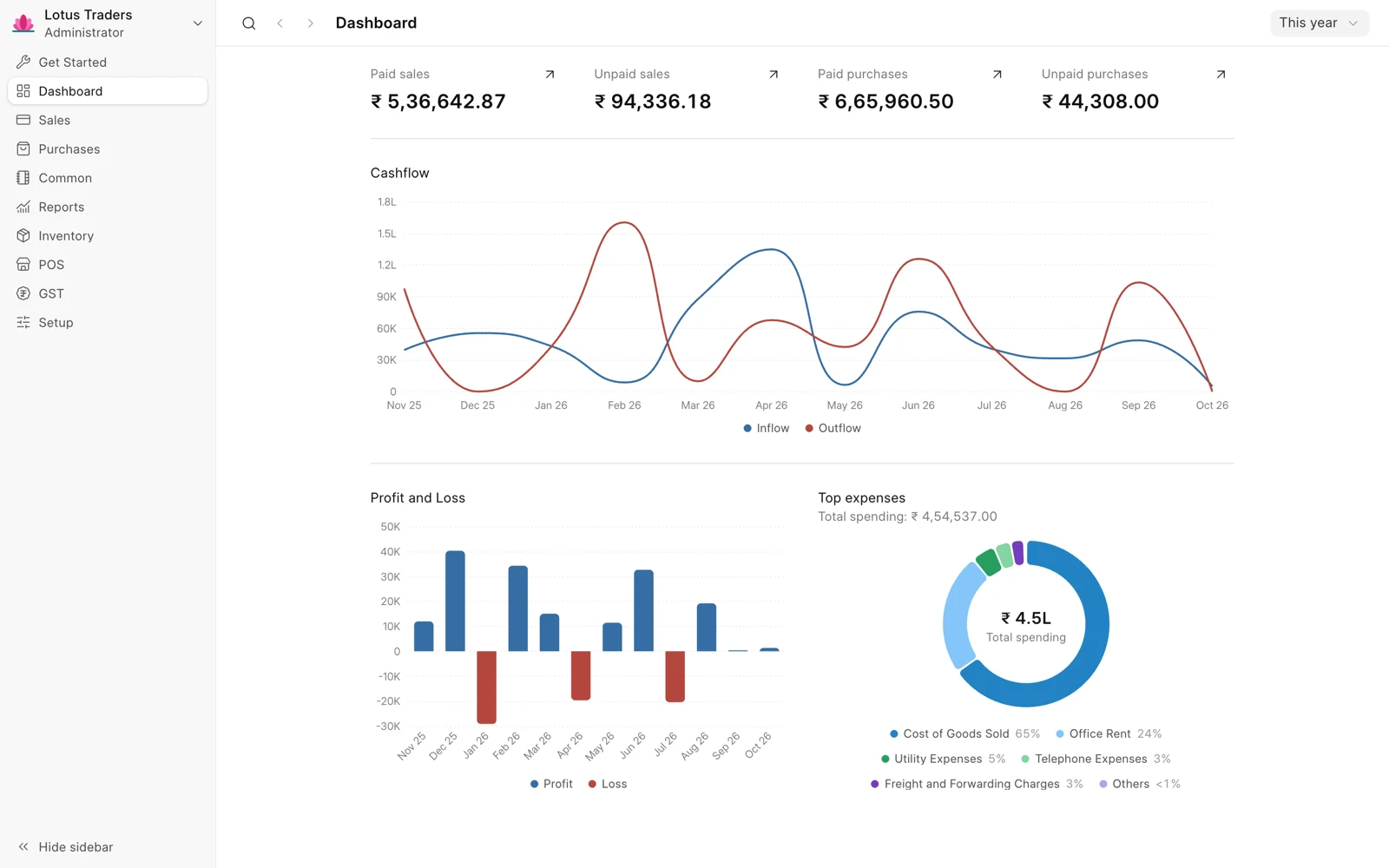
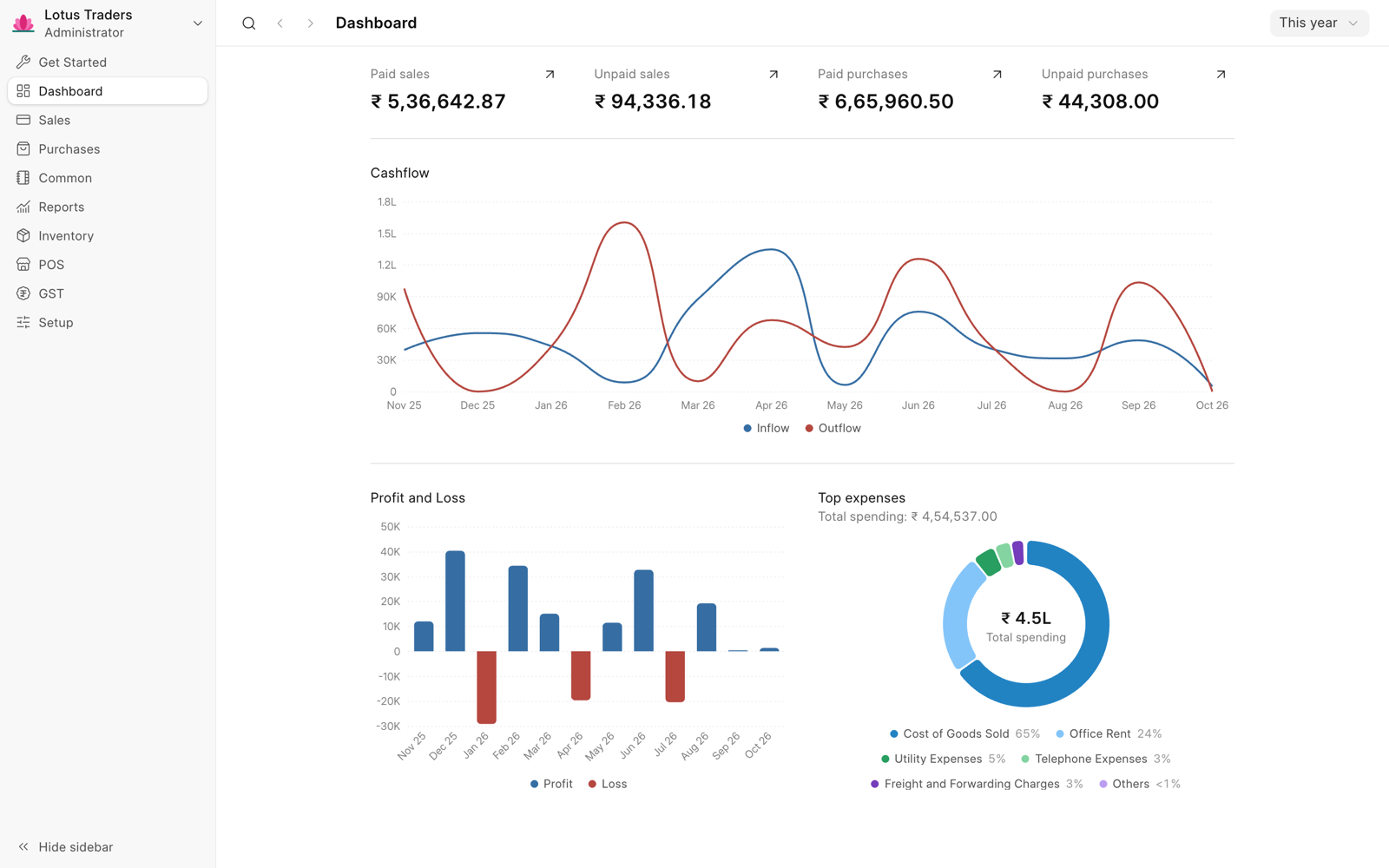
The current Frappe Books is an accounting app for the Frappe Framework. It covers double-entry accounts, quotations, invoices, payments, inventory and point of sale. A team signs in through a browser on a computer or phone; the records live in the Frappe site database on your server.
This is a different deployment model from the older Electron desktop app. That repository is archived and no longer supported. The current source is frappe/frappe-books, licensed AGPL-3.0-only. Do not download an old desktop installer expecting the current browser/server product.
Quick start
Researched from the current installation guide on November 15, 2026.
Bench (local evaluation)
The stable installation guide requires Frappe Framework version-16 (16.36.0 or later), Python 3.14, Node.js 24 with Yarn, Redis and MariaDB 11.8. Have those services available before following its Bench sequence:
uv python install 3.14
uv tool install frappe-bench
bench init --frappe-branch version-16 --python "$(uv python find 3.14)" books-bench
cd books-bench
bench get-app --branch version-16 https://github.com/frappe/frappe-books
bench new-site books.localhost --db-type mariadb --set-default
bench --site books.localhost install-app frappe_books
bench start
Open http://books.localhost:8000/books and sign in as Administrator with the password you set during site creation. Keep passwords local, not in chat or a shared command history. A remote database needs the extra connection options described in the guide.
bench start is a development/evaluation server, not a finished public
production deployment. Stable v16 supports MariaDB only; PostgreSQL and
SQLite support on develop belongs to the in-development v17 branch.
Bench (local evaluation) · Browser-based accounting, invoicing and stock for small teams on a Frappe server. Paste into your AI assistant. It may only be able to guide you. Review changes before running anything.
Researched from the project's documentation. Checked 2026-11-15. No AI account or connection is needed here.
Read or copy the prompt manually
First steps
Complete the company setup wizard with example data first. Review the
chart of accounts, currencies, opening balances and user roles. The
Import Wizard helps bring in
records, but imports still need reconciliation. Back up the database,
attached files and site_config.json; test a restore before using real books.
Why it’s listed
A smaller accounting-focused option than ERPNext, with shared browser access instead of a proprietary per-user bookkeeping subscription. It still needs a server operator and an accounting migration plan. Its old desktop application’s history is not evidence that this newer server edition has the same deployment maturity.
Documentation
Tags: Finance, Self-hosted
Want help setting this up? Ask FOSSadmin ↗