Work & organize

ERPNext
Accounting, sales, stock and manufacturing in one self-hosted business system.
Release notes / v16.55.0
Released 2026-11-12. Snapshot from the included release data, not a live check.
## General <details> <summary>Bug Fixes (12)</summary> * Email, import, account-merging, and other processing actions can no longer be triggered by opening a link, and queued work starts only after the related document is saved. Cancelling a **Quotation** now clears its _Lost Reasons_. (https://github.com/frappe/erpnext/pull/64151) * When _Enable Stock Reservation_ is off in **Stock Settings**, **Work Order**, **Production Plan**, **Subcontracting Order**, and **Sales Order** ignore a previously selected _Reserve Stock_ option and do not create stock reservations on submission. (https://github.com/frappe/erpnext/pull/64142) * The setup wizard now sets _How Often Should Sales Data Be Updated in Company/Project?_ to Daily in **Selling Settings**, rather than updating sales totals with each transaction. (https://github.com/frappe/erpnext/pull/64202) * Corrects the Finnish appointment-time validation message so it displays without causing a formatting error. (https://github.com/frappe/erpnext/pull/64308) * Adds a common date-range check to reports, flagging when _From Date_ is later than _To Date_ instead of showing empty or misleading results. (https://github.com/frappe/erpnext/pull/64236) * During upgrades, **Workstation Operating Component** records leave the account blank when the company’s default is not a valid expense account for that company, allowing the migration to con
Read the full release notes on GitHub ↗Available on these platforms
Requires ERPNext host.
Server systems, compatibility details and official sources
The Frappe stack, database, backups, updates and business configuration. An ERP rollout is more work than installing the software.
- Linux (server) - Frappe Docker stack; production deployment is separate from the disposable demo
- Web (client) - Browser interface served by the host
Official availability checked 2026-11-15. Availability is not feature parity. The recorded release and license refer to the linked source project; separate clients can differ. No install or compatibility test was run.
Before you install
An ERP when bookkeeping is only one part of the job.
- What does it need?
- Frappe Docker stack; production deployment is separate from the disposable demo
- Where is my data?
- Your Frappe site database and attached files. Optional integrations and hosted deployments have their own data flows.
- What will I maintain?
- The Frappe stack, database, backups, updates and business configuration. An ERP rollout is more work than installing the software.
Advice and funding routes source-checked November 15, 2026. Researched, not an install or restore test. Installation source ↗ · Report a correction
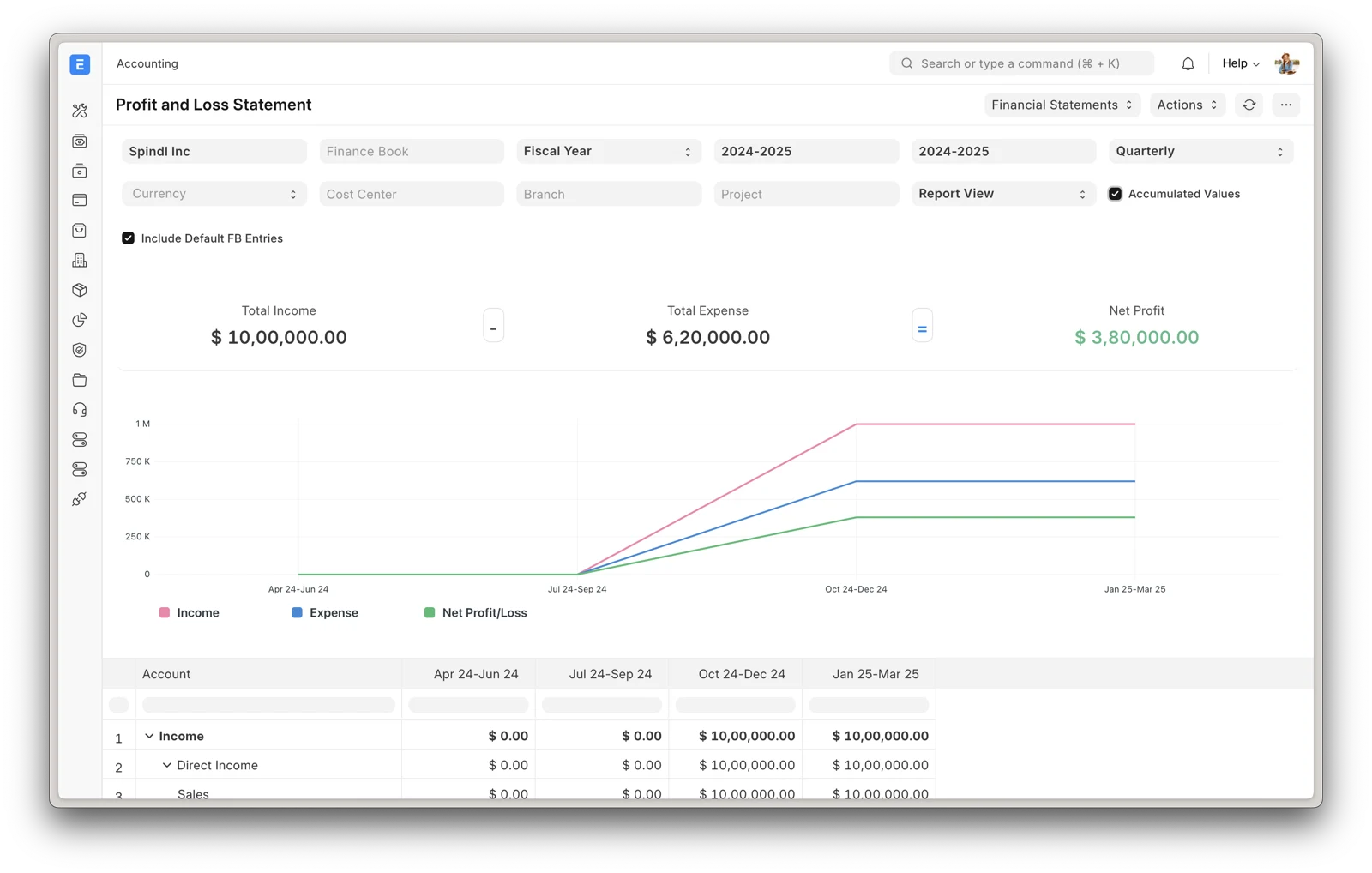

ERPNext combines a double-entry ledger with sales, purchasing, stock, manufacturing, assets and projects. It suits a business that needs those workflows to share records, rather than stitching together separate tools. It runs on the Frappe Framework and your team uses it in a browser.
That breadth is also its cost: plan the chart of accounts, permissions, stock rules and migration with the people responsible for your books. It is not the smallest option for a sole proprietor who only needs a ledger. The project’s own Frappe Cloud is a paid managed-hosting option; self-hosting is available without a software subscription.
Quick start
Researched from ERPNext’s README and Frappe Docker documentation on November 15, 2026.
Docker (disposable demo)
The upstream README provides this evaluation environment:
git clone https://github.com/frappe/frappe_docker
cd frappe_docker
docker compose -f pwd.yml up -d
Wait for the create-site container to finish, then open
http://localhost:8080. The documented demo login is Administrator with
password admin. Keep it isolated: these are public demo credentials,
not a production account. The README calls this a disposable demo and says
custom apps cannot be installed in it.
For real business records, follow the production deployment instructions in Frappe Docker, or choose managed hosting deliberately. Do not turn the demo into a production server by opening its port to the internet.
Docker (disposable demo) · Accounting, sales, stock and manufacturing in one self-hosted business system. Paste into your AI assistant. It may only be able to guide you. Review changes before running anything.
Researched from the project's documentation. Checked 2026-11-15. No AI account or connection is needed here.
Read or copy the prompt manually
First steps
Create an example company and walk through one sale, purchase and payment before importing anything real. Review currencies, fiscal year, taxes and user permissions with your accountant. Back up the database and attached files, and prove you can restore them before a migration.
Why it’s listed
It is a FOSS option for businesses whose needs go beyond bookkeeping into stock or operations. A QuickBooks export is not a complete ERP migration: map the records, reconcile opening balances and run both systems for an accounting period before retiring the old one.
Documentation
Tags: Finance, Self-hosted
Want help setting this up? Ask FOSSadmin ↗