Work & organize
Beancount
Double-entry accounting from plain text files.
Released 2026-05-01. Snapshot from the included release data, not a live check.
No release-notes excerpt is recorded here.
Open the project's release source ↗Available on these platforms
The official installation guide covers Python packages and platform-specific dependencies, including Windows caveats. This is a command-line/library workflow, not a native phone bookkeeping app.
Compatibility details and official sources
- Linux - Command-line accounting library/tools
- Windows - Command-line accounting library/tools
- macOS - Command-line accounting library/tools
Official availability checked 2026-11-12. Availability is not feature parity. The recorded release and license refer to the linked source project; separate clients can differ. No install or compatibility test was run.
Before you install
Your ledger is a text file you own.
- Which piece do I install?
- Beancount is the engine: a Python package with the bean-check command. Add Fava when you want a web view over the same files.
- Where does my data live?
- In plain-text ledger files. They work with Git, any editor, and whatever backup tool you already trust.
- Who can read my books?
- Nobody but you: it runs locally with no account or service. Fava reads the same local files.
Advice and funding routes source-checked November 12, 2026. Researched, not an install or restore test. Installation source ↗ · Report a correction
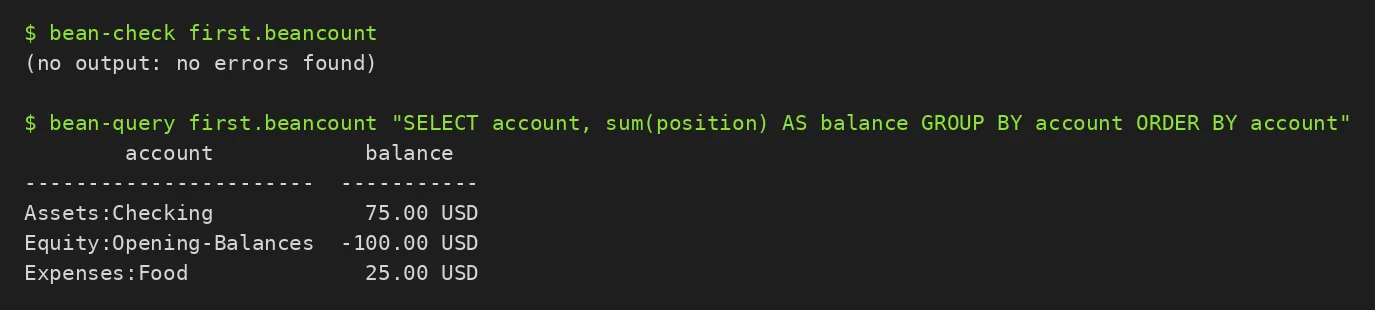
Beancount keeps your accounts in a plain-text ledger and checks them with a command-line tool. Because the books are ordinary text files, they work with version control and any editor.
The project’s pyproject.toml declares GPL-2.0-only. Fava adds a web view on top. If you want a different tool for the same job, see hledger and Ledger.
Quick start
Checked against the project’s own documentation on November 9, 2026. We have not run these installs ourselves. Commands are copied from the project’s pages, or from Flathub and Homebrew where the section says so.
pip (Linux, Windows, macOS)
Beancount is a Python package and needs a working Python 3 (the install guide names the minimum version):
pip install beancountDistro packages and Homebrew
Debian and Ubuntu have a beancount package, and Homebrew has a beancount formula. Both are third-party packaging and can lag behind the project’s own release.
brew install beancountNixOS
nixpkgs packages Beancount as beancount (source: pkgs/development/python-modules/beancount/default.nix):
environment.systemPackages = [ pkgs.beancount ];Rebuild with sudo nixos-rebuild switch, then run bean-check on your ledger file from a terminal.
First steps
Create a text file called first.beancount with the project’s minimal example (two accounts and one transaction):
2014-01-01 open Assets:Checking
2014-01-01 open Equity:Opening-Balances

2014-01-02 * "Deposit"
  Assets:Checking           100.00 USD
  Equity:Opening-Balances
Check it:
bean-check first.beancountNo output means the file loads without errors. To look at realistic sample data before you enter your own, run bean-example > example.beancount. To browse a ledger in a web page, pair Beancount with Fava.
Sources: the getting started guide and the example file generator.
pip (Linux, Windows, macOS) · Double-entry accounting from plain text files. Paste into your AI assistant. It may only be able to guide you. Review changes before running anything.
Researched, not run by the Index. Checked 2026-11-12. No AI account or connection is needed here.
Read or copy the prompt manually
Distro packages and Homebrew · Double-entry accounting from plain text files. Paste into your AI assistant. It may only be able to guide you. Review changes before running anything.
Researched, not run by the Index. Checked 2026-11-12. No AI account or connection is needed here.
Read or copy the prompt manually
NixOS · Double-entry accounting from plain text files. Paste into your AI assistant. It may only be able to guide you. Review changes before running anything.
Researched, not run by the Index. Checked 2026-11-12. No AI account or connection is needed here.
Read or copy the prompt manually
Tags: Finance