Work & organize
hledger
Plain-text accounting with command-line, terminal and web interfaces.
Release notes / 1.52.4
Released 2026-09-10. Snapshot from the included release data, not a live check.
<details> <summary> ## Release notes </summary> **hledger-web packaging fixes for stackage; misc dependency and doc updates** ### hledger 1.52.4 Improvements - Allow megaparsec 9.8.1+ (but not 9.8.0, because of [megaparsec#572](https://github.com/mrkkrp/megaparsec/issues/572)). Docs - csv: the manual now correctly documents that most top-level rules are evaluated first-wins, not last-wins as previously stated. (Accepting the status quo, unlike hledger 2.x where they are changed to last-wins.) [#2539] [#2539]: https://github.com/simonmichael/hledger/issues/2539 ### hledger-ui 1
Read the full release notes on GitHub ↗Available on these platforms
Choose the official package for your OS version and processor. This does not imply a phone app or identical features on every platform.
Compatibility details and official sources
- Linux - Command-line accounting tools
- Windows - Command-line accounting tools
- macOS - Command-line accounting tools
Official availability checked 2026-11-12. Availability is not feature parity. The recorded release and license refer to the linked source project; separate clients can differ. No install or compatibility test was run.
Before you install
Accounting in plain text, three interfaces deep.
- What do I get?
- A single binary: the command line, hledger-ui in the terminal, and hledger-web in a browser. It reads Ledger-format journals too.
- Where does my data live?
- In a plain-text journal file - Git-friendly, editor-friendly, future-proof.
- hledger, Ledger or Beancount?
- Ledger is the C++ original; Beancount is the Python take with Fava's web view. All three are listed, and the formats differ.
Advice and funding routes source-checked November 12, 2026. Researched, not an install or restore test. Installation source ↗ · Report a correction
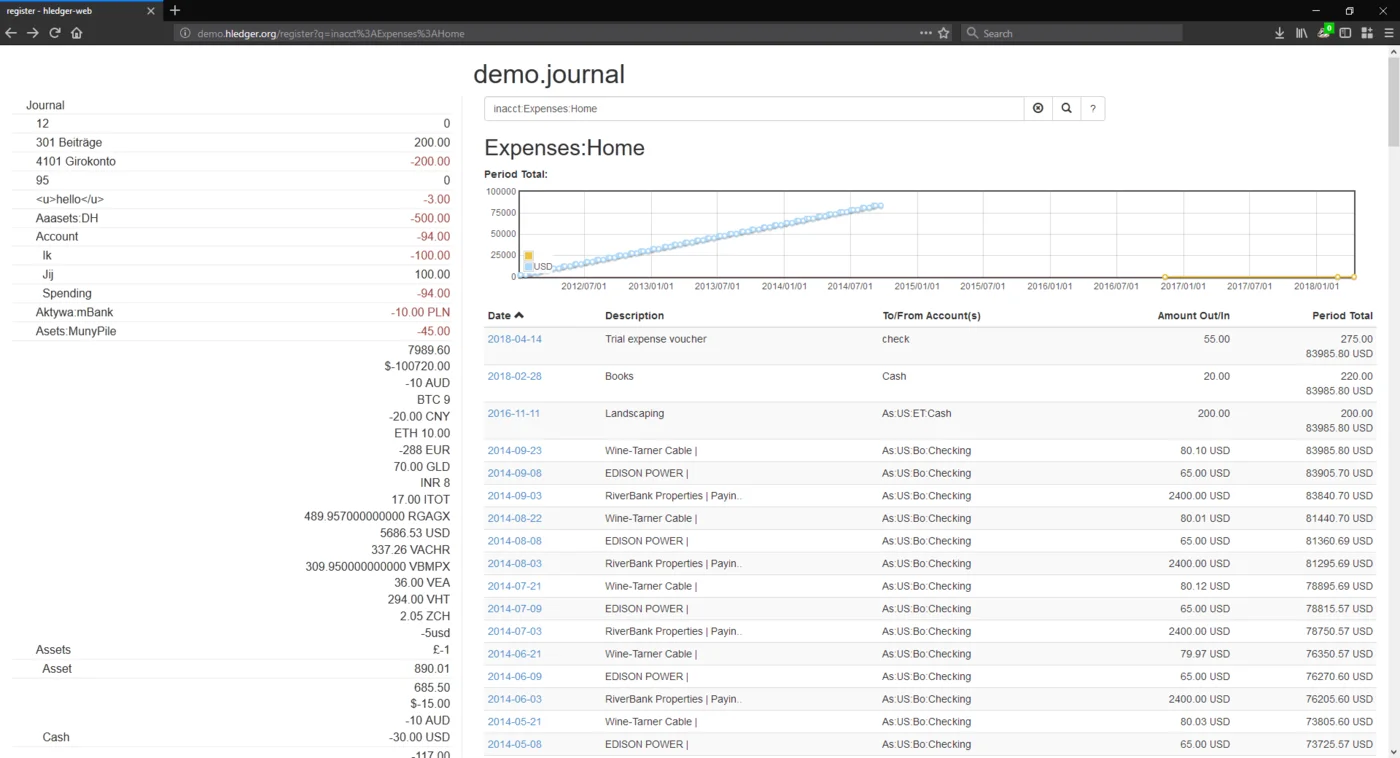

hledger keeps accounts in a plain-text journal and reports from it on the command line. It also has a terminal interface (hledger-ui) and a web interface (hledger-web). It ships as a single binary, and reads the Ledger-style journal format as well as its own.
We list three plain-text accounting tools so you can pick the one that suits you. Ledger is the original, a C++ command-line program. Beancount is written in Python, and Fava gives it a web view. hledger’s home page says it is Free Software and has been released since 2007.
The repository’s README shows a GPLv3+ badge and its LICENSE file is the GPL version 3.
Quick start
Checked against the project’s own documentation on November 9, 2026. We have not run these installs ourselves. Commands are copied from the project’s pages, or from Flathub and Homebrew where the section says so.
Linux and macOS
On Debian-family systems the project lists apt install hledger hledger-ui hledger-web, on Fedora dnf install hledger, and on Arch pacman -Sy hledger hledger-ui hledger-web. Distribution versions can lag. Homebrew has a formula too:
brew install hledgerThe install page also offers official binaries from GitHub for Linux, macOS and Windows.
Windows
scoop install hledgerThe install page also lists a WinGet package and the official Windows binaries.
NixOS
nixpkgs packages hledger as hledger (source: pkgs/top-level/all-packages.nix):
environment.systemPackages = [ pkgs.hledger ];Rebuild with sudo nixos-rebuild switch, then run hledger bal on your journal from a terminal.
First steps
Make a journal file, for example ~/.hledger.journal, which hledger reads by default:
2026-11-01 opening balance
    assets:checking      $1000
    equity:opening

2026-11-02 groceries
    expenses:food          $25
    assets:checking
Then:
hledger balance
hledger register
hledger-web
hledger-web serves the journal in your browser. The sample follows the plain-text journal format described in hledger’s journal docs.
Linux and macOS · Plain-text accounting with command-line, terminal and web interfaces. Paste into your AI assistant. It may only be able to guide you. Review changes before running anything.
Researched, not run by the Index. Checked 2026-11-12. No AI account or connection is needed here.
Read or copy the prompt manually
Windows · Plain-text accounting with command-line, terminal and web interfaces. Paste into your AI assistant. It may only be able to guide you. Review changes before running anything.
Researched, not run by the Index. Checked 2026-11-12. No AI account or connection is needed here.
Read or copy the prompt manually
NixOS · Plain-text accounting with command-line, terminal and web interfaces. Paste into your AI assistant. It may only be able to guide you. Review changes before running anything.
Researched, not run by the Index. Checked 2026-11-12. No AI account or connection is needed here.
Read or copy the prompt manually
Tags: Finance