Work & organize
Fava
Web interface for Beancount plain-text accounting, run on your own computer.
Version checked by hand on 2026-11-10. Snapshot from the included release data, not a live check.
No release-notes excerpt is recorded here.
Open the project's release source ↗Available on these platforms
The project documents running its Python server on Linux, Windows and macOS. You use Fava through a browser; this is not a separate native desktop or phone client. A remotely reachable server needs its own security plan.
Compatibility details and official sources
- Linux - Locally hosted browser application
- Windows - Locally hosted browser application
- macOS - Locally hosted browser application
- Web - Browser interface to a Fava server
Official availability checked 2026-11-12. Availability is not feature parity. The recorded release and license refer to the linked source project; separate clients can differ. No install or compatibility test was run.
Before you install
A browser window onto your Beancount ledger.
- What does it run on?
- Runs locally against your own Beancount text files - it is not a hosted service. Beancount itself is listed separately.
- Where is my data?
- Your ledger stays plain text files on your machine. Fava only reads and edits them.
- What will I maintain?
- Very little: keep Fava and Beancount updated and your files backed up. Reports and charts regenerate from the files every time.
Advice and funding routes source-checked November 12, 2026. Researched, not an install or restore test. Installation source ↗ · Report a correction
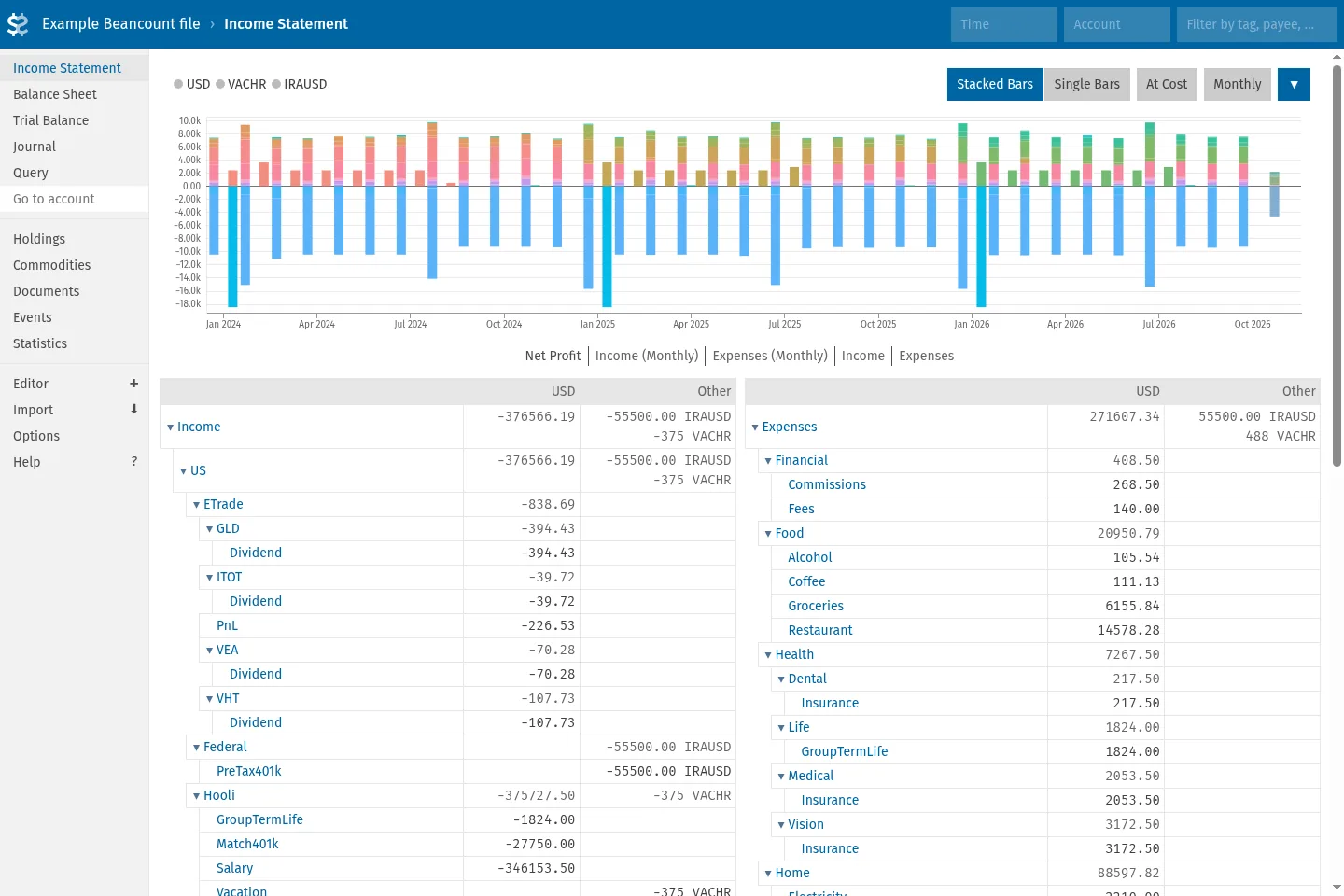
Fava shows reports, charts and an editor for a Beancount ledger in your browser. You run it locally against your own text files; it is not a hosted service.
Fava needs Beancount, which is listed separately.
Quick start
Checked against the project’s own documentation on November 9, 2026. We have not run these installs ourselves. Commands are copied from the project’s pages, or from Flathub and Homebrew where the section says so.
pip (Linux, Windows, macOS)
Fava needs Python 3 and pulls in Beancount with it:
pip3 install favaThe project’s install notes also describe installing it in an isolated environment with uv.
Distro packages and Homebrew
Debian and Ubuntu have a fava package, and Homebrew has a fava formula. These are third-party packaging and can lag behind the project’s release.
brew install favaNixOS
nixpkgs packages Fava as fava (source: pkgs/development/python-modules/fava/default.nix):
environment.systemPackages = [ pkgs.fava ];Rebuild with sudo nixos-rebuild switch, then run fava on your Beancount file and open http://localhost:5000 in a browser.
First steps
Point Fava at a Beancount file (you can use the one from the Beancount first steps):
fava first.beancountThen open http://localhost:5000 in a browser. The project also runs an online demo, linked from its documentation, if you want to look before installing.
pip (Linux, Windows, macOS) · Web interface for Beancount plain-text accounting, run on your own computer. Paste into your AI assistant. It may only be able to guide you. Review changes before running anything.
Researched, not run by the Index. Checked 2026-11-12. No AI account or connection is needed here.
Read or copy the prompt manually
Distro packages and Homebrew · Web interface for Beancount plain-text accounting, run on your own computer. Paste into your AI assistant. It may only be able to guide you. Review changes before running anything.
Researched, not run by the Index. Checked 2026-11-12. No AI account or connection is needed here.
Read or copy the prompt manually
NixOS · Web interface for Beancount plain-text accounting, run on your own computer. Paste into your AI assistant. It may only be able to guide you. Review changes before running anything.
Researched, not run by the Index. Checked 2026-11-12. No AI account or connection is needed here.
Read or copy the prompt manually
Tags: Finance