Work & organize
GnuCash
Double-entry accounting for personal and small-business books.
Release notes / 5.17
Released 2026-09-27. Snapshot from the included release data, not a live check.
<b>Announcement:</b> GnuCash 5.17 Released 2026-09-27 <h2>GnuCash 5.17 Released</h2> <p>The GnuCash development team announces GnuCash 5.17, the seventeenth release in the stable 5.x series.</p> <h4>Between 5.16 and 5.17, the following bugfixes were accomplished:</h4> <ul> <li><a href="https://bugs.gnucash.org/show_bug.cgi?id=797872">Bug 797872 - Multiple check printing results in nothing sent to print queue after first check</a></li> <li><a href="https://bugs.gnucash.org/show_bug.cgi?id=799753">Bug 799753 - Reconciliation error when reconciling transactions posted after t
Read the full release notes on GitHub ↗Available on these platforms
Check the official download page for the supported OS version and processor architecture. A desktop download is not evidence of a native phone app.
Compatibility details and official sources
Official availability checked 2026-11-12. Availability is not feature parity. The recorded release and license refer to the linked source project; separate clients can differ. No install or compatibility test was run.
Before you install
Ledger accounting in a file on your computer.
- Is it the same as Actual Budget?
- No: GnuCash is double-entry accounting; Actual is envelope budgeting. Pick by how you think about money.
- Where are my books?
- In one file (or a database you configure). That file is the whole history - back it up.
- Can I import my bank's exports?
- It imports QIF and OFX files from banks and other tools. Test a small import before moving years of history.
Advice and funding routes source-checked November 12, 2026. Researched, not an install or restore test. Installation source ↗ · Report a correction
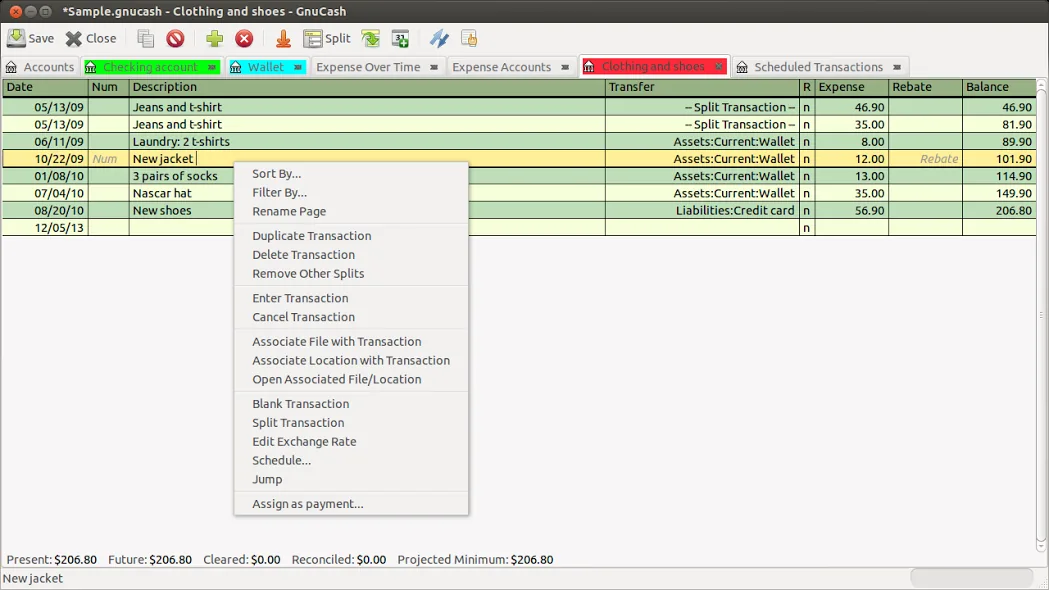

GnuCash is a desktop double-entry accounting program. It keeps accounts, transactions and reports in a file on your computer.
The project’s LICENSE file says the software is licensed under the GNU GPL version 2 or, at your option, version 3, with some files under compatible licenses. Unlike Actual Budget, which is envelope budgeting, GnuCash is a ledger-style accounting tool.
Quick start
Checked against the project’s own documentation on November 9, 2026. We have not run these installs ourselves. Commands are copied from the project’s pages, or from Flathub and Homebrew where the section says so.
Linux
Use your distribution’s software manager, or the Flatpak the download page mentions for newer versions:
flatpak install flathub org.gnucash.GnuCashWindows and macOS
Download from gnucash.org/download.phtml.
Homebrew has a cask for it. That is Homebrew’s packaging, not the project’s own:
brew install --cask gnucashNixOS
nixpkgs packages GnuCash as gnucash (source: pkgs/by-name/gn/gnucash/package.nix):
environment.systemPackages = [ pkgs.gnucash ];Rebuild with sudo nixos-rebuild switch, then launch GnuCash from the application menu.
First steps
- On first start choose File > New File. The assistant asks for a currency and lets you pick a starter set of accounts.
- Save the file. GnuCash can store data as XML or SQLite3 (or in MySQL or PostgreSQL) and asks which format when you save.
- Enter your opening balances as transactions against an equity account, then record a few real transactions in each account’s register.
- Back up the data file before importing bank data.
Source: GnuCash tutorial and concepts guide.
Linux · Double-entry accounting for personal and small-business books. Paste into your AI assistant. It may only be able to guide you. Review changes before running anything.
Researched, not run by the Index. Checked 2026-11-12. No AI account or connection is needed here.
Read or copy the prompt manually
Windows and macOS · Double-entry accounting for personal and small-business books. Paste into your AI assistant. It may only be able to guide you. Review changes before running anything.
Researched, not run by the Index. Checked 2026-11-12. No AI account or connection is needed here.
Read or copy the prompt manually
NixOS · Double-entry accounting for personal and small-business books. Paste into your AI assistant. It may only be able to guide you. Review changes before running anything.
Researched, not run by the Index. Checked 2026-11-12. No AI account or connection is needed here.
Read or copy the prompt manually
Tags: Finance