Privacy & access

Fail2Ban
Watch service logs and temporarily ban hosts that repeatedly fail authentication.
Release notes / 1.1.1
Released 2026-08-15. Snapshot from the included release data, not a live check.
## ver. 1.1.1 (2026/08/15) - triple one win Update of fail2ban. See the [ChangeLog](https://github.com/fail2ban/fail2ban/blob/1.1.1/ChangeLog) for more information. **All changes**: https://github.com/fail2ban/fail2ban/compare/1.1.0...1.1.1 It also includes debian package, built without a test suite (fail2ban-testcases, fail2ban.test python module). This will also install systemd managed fail2ban.socket now (gh-4220). **UPD.** deb-package `fail2ban_1.1.1-1.upstream1_all.deb` got wrong paths (due to missing dependency of systemd-dev in build system, gh-4222), so it is removed and replaced with [fail2ban_1.1.1-1.upstream2_all.deb](https://github.com/fail2ban/fail2ban/releases/download/1.1.1/fail2ban_1.1.1-1.upstream2_all.deb) now. Sincere thanks to everyone who helped! ### New Contributors * @Thermi made their first contribution in #2455 * @branchv made their first contribution in #3728 * @by made their first contribution in #3749 * @fdellwing made their first contribution in #3782 * @nabbi made their first contribution in #3805 * @Skamasle made their first contribution in #3816 * @thomas-333 made their first contribution in #3826 * @pano9000 made their first contribution in #3897 * @jcea made their first contribution in #3905 * @MichaIng made their first contribution in #3597 * @pburndorfer made their first contribution in #2702 * @luckylittle ma
Read the full release notes on GitHub ↗Available on these platforms
This is a server security daemon, not a browser app. Jail configuration and firewall/log backends vary by distribution.
Compatibility details and official sources
- Linux - Distribution package; local daemon and command-line client
Official availability checked 2026-11-15. Availability is not feature parity. The recorded release and license refer to the linked source project; separate clients can differ. No install or compatibility test was run.
Before you install
Slow repeated login failures, without pretending to replace strong authentication.
- What does it need?
- Linux with service logs and a supported firewall action
- Where is my data?
- The service reads logs on the machine you administer; ban state and actions depend on the configured backend.
- What will I maintain?
- Filters, jails, log paths, firewall actions and an allowlist/recovery plan so you do not lock yourself out.
Advice and funding routes source-checked November 15, 2026. Researched, not an install or restore test. Installation source ↗ · Report a correction
Fail2Ban watches logs for patterns such as repeated failed SSH logins and uses configured actions to ban the source temporarily, often through the host firewall. It supports many service filters and lets administrators write their own.
It reduces noisy retries; it does not fix weak passwords, authenticate users or replace timely updates. Reverse proxies and changing log formats need care, because banning the proxy instead of the originating address can block legitimate visitors.
Quick start
Researched from the current project README and package-installation wiki on November 15, 2026.
Linux distribution package
Use your distribution’s package manager, as the official installation wiki recommends. Package names, service defaults and log backends vary, so check your distribution’s instructions rather than running a copied command for a different system.
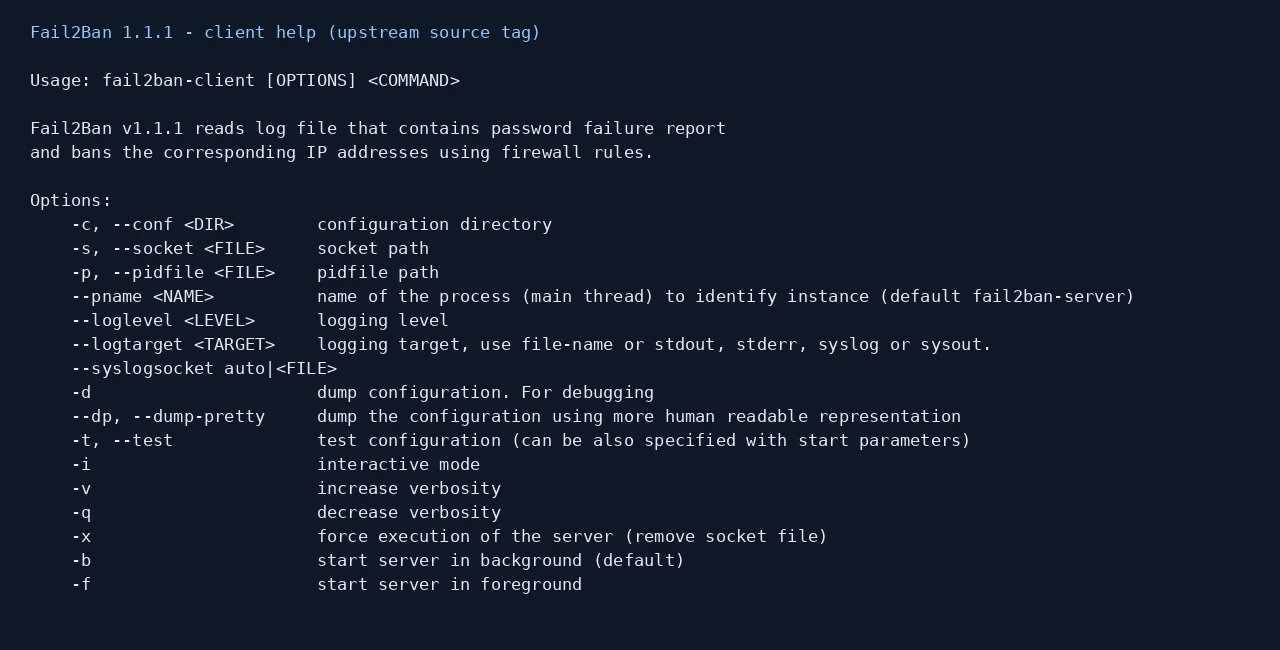
After installing, inspect the client’s available commands:
fail2ban-client --helpReview the supplied jail.conf and put local overrides in a .local file
rather than editing packaged defaults. Confirm the service’s actual log
path or journal backend, filter and firewall action. Test the configuration
with fail2ban-client -t before enabling a jail.
Keep an existing administration session open and confirm your allowlist and recovery access before starting or restarting a jail remotely. An incorrect rule can lock you out of the server you are trying to protect.
Linux distribution package · Watch service logs and temporarily ban hosts that repeatedly fail authentication. Paste into your AI assistant. It may only be able to guide you. Review changes before running anything.
Researched from the project's documentation. Checked 2026-11-15. No AI account or connection is needed here.
Read or copy the prompt manually
First steps
Start with one service you understand. Check status and logs, verify that the filter matches the intended failures, and confirm that legitimate access still works. Do not simulate a ban from your only recovery address. Use keys or MFA where the protected service supports them.
Why it’s listed
A small, established FOSS building block for server defense. It is useful alongside secure service configuration, not a claim that a host is secure because a daemon is installed.
Documentation
Tags: Security
Want help setting this up? Ask FOSSadmin ↗