Privacy & access
KeePassXC
Offline password manager that keeps your passwords in an encrypted file you control.
Release notes / 2.8.0
Released 2026-10-21. Snapshot from the included release data, not a live check.
### New Features - Add remote database synchronization and import using external tools [#7222, #10896, #11271] - Allow configuring keyboard shortcuts [#9643] - SSH Agent: Add support for generating RSA, ECDSA, and Ed25519 keys [#7215] - Linux: Add Wayland Auto-Type support using XDG Desktop Portals [#13359, #13449, #13579, #13770, #13810] - Linux: Add Quick Unlock using Polkit (adds a UUID to public metadata, marking database as modified on first launch) [#8983] - Linux Add AArch64 AppImage [#13816] - macOS: Allow Quick Unlock using the device password when Touch ID is unavailable [#114
Read the full release notes on GitHub ↗Available on these platforms
Check the official download page for the supported OS version and processor architecture. A desktop download is not evidence of a native phone app.
Compatibility details and official sources
Official availability checked 2026-11-12. Availability is not feature parity. The recorded release and license refer to the linked source project; separate clients can differ. No install or compatibility test was run.
Before you install
A password vault that is just a file.
- Where do my passwords live?
- In one encrypted database file - no account, no server. You can sync that file with whatever you trust (Syncthing, Nextcloud, a USB stick); resolve sync conflicts when two devices edit at once, and keep backups.
- What must I never lose?
- The database file and its credentials: a master password, optionally combined with a key file or a hardware key. There is no recovery email; back the file up.
- KeePassXC or Vaultwarden?
- KeePassXC is the local-file route; Vaultwarden is the self-hosted vault with sharing. Both are listed.
Advice and funding routes source-checked November 12, 2026. Researched, not an install or restore test. Installation source ↗ · Report a correction
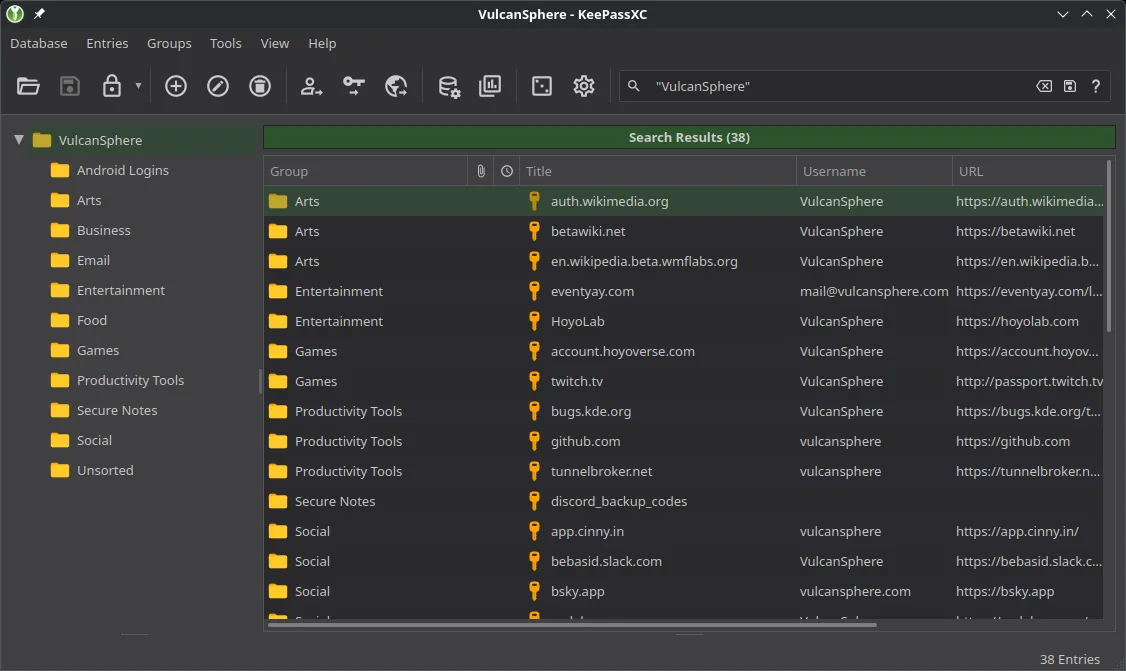

KeePassXC is a community-driven, cross-platform port of KeePass. Your passwords live in a database file on your own devices, so there is no account and no server. It complements Vaultwarden for people who prefer a local file over a hosted vault.
The project’s COPYING file offers the code under GPL version 2 or version 3, and the repository also carries license files for some bundled parts.
Quick start
Checked against the project’s own documentation on November 9, 2026. We have not run these installs ourselves. Commands are copied from the project’s pages, or from Flathub and Homebrew where the section says so.
Linux
From the same page:
Choose one of these. Do not run them all.
flatpak install --user flathub org.keepassxc.KeePassXC
sudo snap install keepassxc
sudo dnf install keepassxc
sudo pacman -S keepassxc
sudo zypper install keepassxc
For Ubuntu the page gives a PPA (sudo add-apt-repository ppa:phoerious/keepassxc, then sudo apt update and sudo apt install keepassxc). It also offers an AppImage with a PGP signature and checksum.
Windows and macOS
Download the installer from keepassxc.org/download. On macOS, Homebrew also works (the project lists this on its page):
brew install --cask keepassxcNixOS
nixpkgs packages KeePassXC as keepassxc (source: pkgs/by-name/ke/keepassxc/package.nix):
environment.systemPackages = [ pkgs.keepassxc ];Rebuild with sudo nixos-rebuild switch, then launch KeePassXC from the application menu.
First steps
- Open KeePassXC and create a database (Database > New Database). Choose a name and a strong master password. You can add a key file as well.
- Save the
.kdbxfile somewhere you back up. There is no account and no recovery service: if you lose the master password and any key file, the data is gone. - Add an entry for one site, then try the copy-username and copy-password buttons.
- Sync the database file between devices with any file sync tool you already trust.
Source: KeePassXC getting started guide.
Linux · Offline password manager that keeps your passwords in an encrypted file you control. Paste into your AI assistant. It may only be able to guide you. Review changes before running anything.
Researched, not run by the Index. Checked 2026-11-12. No AI account or connection is needed here.
Read or copy the prompt manually
Windows and macOS · Offline password manager that keeps your passwords in an encrypted file you control. Paste into your AI assistant. It may only be able to guide you. Review changes before running anything.
Researched, not run by the Index. Checked 2026-11-12. No AI account or connection is needed here.
Read or copy the prompt manually
NixOS · Offline password manager that keeps your passwords in an encrypted file you control. Paste into your AI assistant. It may only be able to guide you. Review changes before running anything.
Researched, not run by the Index. Checked 2026-11-12. No AI account or connection is needed here.
Read or copy the prompt manually
Tags: Passwords