Home & auto

ESPHome
Build local firmware for sensors, switches and other small smart-home devices from YAML.
Release notes / 2026.10.2
Released 2026-11-02. Snapshot from the included release data, not a live check.
Fixes include host builds, TLS 1.3 audio requests, Bluetooth proxy connection replacement and LibreTiny OTA updates.
Read the full release notes on GitHub ↗Available on these platforms
Requires ESPHome host.
Server systems, compatibility details and official sources
Compatible boards, configurations, toolchain updates and device firmware. A dashboard alone is not a working device.
- Linux (server) - Home Assistant app or standalone Python Device Builder
- Web (client) - Browser interface served by the host
Official availability checked 2026-11-15. Availability is not feature parity. The recorded release and license refer to the linked source project; separate clients can differ. No install or compatibility test was run.
Before you install
Local smart-device firmware, with exact hardware choices.
- What does it need?
- Home Assistant app or standalone Python Device Builder
- Where is my data?
- YAML configurations and firmware builds stay on your machine; device secrets belong in local secret files.
- What will I maintain?
- Compatible boards, configurations, toolchain updates and device firmware. A dashboard alone is not a working device.
Advice and funding routes source-checked November 15, 2026. Researched, not an install or restore test. Installation source ↗ · Report a correction
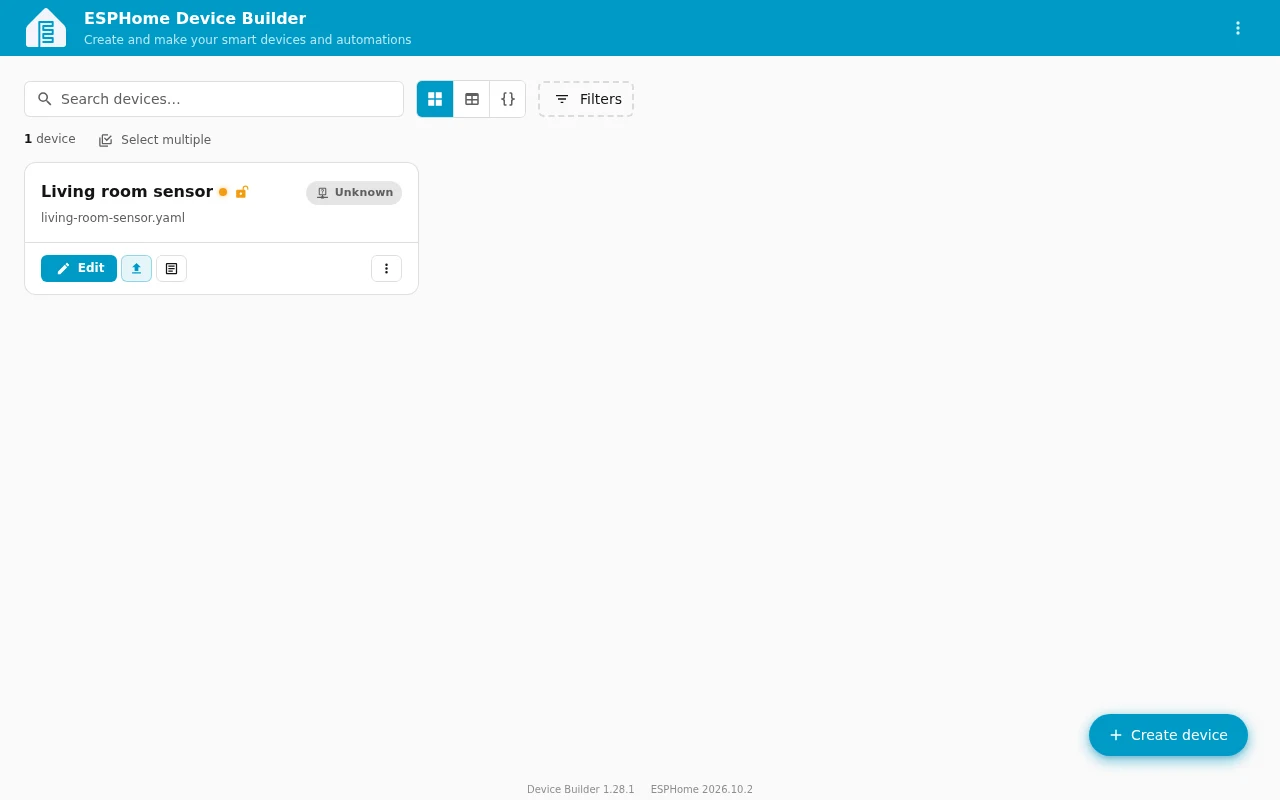
ESPHome turns a YAML configuration into firmware for small devices such as ESP32 boards. Describe the inputs, outputs and sensors you want, compile the firmware, then install it on compatible hardware. It works with Home Assistant and can also expose devices through MQTT.
The code has split licensing, not a choice between two licenses: Python and most other files are MIT; C/C++ runtime files are GPLv3. The separate Device Builder dashboard is Apache-2.0. Hardware still matters: a board being supported does not mean an arbitrary commercial device is safe or possible to reflash.
Quick start
Researched from the project’s documentation on November 15, 2026.
Jump to: Home Assistant app · Python
Home Assistant app
The official getting-started guide walks through adding ESPHome Device Builder in Home Assistant. Install the app, start it and open its web interface. Create a device configuration for your exact board. The first installation often needs a USB connection; subsequent updates can use the network once the device is configured.
Do not open mains-powered equipment or assume a product can be reflashed without checking its hardware and the project’s guidance first.
Home Assistant app · Build firmware for smart-home devices from YAML. Paste into your AI assistant. It may only be able to guide you. Review changes before running anything.
Researched from the project's documentation. Checked 2026-11-15. No AI account or connection is needed here.
Read or copy the prompt manually
Python
For a standalone dashboard, the Device Builder README uses a virtual environment and the extra that installs ESPHome itself. Use a supported Python version (ESPHome 2026.10.2 requires Python 3.12-3.14):
python3 -m venv .venv
. .venv/bin/activate
pip install 'esphome-device-builder[esphome]'
mkdir -p esphome-configs
esphome-device-builder --host 127.0.0.1 ./esphome-configs
Open http://localhost:6052. The loopback binding keeps this standalone
dashboard on your computer. It is not authenticated by default; do not
expose it to a network without setting up authentication and checking the
project’s deployment guidance. The old esphome dashboard command has
been removed from current ESPHome releases.
Python · Build firmware for smart-home devices from YAML. Paste into your AI assistant. It may only be able to guide you. Review changes before running anything.
Researched from the project's documentation. Checked 2026-11-15. No AI account or connection is needed here.
Read or copy the prompt manually
First steps
Choose the exact board in Device Builder, then add only the components that match your hardware. Validate the configuration before compiling. Back up the YAML and its local secrets file. Keep Wi-Fi credentials out of shared snippets and repositories. Confirm the target device before installing firmware: flashing replaces what is on that device.
Why it’s listed
It is a way to build smart-home devices whose behavior you can inspect and change, with local Home Assistant integration instead of a required vendor cloud. It is a firmware tool, not a promise that every retail smart-home device can be made cloud-free.
Documentation
Tags: Home automation, Self-hosted
Want help setting this up? Ask FOSSadmin ↗