Media & photos
Pinta
Simple image editor for drawing and basic photo edits.
Release notes / 3.1.2
Released 2026-04-02. Snapshot from the included release data, not a live check.
This is a bug fix release for Pinta 3.1 ### Fixed - Fixed issues with some icons failing to load under certain GTK versions (#2078, #1950) - Fixed crash when right-clicking on a layer in certain scenarios (#1940) - Fixed bug with the gradient tool creating unnecessary history items (#2060, #2059) - Fixed crash when setting gamma to zero in the Levels dialog (#2035, #2041) - The right click menu for layers now includes options to move the layer up or down in the layer stack (#2004, #2007) ### Checksums - Fingerprint: `5BDA 30D0 C2E9 85E5 9808 9E44 4CF8 0E80 E77C 5C35` - GPG Signat
Read the full release notes on GitHub ↗Available on these platforms
Check the official download page for the supported OS version and processor architecture. A desktop download is not evidence of a native phone app.
Compatibility details and official sources
Official availability checked 2026-11-12. Availability is not feature parity. The recorded release and license refer to the linked source project; separate clients can differ. No install or compatibility test was run.
Before you install
Simple image editing without the cockpit.
- When Pinta over GIMP?
- For quick edits and drawing: layers, selections, effects, done. GIMP is there when you outgrow it.
- Which package?
- Distribution packages or Flatpak on Linux; installers for Windows and macOS.
- What is the license?
- Original Pinta code is MIT, and it includes Paint.NET 3.36 code under that project's MIT terms.
Advice and funding routes source-checked November 12, 2026. Researched, not an install or restore test. Installation source ↗ · Report a correction
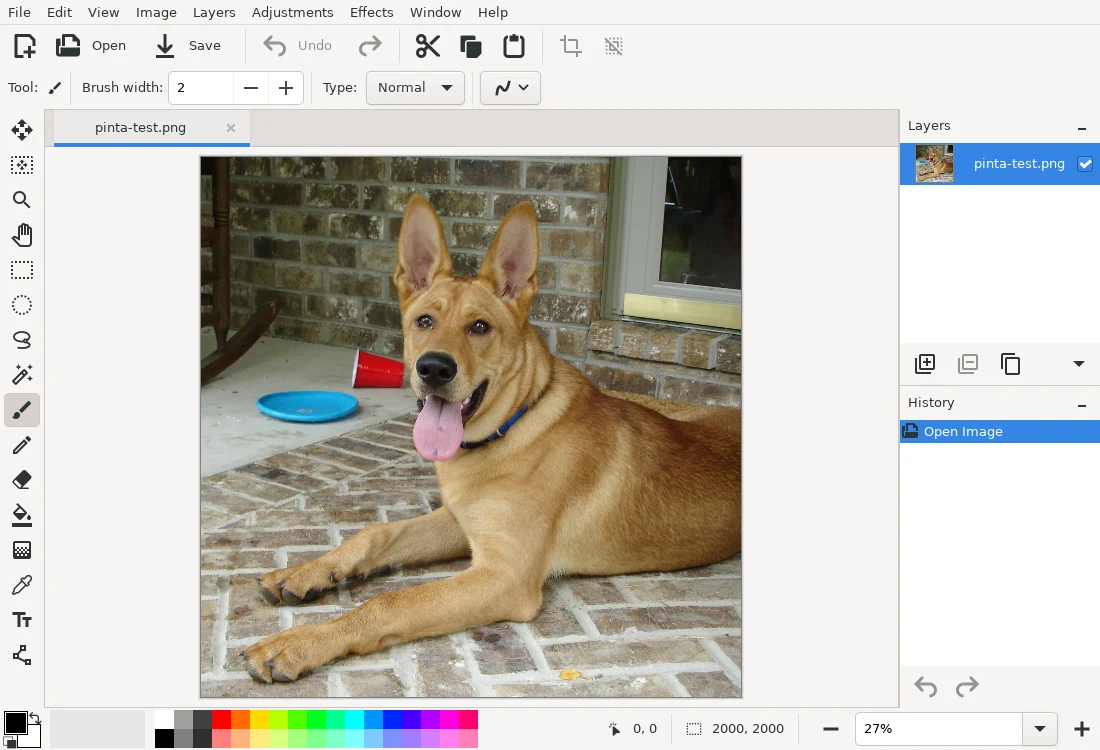
Pinta is a small image editor with layers, selections, effects and drawing tools. It suits quick edits and drawing where GIMP is more than you need.
The project’s README says original Pinta code is MIT licensed. It also includes code from Paint.NET 3.36 under that project’s MIT terms.
Quick start
Checked against the project’s own documentation on November 9, 2026. We have not run these installs ourselves. Commands are copied from the project’s pages, or from Flathub and Homebrew where the section says so.
Linux
The Pinta site lists Linux options. The Flathub package is verified by its publisher:
flatpak install flathub com.github.PintaProject.PintaWindows and macOS
Download the installer from the Pinta Project site. On Windows, open the file and follow the wizard, as the user guide describes.
NixOS
nixpkgs packages Pinta as pinta (source: pkgs/by-name/pi/pinta/package.nix):
environment.systemPackages = [ pkgs.pinta ];Rebuild with sudo nixos-rebuild switch, then launch Pinta from the application menu.
First steps
- Open an image with File > Open or create one with File > New.
- Use the toolbox for selection, brushes, shapes and text. Layers work like in other editors.
- Save with File > Save As and pick a format such as PNG or JPEG.
Start from the Pinta user guide.
Linux · Simple image editor for drawing and basic photo edits. Paste into your AI assistant. It may only be able to guide you. Review changes before running anything.
Researched, not run by the Index. Checked 2026-11-12. No AI account or connection is needed here.
Read or copy the prompt manually
Windows and macOS · Simple image editor for drawing and basic photo edits. Paste into your AI assistant. It may only be able to guide you. Review changes before running anything.
Researched, not run by the Index. Checked 2026-11-12. No AI account or connection is needed here.
Read or copy the prompt manually
NixOS · Simple image editor for drawing and basic photo edits. Paste into your AI assistant. It may only be able to guide you. Review changes before running anything.
Researched, not run by the Index. Checked 2026-11-12. No AI account or connection is needed here.
Read or copy the prompt manually
Tags: Creative