Work & organize
Zotero
Reference manager for collecting, citing and sharing research.
Snapshot from the included release data, not a live check.
No release-notes excerpt is recorded here.
Open the project's release source ↗Available on these platforms
Official iOS and Android apps work with your research library. iOS includes iPhone and iPad. Desktop browser connectors and word-processor integration are not promises of identical mobile features.
Compatibility details and official sources
Official availability checked 2026-11-12. Availability is not feature parity. The recorded release and license refer to the linked source project; separate clients can differ. No install or compatibility test was run.
Before you install
A research library that lives on your machine.
- What does this listing cover?
- The AGPL-3.0 desktop client. The optional sync and storage service is run by the project and is a separate matter.
- Where is my library?
- Locally: PDFs, notes and metadata on your disk. Sync is optional and tied to a free zotero.org account with storage limits.
- What should I install after the app?
- The browser connector for capturing sources, and the word-processor plugin for citations.
Advice and funding routes source-checked November 12, 2026. Researched, not an install or restore test. Installation source ↗ · Report a correction
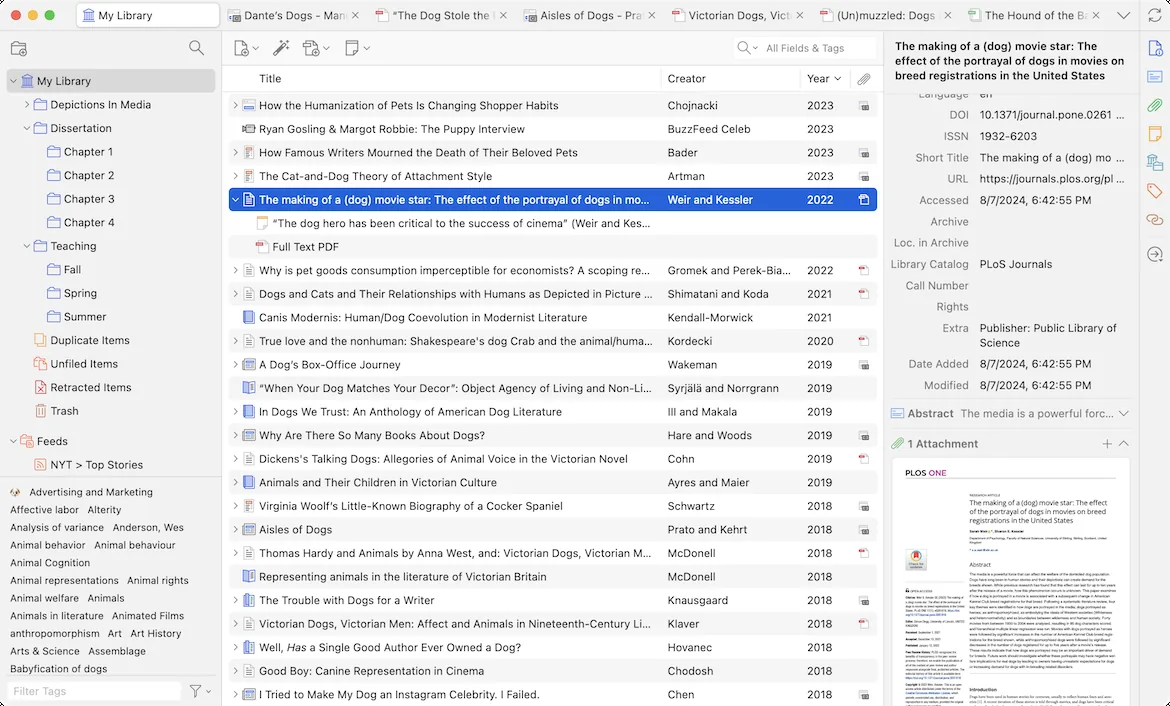
Zotero collects sources from web pages, stores PDFs and notes, and builds citations and bibliographies. This listing covers the desktop client; the repository’s COPYING file states the AGPLv3.
Zotero’s optional sync and storage service is run by the project and is a separate matter from the client code.
Quick start
Checked against the project’s own documentation on November 9, 2026. We have not run these installs ourselves. Commands are copied from the project’s pages, or from Flathub and Homebrew where the section says so.
Linux
Download the tarball, extract it, and run zotero from that directory. The installation page also shows how to symlink the zotero.desktop file into ~/.local/share/applications/ so it appears in your menu.
Windows and macOS
Download from zotero.org/download. On Windows run the setup program. On macOS open the .dmg and drag Zotero to Applications, per the installation page.
Homebrew has a cask for it. That is Homebrew’s packaging, not the project’s own:
brew install --cask zoteroNixOS
nixpkgs packages Zotero as zotero (source: pkgs/by-name/zo/zotero/package.nix):
environment.systemPackages = [ pkgs.zotero ];Rebuild with sudo nixos-rebuild switch, then launch Zotero from the application menu.
First steps
- Also install the Zotero Connector for your browser from the download page. It saves papers, pages and books to Zotero in one click.
- In the app, right-click My Library to make a collection. Use tags and attach files or notes to items.
- To add something, open a page in your browser and click the Connector button. A book or article icon adds one item. A folder icon opens a list to choose from.
Source: Zotero quick start guide.
Linux · Reference manager for collecting, citing and sharing research. Paste into your AI assistant. It may only be able to guide you. Review changes before running anything.
Researched, not run by the Index. Checked 2026-11-12. No AI account or connection is needed here.
Read or copy the prompt manually
Windows and macOS · Reference manager for collecting, citing and sharing research. Paste into your AI assistant. It may only be able to guide you. Review changes before running anything.
Researched, not run by the Index. Checked 2026-11-12. No AI account or connection is needed here.
Read or copy the prompt manually
NixOS · Reference manager for collecting, citing and sharing research. Paste into your AI assistant. It may only be able to guide you. Review changes before running anything.
Researched, not run by the Index. Checked 2026-11-12. No AI account or connection is needed here.
Read or copy the prompt manually
Tags: Documents