Media & photos
VLC media player
Free, cross-platform media player and framework that plays most media files.
Version checked by hand on 2026-11-10. Snapshot from the included release data, not a live check.
No release-notes excerpt is recorded here.
Open the project's release source ↗Available on these platforms
VideoLAN publishes desktop and mobile players. VLC for iOS also supports iPadOS. Mobile interfaces, supported features and releases differ from the desktop player.
Compatibility details and official sources
Official availability checked 2026-11-12. Availability is not feature parity. The recorded release and license refer to the linked source project; separate clients can differ. No install or compatibility test was run.
Before you install
Plays nearly anything, anywhere.
- Which package?
- Distribution packages, or VideoLAN's own downloads. The GitHub repository is a mirror of VideoLAN's own.
- Who makes it?
- VideoLAN, a non-profit; the code is GPL-2.0 or LGPL per its legal page.
- Does it need an account?
- No: files, discs and network streams on your own computer - no cloud involved.
Advice and funding routes source-checked November 12, 2026. Researched, not an install or restore test. Installation source ↗ · Report a correction
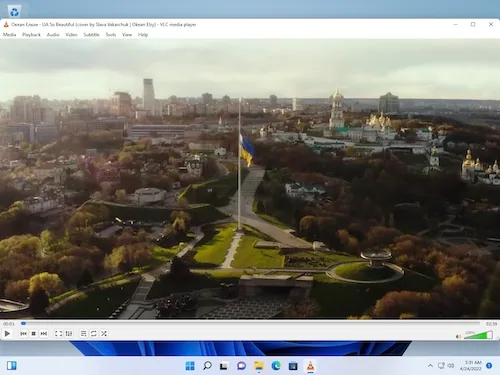
VLC plays most audio and video files, discs and network streams on your own computer. It is made by VideoLAN, a non-profit organization.
VideoLAN’s legal page says its software is under the GNU GPL version 2 or the LGPL, and the repository’s COPYING file is GPLv2. The GitHub repository is a mirror; the project’s own repository is hosted by VideoLAN.
Quick start
Checked against the project’s own documentation on November 9, 2026. We have not run these installs ourselves. Commands are copied from the project’s pages, or from Flathub and Homebrew where the section says so.
Linux
VideoLAN’s Ubuntu page says to search for vlc in the graphical software centre, or use:
sudo snap install vlcOther distributions package VLC in their own repositories.
Windows and macOS
Download from videolan.org/vlc.
Homebrew has a cask for it. That is Homebrew’s packaging, not the project’s own:
brew install --cask vlcNixOS
nixpkgs packages VLC as vlc (source: pkgs/by-name/vl/vlc/package.nix):
environment.systemPackages = [ pkgs.vlc ];Rebuild with sudo nixos-rebuild switch, then launch VLC from the application menu.
First steps
- Open VLC and use Media > Open File to play a video or audio file.
- Media > Open Network Stream plays a stream from a URL. Media > Open Disc plays a disc.
- To play region-locked DVDs on Debian-family systems you need
libdvdcss2; the Ubuntu page links the procedure.
Linux · Free, cross-platform media player and framework that plays most media files. Paste into your AI assistant. It may only be able to guide you. Review changes before running anything.
Researched, not run by the Index. Checked 2026-11-12. No AI account or connection is needed here.
Read or copy the prompt manually
Windows and macOS · Free, cross-platform media player and framework that plays most media files. Paste into your AI assistant. It may only be able to guide you. Review changes before running anything.
Researched, not run by the Index. Checked 2026-11-12. No AI account or connection is needed here.
Read or copy the prompt manually
NixOS · Free, cross-platform media player and framework that plays most media files. Paste into your AI assistant. It may only be able to guide you. Review changes before running anything.
Researched, not run by the Index. Checked 2026-11-12. No AI account or connection is needed here.
Read or copy the prompt manually
Tags: Media