Privacy & access
Thunderbird
Email, calendars, contacts and feeds in a desktop client you control.
Version checked by hand on 2026-11-11. Snapshot from the included release data, not a live check.
No release-notes excerpt is recorded here.
Open the project's release source ↗Available on these platforms
The Android app is a separate client with its own releases. Thunderbird for iOS is in development, not listed as an available app here: the October 1, 2026 project update describes a first community test as a future goal.
Compatibility details and official sources
Official availability checked 2026-11-12. Availability is not feature parity. The recorded release and license refer to the linked source project; separate clients can differ. No install or compatibility test was run.
Before you install
Your email, calendar and RSS in one free client.
- Does it provide email?
- No: Thunderbird is a client that connects to accounts you already have. It is not mail hosting or a mail server.
- Where is my data?
- Mail stores locally (and on your server per account settings). Everything lives in the profile folder - back it up.
- What is the license?
- The desktop code is MPL-2.0. The Thunderbird name and logo are Mozilla Foundation trademarks.
Advice and funding routes source-checked November 12, 2026. Researched, not an install or restore test. Installation source ↗ · Report a correction
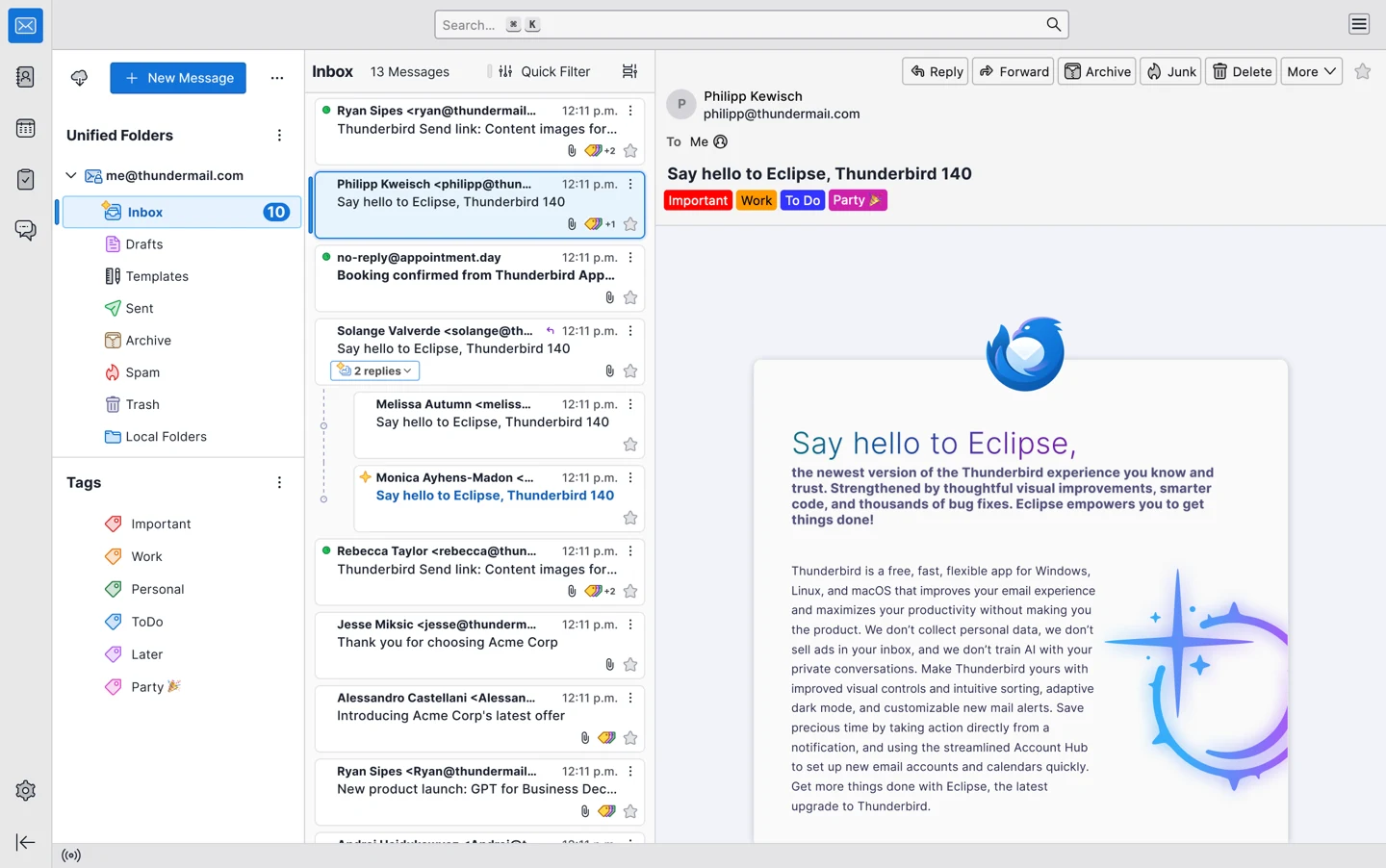

Thunderbird brings email, calendars, contacts and RSS feeds together without requiring a proprietary desktop suite. It connects to accounts you already have: it is a client, not a mail hosting service or a mail server.
The desktop code is MPL-2.0. The Thunderbird name and logo are Mozilla Foundation trademarks, used here to identify the software, not to imply endorsement.
Quick start
Researched against upstream documentation on November 11, 2026. We have not installed Thunderbird or run these steps as part of this listing.
Linux
Thunderbird’s official Linux download page links to its verified Flatpak. With Flatpak and the Flathub remote already set up:
flatpak install flathub org.mozilla.Thunderbird
flatpak run org.mozilla.Thunderbird
In the account setup screen enter your name, existing email address and password. Let Thunderbird look up the provider settings; review them before continuing. Some providers open a browser to sign in with OAuth. If automatic setup fails, use your provider’s documented IMAP and SMTP settings rather than guessing server names. Adding an account does not create a new email address.
Windows and macOS
Download the recommended Release installer for your system from the official downloads, run it, then add an existing email account as described in the Linux steps. For an open-source operating system too, explore the Index’s Linux listings.
NixOS
The nixpkgs Thunderbird module provides a desktop launcher:
programs.thunderbird.enable = true;Rebuild with sudo nixos-rebuild switch, launch Thunderbird from your desktop
menu, then complete the account setup above. The version follows your pinned
nixpkgs channel and may differ from the recorded upstream release.
First use
Send a test message to an address you control and check that you can receive its reply. Back up your Thunderbird profile before moving an existing setup; copying a profile can include mail, contacts and credentials. Calendar and contact sync depend on your provider’s supported protocols.
Documentation
Linux · Email, calendars, contacts and feeds in a desktop client you control. Paste into your AI assistant. It may only be able to guide you. Review changes before running anything.
Researched, not run by the Index. Checked 2026-11-12. No AI account or connection is needed here.
Read or copy the prompt manually
Windows and macOS · Email, calendars, contacts and feeds in a desktop client you control. Paste into your AI assistant. It may only be able to guide you. Review changes before running anything.
Researched, not run by the Index. Checked 2026-11-12. No AI account or connection is needed here.
Read or copy the prompt manually
NixOS · Email, calendars, contacts and feeds in a desktop client you control. Paste into your AI assistant. It may only be able to guide you. Review changes before running anything.
Researched, not run by the Index. Checked 2026-11-12. No AI account or connection is needed here.
Read or copy the prompt manually
Tags: Communication