Work & organize
Standard Notes
End-to-end encrypted notes app with a self-hostable sync server.
Released 2026-11-02. Snapshot from the included release data, not a live check.
No release-notes excerpt is recorded here.
Open the project's release source ↗Available on these platforms
The web client runs in a browser. Native apps and paid service features are separate questions.
Compatibility details and official sources
- Linux - Native app
- Windows - Native app
- macOS - Native app
- Android - Native app
- iOS - Native app
- Web - Browser client
Official availability checked 2026-11-12. Availability is not feature parity. The recorded release and license refer to the linked source project; separate clients can differ. No install or compatibility test was run.
Before you install
Encrypted notes, with a clear line between free and paid.
- Is everything free?
- The app and server code are public (AGPL-3.0 and GPL-3.0), but not every feature is free: the plans page lists paid tiers, and self-hosted premium features need a subscription or offline plan.
- Should I self-host the server?
- Only if you will maintain it - the project documents the route, and it is real work. Decide before your notes pile up.
- What if I lose my password?
- Notes are encrypted end to end with it. Lose it and the notes are gone.
Advice and funding routes source-checked November 12, 2026. Researched, not an install or restore test. Installation source ↗ · Report a correction
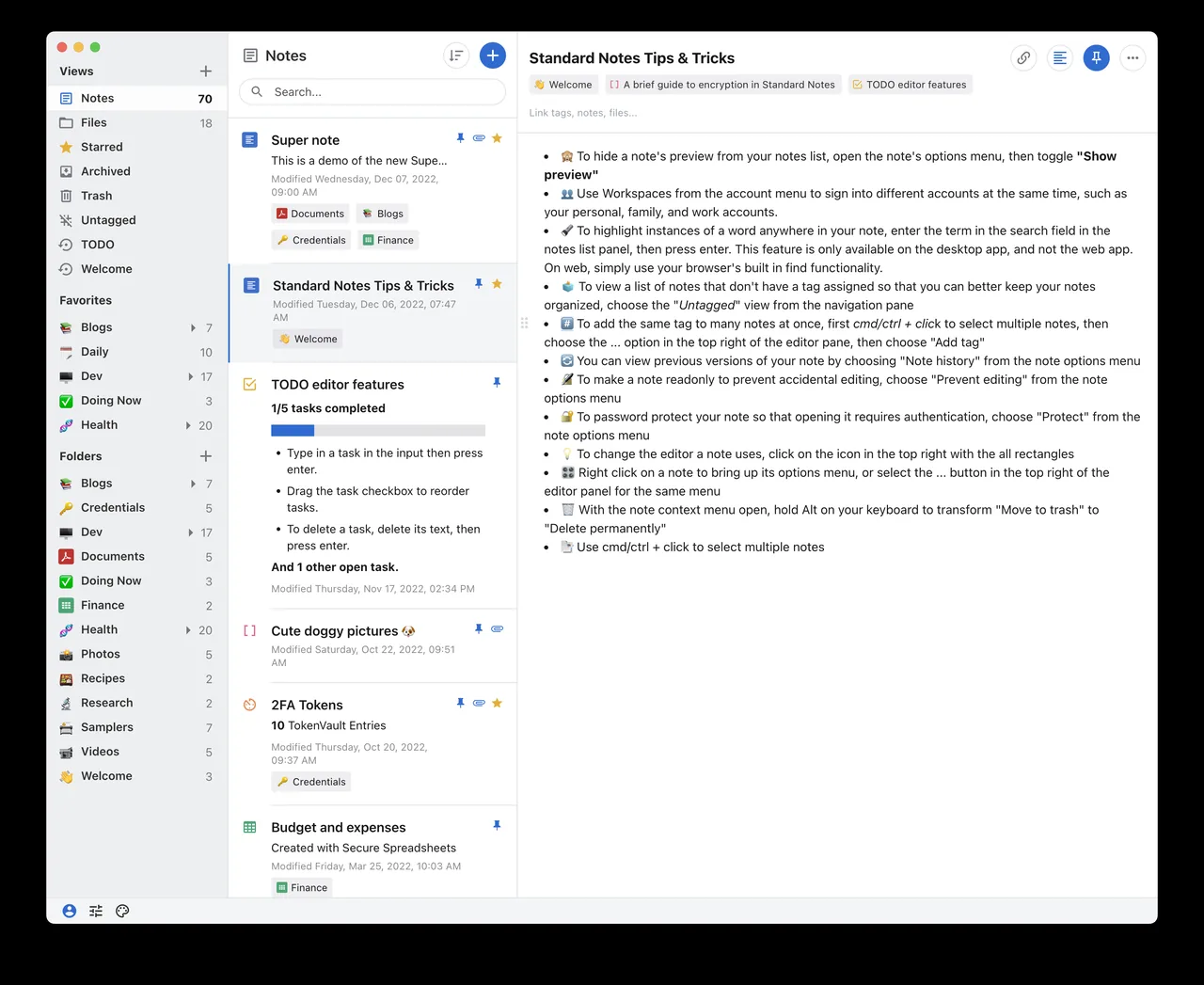
Standard Notes is an encrypted notes app. The source for the apps and for the sync server is public, and the project documents how to self-host the server.
The two repositories carry different licenses: the app repository (standardnotes/app) is the GNU AGPL version 3, and the server repository (standardnotes/server) is the GNU GPL version 3. The open source code does not mean every feature is free. The project’s plans page lists paid plans, and its self-hosting documentation says that on a self-hosted server, premium server-side features need a subscription created by hand, while client-side premium features such as Super notes and nested tags need an offline plan.
Quick start
Checked against the project’s own documentation on November 9, 2026. We have not run these installs ourselves. Commands are copied from the project’s pages, or from Flathub and Homebrew where the section says so.
Desktop apps
Download the app for macOS, Windows or Linux from standardnotes.com/download. On Linux it’s an AppImage:
chmod a+x standard-notes-*.AppImage
./standard-notes-*.AppImage
Homebrew has a cask for it. That is Homebrew’s packaging, not the project’s own:
brew install --cask standard-notesSelf-hosted server
The Docker guide is the only supported self-hosting route and needs a Linux server with Docker. The first steps are: make a working folder, fetch .env.sample to .env, generate each key with openssl rand -hex 32, fetch the LocalStack bootstrap script and the example docker-compose.yml from the project’s server repository, and change the database password. The guide has the exact commands and the remaining steps. The server doesn’t include the web app, which is a separate project.
NixOS
nixpkgs packages Standard Notes as standardnotes (source: pkgs/by-name/st/standardnotes/package.nix):
environment.systemPackages = [ pkgs.standardnotes ];Rebuild with sudo nixos-rebuild switch, then launch Standard Notes from the application menu.
First steps
- Create an account on the hosted service, or on your own server by pointing the app’s sign-in at its address.
- Write a note. Install the app on a second device and sign in to check that sync works.
- Export a backup from the app before you rely on it.
The hosted service has paid plans. The license note above describes what is open source and what isn’t.
Desktop apps · End-to-end encrypted notes app with a self-hostable sync server. Paste into your AI assistant. It may only be able to guide you. Review changes before running anything.
Researched, not run by the Index. Checked 2026-11-12. No AI account or connection is needed here.
Read or copy the prompt manually
Self-hosted server · End-to-end encrypted notes app with a self-hostable sync server. Paste into your AI assistant. It may only be able to guide you. Review changes before running anything.
Researched, not run by the Index. Checked 2026-11-12. No AI account or connection is needed here.
Read or copy the prompt manually
NixOS · End-to-end encrypted notes app with a self-hostable sync server. Paste into your AI assistant. It may only be able to guide you. Review changes before running anything.
Researched, not run by the Index. Checked 2026-11-12. No AI account or connection is needed here.
Read or copy the prompt manually
Tags: Notes