Servers & monitoring
privacyIDEA
Self-hosted multi-factor authentication server for managing tokens and authentication policies.
Release notes / v3.14
Released 2026-10-07. Snapshot from the included release data, not a live check.
**Please read [READ_BEFORE_UPDATE.md](https://github.com/privacyidea/privacyidea/blob/v3.14/READ_BEFORE_UPDATE.md) before updating.** It describes the changes that may need action on your side. Features: * API clients can authenticate with an API key in the `X-API-Key` header, which gives an integration a stable, revocable machine identity of its own. On top of that, such a client can be issued a rotating "remember this device" cookie with theft detection, gated by the new `remember_device` policy and revocable per device by an admin (#5636, #5637, #5639, #5640, #5696) * Use
Read the full release notes on GitHub ↗Available on these platforms
This is the management web UI for the authentication server. Token/authenticator apps and system integrations are separate projects; do not label them as the server running on iOS or Android.
Compatibility details and official sources
- Web - Browser interface
Official availability checked 2026-11-12. Availability is not feature parity. The recorded release and license refer to the linked source project; separate clients can differ. No install or compatibility test was run.
Before you install
Multi-factor authentication under your control.
- What does it run on?
- A Python server you run - packages, Docker or source - that manages authentication tokens and policies for applications and networks.
- Where is my data?
- Tokens, policies and user assignments live in your own database. It works with existing user directories rather than replacing them.
- What will I maintain?
- An authentication service people depend on: updates, backups and recovery planning. AGPLv3; NetKnights sells enterprise packages and support separately.
Advice and funding routes source-checked November 12, 2026. Researched, not an install or restore test. Installation source ↗ · Report a correction
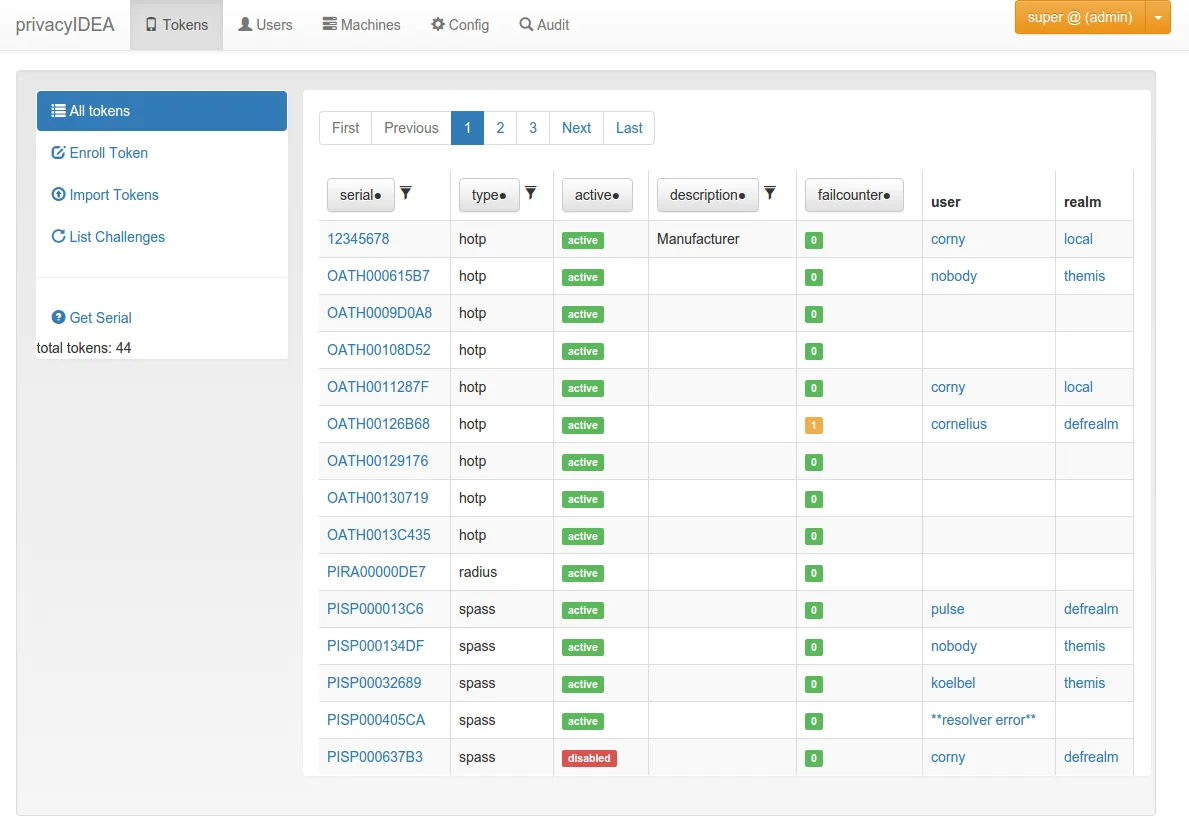

privacyIDEA manages authentication tokens and policies for applications and networks. It can work with existing user directories rather than replace them. The server code is AGPLv3; NetKnights also sells enterprise packages, support and related products. Those services are not included in this listing.
Quick start
Researched from upstream’s version 3.14 Docker deployment and first-steps documentation on November 11, 2026. We have not installed or run the server.
Docker Compose
Use a disposable lab host or VM first. The upstream deployment requires Docker
Engine 24 or later, Compose v2, make, Python 3 and OpenSSL. Clone the published
release and enter its deployment directory:
git clone --branch v3.14 --depth 1 https://github.com/privacyidea/privacyidea.git
cd privacyidea/deploy/docker
make init
make init creates local secrets and configuration, and prints the bootstrap
administrator password once. Store it securely. Keep .env, example.env and
the secrets/ directory out of any new Git commits. Review .env and
example.env, including PRIVACYIDEA_PI_BASE_URL. The supplied Compose stack
builds the application image locally and runs MariaDB, an initialization job,
web workers and scheduled maintenance.
For a local lab, review the port mappings in compose.yaml and bind the web
port to 127.0.0.1:8080:8080 rather than exposing it to a network. Then run:
make up
make smoke
Open http://localhost:8080 and sign in with the bootstrap admin name from
.env and the password created by make init. Plain HTTP is for a local lab,
not a public authentication service. Use the upstream TLS/reverse-proxy guide
before any remote access. The upstream README documents make down, backup,
restore and upgrade helpers; check their behavior before using real tokens.
First use
Follow the first-steps guide to create a test user resolver and realm, then enroll a TOTP token for a test user. Verify authentication with that test token before connecting any application. Keep a separate recovery/admin path and back up the database, encryption key and audit keys. Losing encryption keys can make stored token secrets unusable. Never switch a production login to a new MFA server until recovery and restore have been tested.
Other deployment options
Linux
For a managed Linux deployment, use the documented Ubuntu packages or a Python
virtual environment from the installation guide. These require a database,
application configuration, encryption/audit keys and a web server. Do not assume
pip install alone creates a working authentication service. Use the Docker
lab above to learn the model before integrating a production login flow.
NixOS
We have not verified a current native privacyIDEA package/module at the checked nixpkgs revision. Old examples refer to a historical module and put secrets in configuration strings. Do not copy those examples into the world-readable Nix store. Use an isolated Linux VM or the upstream container workflow with secret files outside the store until you have reviewed a current deployment route.
Documentation
Docker Compose · Self-hosted multi-factor authentication server for managing tokens and authentication policies. Paste into your AI assistant. It may only be able to guide you. Review changes before running anything.
Researched, not run by the Index. Checked 2026-11-12. No AI account or connection is needed here.
Read or copy the prompt manually
Tags: Infrastructure