Servers & monitoring
PostgreSQL
Open-source relational database server for applications and structured data.
Version checked by hand on 2026-11-11. Snapshot from the included release data, not a live check.
No release-notes excerpt is recorded here.
Open the project's release source ↗Available on these platforms
Official download choices include these host platforms. PostgreSQL is a database server, not a native iPhone/Android graphical app. Optional database GUIs and remote clients are separate projects.
Compatibility details and official sources
- Linux - Database server and command-line client
- Windows - Database server and command-line client
- macOS - Database server and command-line client
Official availability checked 2026-11-12. Availability is not feature parity. The recorded release and license refer to the linked source project; separate clients can differ. No install or compatibility test was run.
Before you install
A relational database with a decades-long track record.
- What does it run on?
- A server, a container or your development machine - packages for every platform, plus the psql terminal client.
- Where is my data?
- Your databases live on your server. The core uses the permissive PostgreSQL License; extensions carry their own licenses.
- What will I maintain?
- A serious database if it holds real data: updates, backups and storage. For a graphical client, pair it with a tool such as DBeaver.
Advice and funding routes source-checked November 12, 2026. Researched, not an install or restore test. Installation source ↗ · Report a correction

PostgreSQL, often called Postgres, is a relational database server. Applications
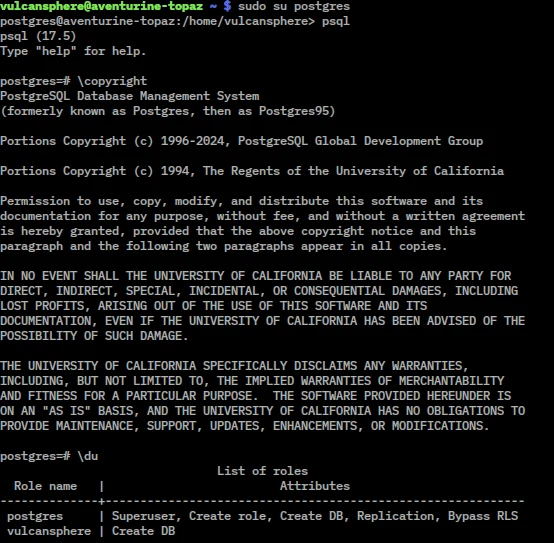
use it to store structured data and query it with SQL. It includes the psql
terminal client; a separate tool such as DBeaver can provide a graphical client.
The core uses the permissive PostgreSQL License. Extensions have their own licenses. Postgres, PostgreSQL and the Slonik logo are trademarks or registered trademarks of the PostgreSQL Community Association of Canada. This independent listing does not imply affiliation or endorsement.
Quick start
Researched against upstream and official-image documentation on November 11, 2026. We have not started a database or run these steps as part of this listing.
Docker Compose
For a local learning database, create a folder with this compose.yaml:
services:
  postgres:
    image: postgres:18
    environment:
      POSTGRES_PASSWORD: ${POSTGRES_PASSWORD:?Set a unique local database password}
      POSTGRES_DB: index_demo
    ports:
      - "127.0.0.1:5432:5432"
    volumes:
      - postgres-data:/var/lib/postgresql
    restart: unless-stopped
volumes:
  postgres-data:
Set POSTGRES_PASSWORD to a unique password in a local .env file (keep that
file out of Git), then start the database:
docker compose up -d
docker compose exec postgres psql -U postgres -d index_demo
At the psql prompt, try SELECT current_database(), version();, then \q
to leave. Port 5432 is bound to loopback only. PostgreSQL 18’s image stores data
under /var/lib/postgresql/18/docker, so the volume above mounts its parent,
/var/lib/postgresql. Older image examples use a different data path.
Changing POSTGRES_PASSWORD later does not reset the password in an initialized
volume. Do not delete the volume to fix a login problem: that deletes your data.
Linux
On Debian or Ubuntu, the distribution packages provide a local service:
sudo apt update
sudo apt install postgresql postgresql-client
sudo systemctl start postgresql
sudo -u postgres createdb index_demo
sudo -u postgres psql -d index_demo
Run SELECT current_database(), version(); and \q to exit. Your distribution
chooses its supported version; it may differ from the recorded upstream release.
This uses local operating-system authentication, not a publicly reachable
server. Consult the PostgreSQL documentation before changing network access.
NixOS
For a new local test instance (not an existing database upgrade):
services.postgresql = {
  enable = true;
  package = pkgs.postgresql_18;
  ensureDatabases = [ "index_demo" ];
};
Run sudo nixos-rebuild switch, then sudo -u postgres psql -d index_demo.
Try the query above. Do not change the package major version on an existing
instance without planning a database upgrade and checking your backups.
First use
Use a non-superuser account for applications, keep database access off the
public internet, and arrange backups before storing important data. A Docker
volume persists data but is not a backup. Stop the learning container with
docker compose down; avoid down -v unless you intend to erase its volume.
Documentation
- PostgreSQL tutorial
- Official Docker image and version-specific storage paths
- Ubuntu packages
- NixOS module source
Docker Compose · Open-source relational database server for applications and structured data. Paste into your AI assistant. It may only be able to guide you. Review changes before running anything.
Researched, not run by the Index. Checked 2026-11-12. No AI account or connection is needed here.
Read or copy the prompt manually
Linux · Open-source relational database server for applications and structured data. Paste into your AI assistant. It may only be able to guide you. Review changes before running anything.
Researched, not run by the Index. Checked 2026-11-12. No AI account or connection is needed here.
Read or copy the prompt manually
NixOS · Open-source relational database server for applications and structured data. Paste into your AI assistant. It may only be able to guide you. Review changes before running anything.
Researched, not run by the Index. Checked 2026-11-12. No AI account or connection is needed here.
Read or copy the prompt manually
Tags: Infrastructure
Want help running it? Ask FOSSadmin about hosting and maintenance ↗