Media & photos
Penpot
Design and prototyping tool you can self-host, for teams that hand off to developers.
Release notes / 2.19.1
Released 2026-11-11. Snapshot from the included release data, not a live check.
### :lock: Security fixes - Fix editor-role team members retrieving the signed invitation token of any pending invitation (https://github.com/penpot/penpot/security/advisories/GHSA-4mmc-j8rh-74pf) (PR: [#12892](https://github.com/penpot/penpot/pull/12892)) - Fix share-link page-scope escape in `get-profiles-for-file-comments` leaking the identity of comment authors outside the link's scope (https://github.com/penpot/penpot/security/advisories/GHSA-89cq-3wv7-987r) (PR: [#12888](https://github.…
Read the full release notes on GitHub ↗Available on these platforms
The design editor runs in a browser against a hosted or self-hosted service. This is not a native iOS/Android app claim or a promise of full phone editing.
Compatibility details and official sources
- Web - Browser interface
Official availability checked 2026-11-12. Availability is not feature parity. The recorded release and license refer to the linked source project; separate clients can differ. No install or compatibility test was run.
Before you install
Design and prototype in the browser, self-hostable.
- What does it run on?
- Your browser against the project's hosted service, or a Docker stack you run yourself. MPL-2.0 licensed.
- Where is my data?
- On penpot.app, files live on the project's hosted service (run by the project, separate from this listing's focus). Self-hosted, they live on your server.
- What will I maintain?
- Self-hosting means the Docker stack, updates and backups. Designers and developers work in the same files either way.
Advice and funding routes source-checked November 12, 2026. Researched, not an install or restore test. Installation source ↗ · Report a correction
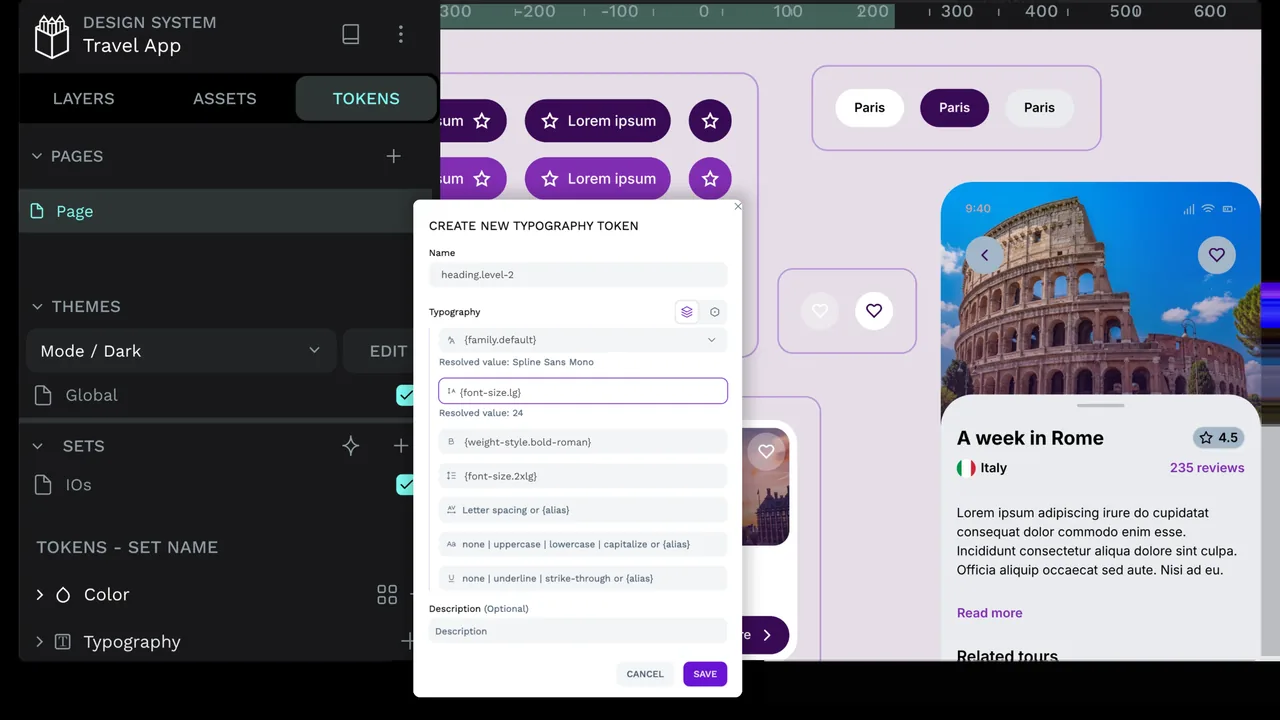
Penpot is a browser-based design tool for interfaces and prototypes. Designers and developers work in the same files, and the project documents how to host it yourself.
The repository’s LICENSE file is the Mozilla Public License 2.0. The hosted service at penpot.app is run by the project and is separate from the self-hosted version.
Quick start
Checked against the project’s own documentation on November 9, 2026. We have not run these installs ourselves. Commands are copied from the project’s pages, or from Flathub and Homebrew where the section says so.
Docker Compose
The self-hosting guide needs Docker and Docker Compose, and says some DNS and proxy knowledge helps. It uses:
curl -o docker-compose.yaml https://raw.githubusercontent.com/penpot/penpot/main/docker/images/docker-compose.yaml
docker compose -p penpot -f docker-compose.yaml up -d
It listens on http://localhost:9001. To pin a version, set PENPOT_VERSION, for example PENPOT_VERSION=2.4.3 docker compose -p penpot -f docker-compose.yaml up -d. Stop it with docker compose -p penpot -f docker-compose.yaml down. The sample file uses placeholder secrets, so change the secret key and database password before exposing it.
Hosted by the project
If you’d rather not run a server, Penpot also runs a hosted service at penpot.app. That is the project’s service, with its own terms, and not what this listing’s self-hosting steps cover.
NixOS
nixpkgs packages the Penpot desktop client as penpot-desktop (source: pkgs/by-name/pe/penpot-desktop/package.nix):
environment.systemPackages = [ pkgs.penpot-desktop ];Rebuild with sudo nixos-rebuild switch, then launch Penpot from the application menu.
Self-hosting the Penpot server on NixOS uses the Docker Compose route above; nixpkgs has no Penpot service module.
First steps
- Open http://localhost:9001 and register an account. If public registration is off, the guide describes a command to create a user inside the backend container.
- Create a project and a board, then draw with the shapes on the left. Use the inspector on the right for colours and layout.
- Use Invite to add teammates. Invitation emails need SMTP set up in the compose file.
Source: Penpot first steps.
Docker Compose · Design and prototyping tool you can self-host, for teams that hand off to developers. Paste into your AI assistant. It may only be able to guide you. Review changes before running anything.
Researched, not run by the Index. Checked 2026-11-12. No AI account or connection is needed here.
Read or copy the prompt manually
NixOS · Design and prototyping tool you can self-host, for teams that hand off to developers. Paste into your AI assistant. It may only be able to guide you. Review changes before running anything.
Researched, not run by the Index. Checked 2026-11-12. No AI account or connection is needed here.
Read or copy the prompt manually
Tags: Creative