Operating systems
openSUSE
Community Linux distributions with rolling Tumbleweed and regular-release Leap choices.
Version checked by hand on 2026-11-11. Snapshot from the included release data, not a live check.
No release-notes excerpt is recorded here.
Open the project's release source ↗Device compatibility
Official hardware and installation choices ↗
openSUSE has different operating-system editions and install images. Choose the edition, architecture and hardware requirements explicitly; do not treat the OS as a Windows/macOS or phone app.
Compatibility details and official sources
Official availability checked 2026-11-12. Availability is not feature parity. The recorded release and license refer to the linked source project; separate clients can differ. No install or compatibility test was run.
Before you install
Rolling or regular release - pick the identity first.
- Tumbleweed or Leap?
- Tumbleweed is the rolling release: always current, tested before publishing. Leap follows regular releases aligned with SUSE's enterprise line. They are different systems, not versions of each other.
- What if a rolling update goes wrong?
- The default Btrfs layout takes automatic snapshots; boot the previous snapshot and roll back.
- Hardware support?
- Standard 64-bit PCs and VMs, with live images to check hardware before you commit.
Advice and funding routes source-checked November 12, 2026. Researched, not an install or restore test. Installation source ↗ · Report a correction
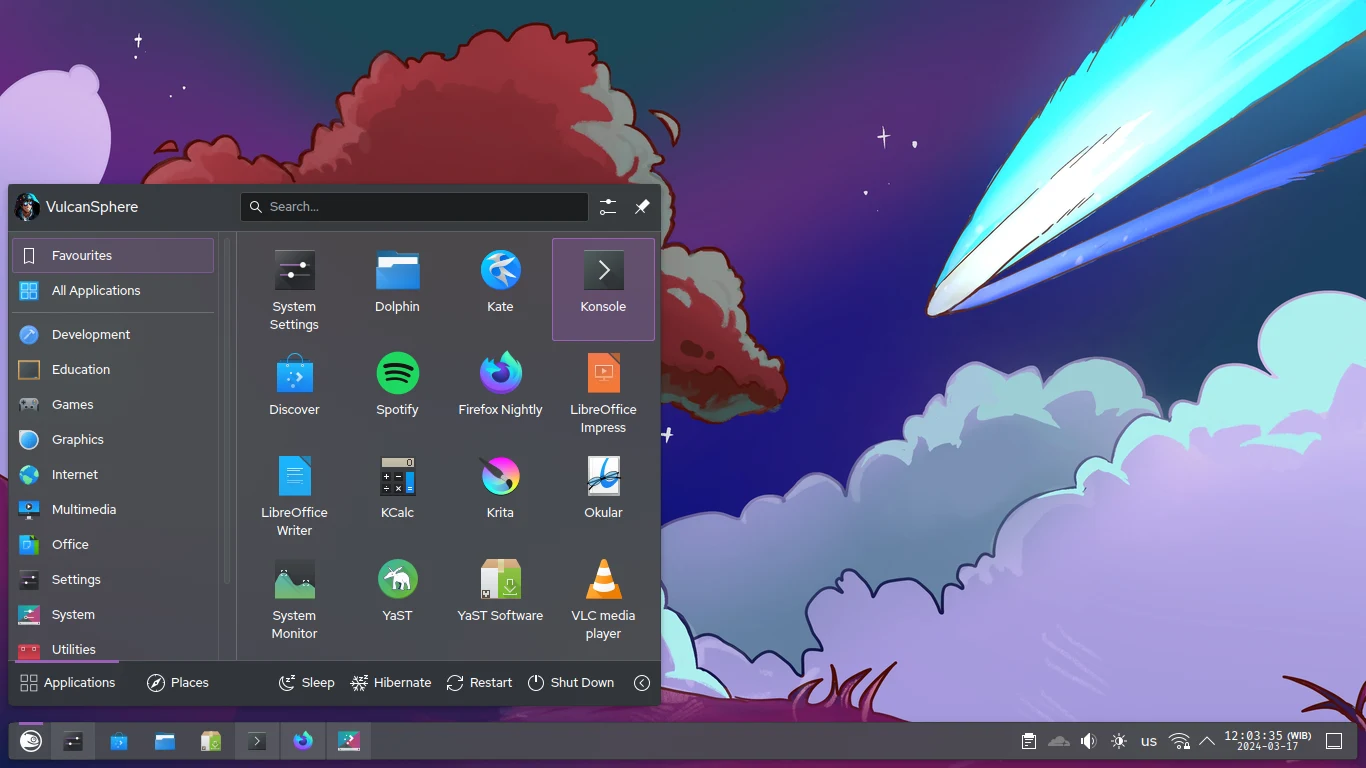

openSUSE is a community project with several Linux distributions. Tumbleweed is the rolling-release choice; Leap uses regular releases. This listing keeps those identities separate instead of assigning one version number to all of openSUSE.
Like other Linux distributions, the complete system has per-package licenses, not a single code license. Repositories can offer software with different licensing or firmware terms; check the packages you choose.
Quick start
Researched against project documentation on November 11, 2026. We have not booted an image or run the installer as part of this listing.
Tumbleweed
- Open the official Tumbleweed page. Choose the Offline Image matching your computer’s architecture. A Network Image downloads selected packages during installation and needs internet.
- Download its checksum and signature files too. Follow the project’s verification instructions before using the image. A matching checksum alone is not proof of authenticity if it came from the same compromised mirror.
- Follow the project’s USB image-writing guide to write the ISO to a spare USB drive. This erases the USB drive: check the selected device carefully. Back up the computer before installing; a virtual machine is a safer first look.
- Boot the USB from the firmware boot menu and start Installation. Choose language, keyboard, network and desktop/system role. Review the disk and partition summary before committing any changes; installation can erase data.
- Create your local user, complete installation, remove the USB when prompted
and boot the installed system. On Tumbleweed, use
sudo zypper dupfor normal distribution updates after reviewing the proposed changes.
Leap
Choose Leap from the official selector if you
prefer a regular-release system. Read the release-specific requirements and
installation guide there: Leap and Tumbleweed do not necessarily use the same
installer or upgrade process. Verify the image, write a spare USB, boot it and
review the disk changes before installation. Follow Leap’s own update guidance,
not Tumbleweed’s zypper dup instructions by default.
First use
Open a browser and check networking, then update the new system before moving important work onto it. Desktop screenshots show only one available desktop; KDE Plasma is not the only choice. This is a full operating system, not an app to install into NixOS, so it has no NixOS Quick start tab.
The recorded-release box identifies the rolling Tumbleweed track, not a specific downloaded snapshot. Check the download page for the current image.
Documentation
Tumbleweed · Plan a safe openSUSE install. Paste into your AI assistant. It may only be able to guide you. Review changes before running anything.
Researched, not run by the Index. Checked 2026-11-12. No AI account or connection is needed here.
Read or copy the prompt manually
Tags: Operating systems