Work & organize
Omni Tools
Browser-based tools for PDFs, images, text and everyday file conversions.
Release notes / v0.7.0
Released 2026-10-20. Snapshot from the included release data, not a live check.
This release introduces **25 new tools** across converters, image processing, JSON, numbers, PDF, text, time, and video utilities. ## ✨ What's New ### 🔄 Converters - **Audio Converter** — Convert audio files between supported formats. - **Convert to JPG** — Convert images to JPG. - **Convert to WebP** — Convert images to WebP. ### 🖼️ Image Tools - **Split Image** — Split images into smaller sections. - **Watermark** — Add watermarks to images. ### 📊 JSON Tools - **JSON to CSV** — Convert JSON data to CSV format. - **JSON Sort** — Sort JSON data. ### 🔢 Number Tools - **Byte Converter** — Convert between byte units. - **Number to Words** — Convert numbers into words. ### 📄 PDF Tools - **Convert to PDF** — Convert supported files to PDF. - **Extract Images from PD…
Read the full release notes on GitHub ↗Available on these platforms
Self-hosted web utilities used through a browser. This does not imply native phone apps or identical behavior for every browser file format.
Compatibility details and official sources
- Web - Browser interface
Official availability checked 2026-11-12. Availability is not feature parity. The recorded release and license refer to the linked source project; separate clients can differ. No install or compatibility test was run.
Before you install
Everyday file jobs without online converters.
- What does it run on?
- A Docker container or a build from source, serving one browser interface for PDF operations, image conversion and text jobs.
- Where is my data?
- The project says file processing happens on the client - your files are not sent to a server for the work itself.
- What will I maintain?
- A container and its updates. A good first self-host: low risk, immediate use.
Advice and funding routes source-checked November 12, 2026. Researched, not an install or restore test. Installation source ↗ · Report a correction
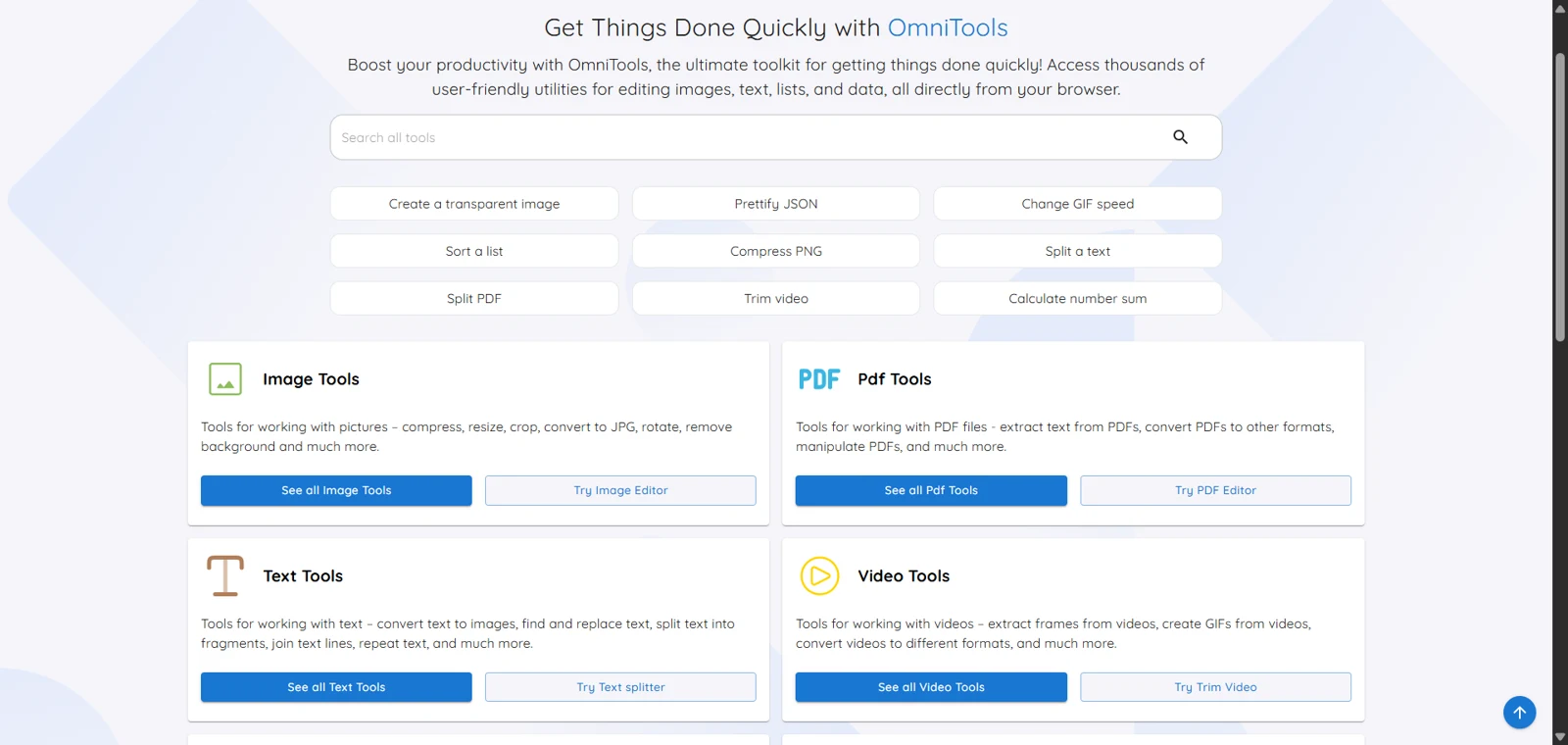

Omni Tools collects small file and text utilities in one browser interface: PDF operations, image conversion, text manipulation and other everyday jobs. You can host the app rather than sending each task to a different online converter.
The project says file processing happens on the client, without uploading files to a server. We have not independently audited every tool’s network behavior. Browser memory and CPU still limit large jobs; test a copy before processing something irreplaceable or sensitive.
Quick start
Checked against the project’s README on November 9, 2026. We have not run this setup ourselves.
Docker Compose
Requires Docker and the Compose plugin. This adapts the upstream Compose
example to a localhost-only port. Save as compose.yaml:
services:
  omni-tools:
    image: iib0011/omni-tools:latest
    ports:
      - "127.0.0.1:8080:80"
    restart: unless-stopped
Run docker compose up -d, then open http://localhost:8080 on the host.
The official starter needs no data volume: keep your input files and download
results yourself. Review releases before pulling an update. Use a different
host port if another local app already uses 8080.
A shared deployment needs its own access and HTTPS plan. Hosting an app locally is not a substitute for checking how the specific conversion tool handles your files.
Why it’s listed
A useful replacement for the pile of one-off converter sites people reach for under time pressure. The client-side design is appealing, with the privacy claim clearly attributed rather than presented as our audit.
Documentation
Docker Compose · Browser-based tools for PDFs, images, text and everyday file conversions. Paste into your AI assistant. It may only be able to guide you. Review changes before running anything.
Researched, not run by the Index. Checked 2026-11-12. No AI account or connection is needed here.
Read or copy the prompt manually
Tags: Utilities