Operating systems
Omarchy
Opinionated, installable Linux OS by DHH: a curated Arch and Hyprland desktop that sets up a finished system in minutes.
Release notes / v4.5.0
Version checked by hand on 2026-11-12. Snapshot from the included release data, not a live check.
GitHub release v4.5.0 matches the omarchy.org ISO download (x86 and ARM64, with SHA-256 checksums and signatures). The weekly checker can track this repository's GitHub releases normally.
Read the full release notes on GitHub ↗Device compatibility
Official hardware and installation choices ↗
Omarchy is an installable operating system: x86 and ARM64 ISOs plus a native Apple Silicon installer, with preliminary support for specific ARM hardware named on the site. It is not an app for another platform.
Compatibility details and official sources
Official availability checked 2026-11-12. Availability is not feature parity. The recorded release and license refer to the linked source project; separate clients can differ. No install or compatibility test was run.
Before you install
One opinionated desktop, installed as a finished system.
- What exactly am I installing?
- An Arch base with a curated Hyprland desktop, fixed defaults and themed tools - one person's choices applied as a complete system, not assembled piece by piece.
- Can I keep my current setup?
- No: it installs as its own OS (x86, ARM64 and Apple Silicon images). Treat it as a dedicated system, not a layer over what you have.
- What if I want to change things?
- It is Arch underneath, so anything is changeable - but the point is the curated defaults. Heavy customization fights the project's grain.
Advice and funding routes source-checked November 12, 2026. Researched, not an install or restore test. Installation source ↗ · Report a correction
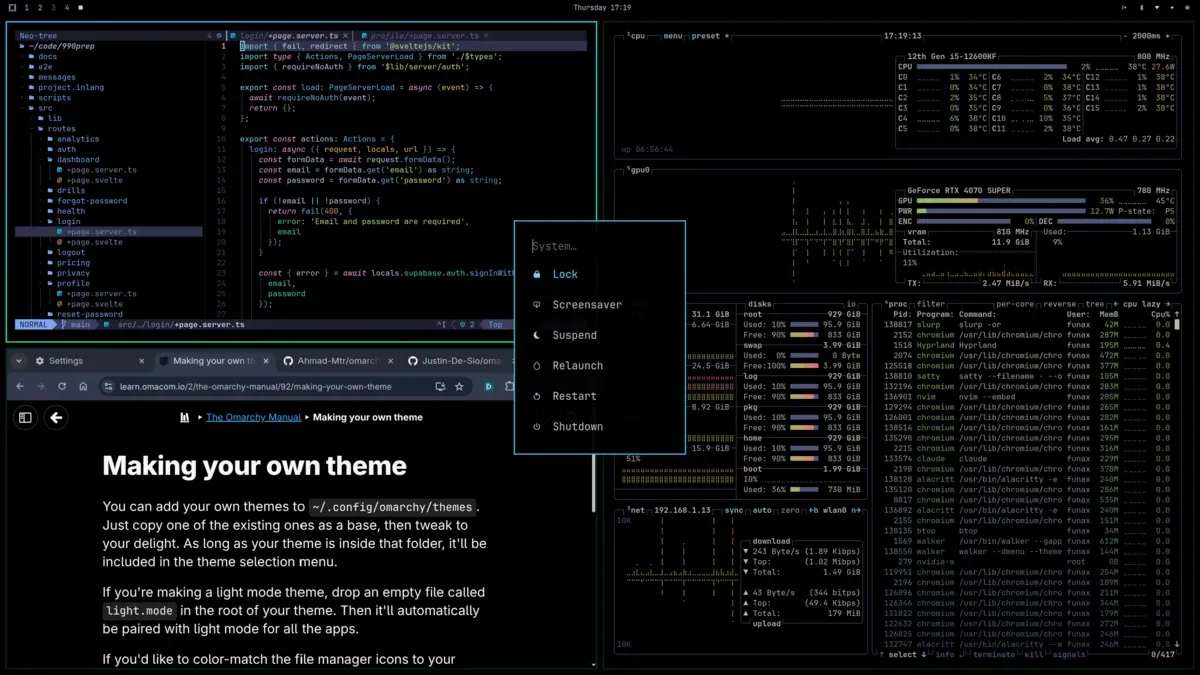
Omarchy is an opinionated Linux operating system from David Heinemeier Hansson (DHH): an Arch base with a curated Hyprland desktop, fixed defaults and themed tools, installed as a finished system rather than assembled by hand. It began as a setup script for Arch and is now its own installable OS with x86 and ARM64 ISOs and a native Apple Silicon installer.
The Omarchy source is MIT-licensed; like any distribution, the packages it ships carry their own licenses. Omarchy is a project name and mark (“Omarchy™” on the project’s site). This is an independent listing, not an official Omarchy resource or an endorsement.
Quick start
Researched from omarchy.org on November 12, 2026. We have not downloaded, booted or installed an operating system.
Get the image
Use the official site: the current release (4.5.0 at our check) is offered as x86 and ARM64 ISOs with SHA-256 checksums and signatures, alongside an installer that puts Omarchy next to macOS on Apple Silicon Macs. ARM64 support is preliminary and limited to the specific hardware the site names.
Verify and write
Check the ISO against the published SHA-256 checksum (and signature where offered) before writing it. Writing the image overwrites the target USB stick: confirm the device and back up anything you need first.
Install
Boot the USB and answer the installer’s handful of questions; the project describes full-disk or dual-boot installation that hands back a finished desktop. Review the target disk before continuing - an installer can erase data. A virtual machine image is offered if you want to try Omarchy first.
First use
The system arrives themed and preconfigured; the Omarchy manual on the project site covers the keybindings, the bundled tools and how to change themes or defaults. Updates follow Arch’s rolling model, so update regularly.
NixOS compatibility
Omarchy is an operating system, not a NixOS application or service. Its curated setup is a different philosophy from NixOS’s declarative configuration: try it in a virtual machine or on separate hardware. Back up any system you intend to replace.
Documentation
Get the image · Plan a safe Omarchy install. Paste into your AI assistant. It may only be able to guide you. Review changes before running anything.
Researched, not run by the Index. Checked 2026-11-12. No AI account or connection is needed here.
Read or copy the prompt manually
Tags: Operating systems