Media & photos
OBS Studio
Free software for screen recording and live streaming.
Release notes / 33.0.1
Released 2026-10-29. Snapshot from the included release data, not a live check.
33.0.1 Hotfix Changes --------------------- * Fixed a crash on startup when logged into a service integration [WizardCM] ([#554](https://github.com/obsproject/obs-browser/pull/554)) * Fixed a crash when logging into the Twitch integration [WizardCM] ([#14072](https://github.com/obsproject/obs-studio/pull/14072)) * Fixed a deadlock when logging into the YouTube integration [WizardCM] ([#556](https://github.com/obsproject/obs-browser/pull/556)) * Fixed a race condition where browser panels could end up with incorrectly sized content [WizardCM] ([#558](https://github.com/obsproject/obs-bro
Read the full release notes on GitHub ↗Available on these platforms
Check the official download page for the supported OS version and processor architecture. A desktop download is not evidence of a native phone app.
Compatibility details and official sources
Official availability checked 2026-11-12. Availability is not feature parity. The recorded release and license refer to the linked source project; separate clients can differ. No install or compatibility test was run.
Before you install
Record or stream, straight from your desktop.
- Which package?
- Officially distributed as a Flatpak on Flathub and a PPA for Ubuntu 26.04 and newer; Windows and macOS builds come from the project.
- What should I do before the real recording?
- A short test: check audio sources, encoder settings and where the files land.
- Do I need an account?
- Recording to file needs nothing but disk space. Streaming needs a stream key from whatever platform you stream to.
Advice and funding routes source-checked November 12, 2026. Researched, not an install or restore test. Installation source ↗ · Report a correction
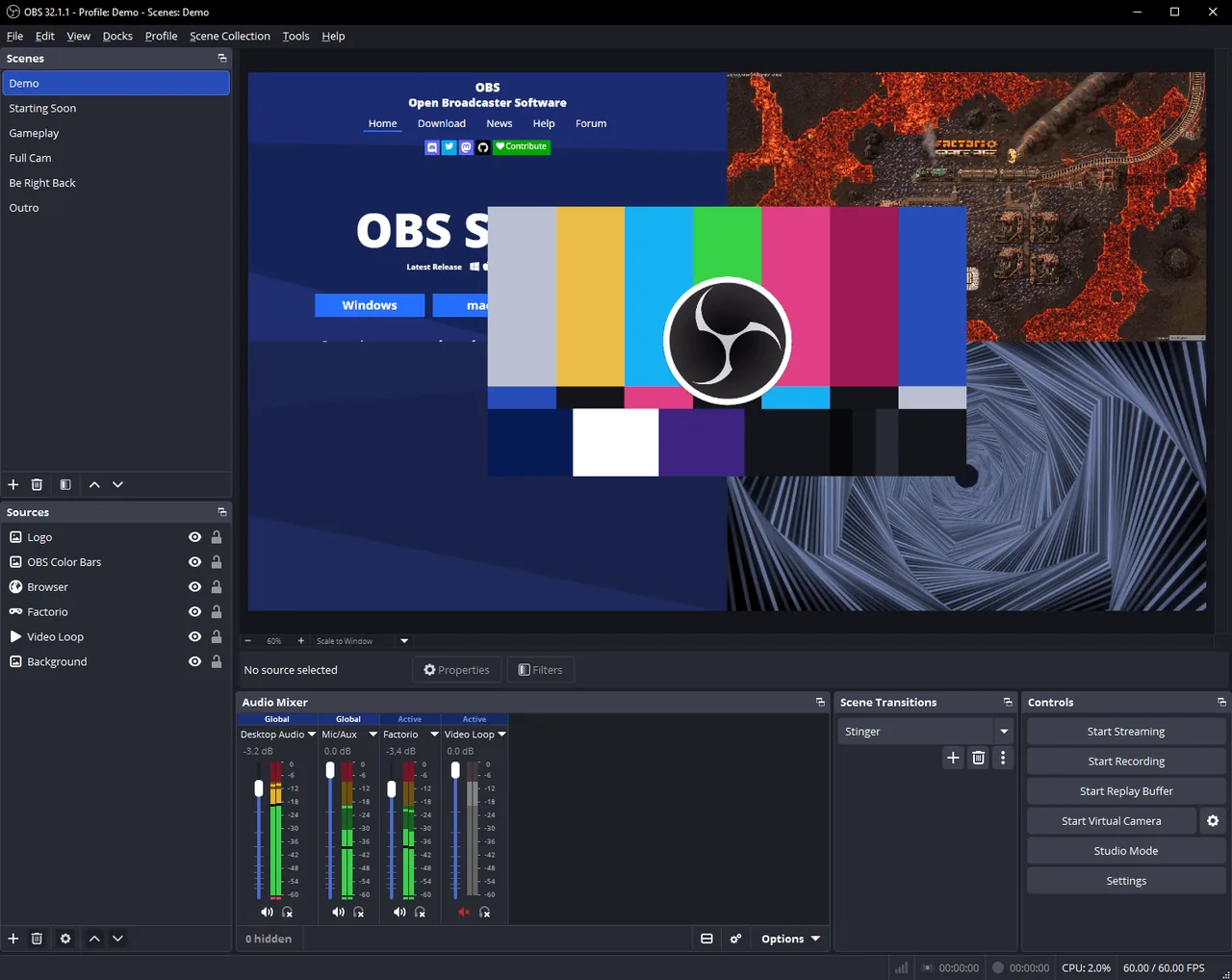
OBS Studio records your screen, windows and cameras to a file or streams them live. It runs on your own computer and is the usual tool for recording tutorials and demos.
Quick start
Checked against the project’s own documentation on November 9, 2026. We have not run these installs ourselves. Commands are copied from the project’s pages, or from Flathub and Homebrew where the section says so.
Linux
OBS says it is officially distributed as a Flatpak on Flathub, and as a PPA for Ubuntu 26.04 and newer:
Choose one: the Flatpak line, or the three PPA lines together. Do not run both.
flatpak install flathub com.obsproject.Studio

sudo add-apt-repository ppa:obsproject/obs-studio
sudo apt update
sudo apt install obs-studio
Windows and macOS
Download the installer from obsproject.com/download.
Homebrew has a cask for it. That is Homebrew’s packaging, not the project’s own:
brew install --cask obsNixOS
nixpkgs packages OBS Studio as obs-studio (source: pkgs/applications/video/obs-studio/default.nix):
environment.systemPackages = [ pkgs.obs-studio ];Rebuild with sudo nixos-rebuild switch, then launch OBS Studio from the application menu.
First steps
- Run the Auto-Configuration Wizard when OBS offers it. It picks settings for recording or streaming.
- Add sources to the default scene: a display capture, a window, a camera.
- Check the audio mixer. By default OBS captures desktop audio and the microphone.
- Press Start Recording for a short test and play the file back before a real session.
Source: OBS quick start guide.
Linux · Free software for screen recording and live streaming. Paste into your AI assistant. It may only be able to guide you. Review changes before running anything.
Researched, not run by the Index. Checked 2026-11-12. No AI account or connection is needed here.
Read or copy the prompt manually
Windows and macOS · Free software for screen recording and live streaming. Paste into your AI assistant. It may only be able to guide you. Review changes before running anything.
Researched, not run by the Index. Checked 2026-11-12. No AI account or connection is needed here.
Read or copy the prompt manually
NixOS · Free software for screen recording and live streaming. Paste into your AI assistant. It may only be able to guide you. Review changes before running anything.
Researched, not run by the Index. Checked 2026-11-12. No AI account or connection is needed here.
Read or copy the prompt manually
Tags: Creative