Operating systems
NixOS
Declarative Linux distribution built on the Nix package manager, with atomic upgrades and rollbacks.
Version checked by hand on 2026-11-10. Snapshot from the included release data, not a live check.
No release-notes excerpt is recorded here.
Open the project's release source ↗Device compatibility
Official hardware and installation choices ↗
NixOS is the Linux operating system; Nix the package manager is a related but different install choice. Installing Nix on macOS does not mean macOS is running NixOS. Match the NixOS image and architecture to the machine.
Compatibility details and official sources
Official availability checked 2026-11-12. Availability is not feature parity. The recorded release and license refer to the linked source project; separate clients can differ. No install or compatibility test was run.
Before you install
Your whole system becomes one editable file.
- What makes NixOS different?
- Packages, services, users and settings live in /etc/nixos/configuration.nix. Rebuilding applies changes atomically, and every generation stays in the boot menu.
- What if an upgrade breaks something?
- Pick the previous generation at boot and you are back. Rollback is the core design, not a recovery hack.
- Is the learning curve real?
- Yes: daily use means editing Nix expressions. The graphical installer gets you a desktop, but comfort with configuration files is the price of admission.
Advice and funding routes source-checked November 12, 2026. Researched, not an install or restore test. Installation source ↗ · Report a correction
NixOS is a Linux distribution built on the Nix package manager. System
configuration - packages, services, users and settings - is written
declaratively in the Nix language, starting from
/etc/nixos/configuration.nix, and upgrades are atomic: if something
breaks, the previous system is one boot-menu entry away.
The system is built from nixpkgs, the Nix package collection. The nixpkgs repository itself is MIT-licensed, and each package it builds carries its own license in its metadata.
Quick start
Checked against the project’s documentation on November 10, 2026. We have not run these steps ourselves.
Get the image
Download the graphical ISO image (64-bit Intel/AMD or ARM) from https://nixos.org/download/ - it boots into a live desktop with the graphical installer, which the NixOS manual recommends for desktop users. The minimal ISO image is the console route for experienced users. SHA-256 checksums sit next to the images on the download page.
Write it to a USB stick
The manual’s installation chapter covers writing the image to a USB stick.
It points graphical users to balenaEtcher, noting that it reports errors
and usage statistics by default, and to USBImager, which does not connect
to the internet. The terminal method, dd to the whole device, is
documented alongside them.
Try it, then install
Boot from the USB through your firmware’s boot menu (often F12, F11 or
Esc). The live session is a full desktop; start the installer and follow
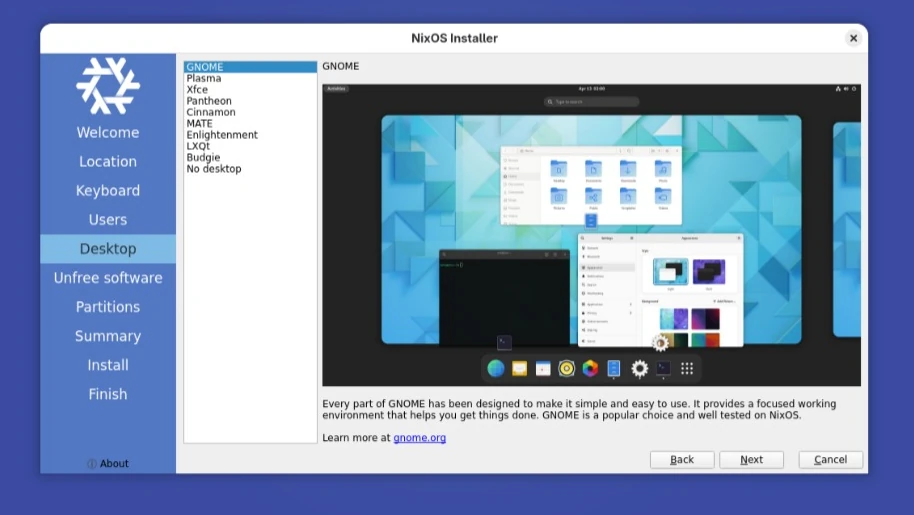
the steps - language, location, keyboard, user account, desktop (GNOME,
Plasma, others or none), partitioning (erase disk, with optional
encryption) - then install, about fifteen minutes, remove the stick and
reboot. From then on the system is managed by editing
/etc/nixos/configuration.nix and running nixos-rebuild switch.
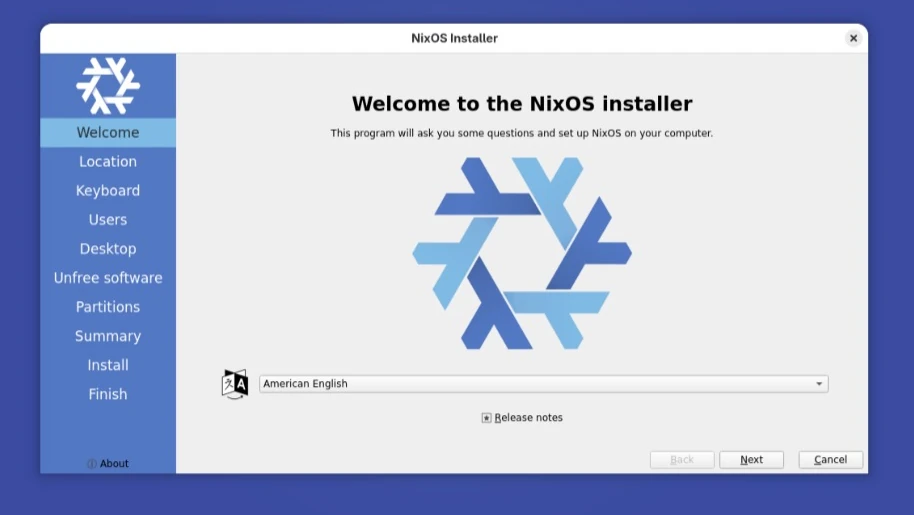
Installer welcome
Get the image · Plan a safe NixOS install. Paste into your AI assistant. It may only be able to guide you. Review changes before running anything.
Researched, not run by the Index. Checked 2026-11-12. No AI account or connection is needed here.
Read or copy the prompt manually
Tags: Operating systems