Media & photos
Mixxx
DJ software for mixing tracks with controllers or a keyboard.
Release notes / 2.5.6
Released 2026-03-27. Snapshot from the included release data, not a live check.
This is is the 5th and last minor release of the Mixxx 2.5 branch. Have a look at the CHANGELOG and the Mixxx website for more information: - https://mixxx.org/news/2026-03-27-mixxx-2_5_6-released/ - https://github.com/mixxxdj/mixxx/blob/2.5.6/CHANGELOG.md **Full Changelog**: https://github.com/mixxxdj/mixxx/compare/2.5.4...2.5.6 Note: Version 2.5.5 has been skipped following an issue in the release workflow.
Read the full release notes on GitHub ↗Available on these platforms
Check the official download page for the supported OS version and processor architecture. A desktop download is not evidence of a native phone app.
Compatibility details and official sources
Official availability checked 2026-11-12. Availability is not feature parity. The recorded release and license refer to the linked source project; separate clients can differ. No install or compatibility test was run.
Before you install
Free DJ software that drives real hardware.
- What does it do?
- DJ sets from your music library: controllers, effects, beat matching and recording.
- Will my controller work?
- Check the controller compatibility list before buying hardware; many popular controllers work out of the box.
- Where does my library live?
- On your machine. Music files stay wherever they are; Mixxx keeps its own library database.
Advice and funding routes source-checked November 12, 2026. Researched, not an install or restore test. Installation source ↗ · Report a correction
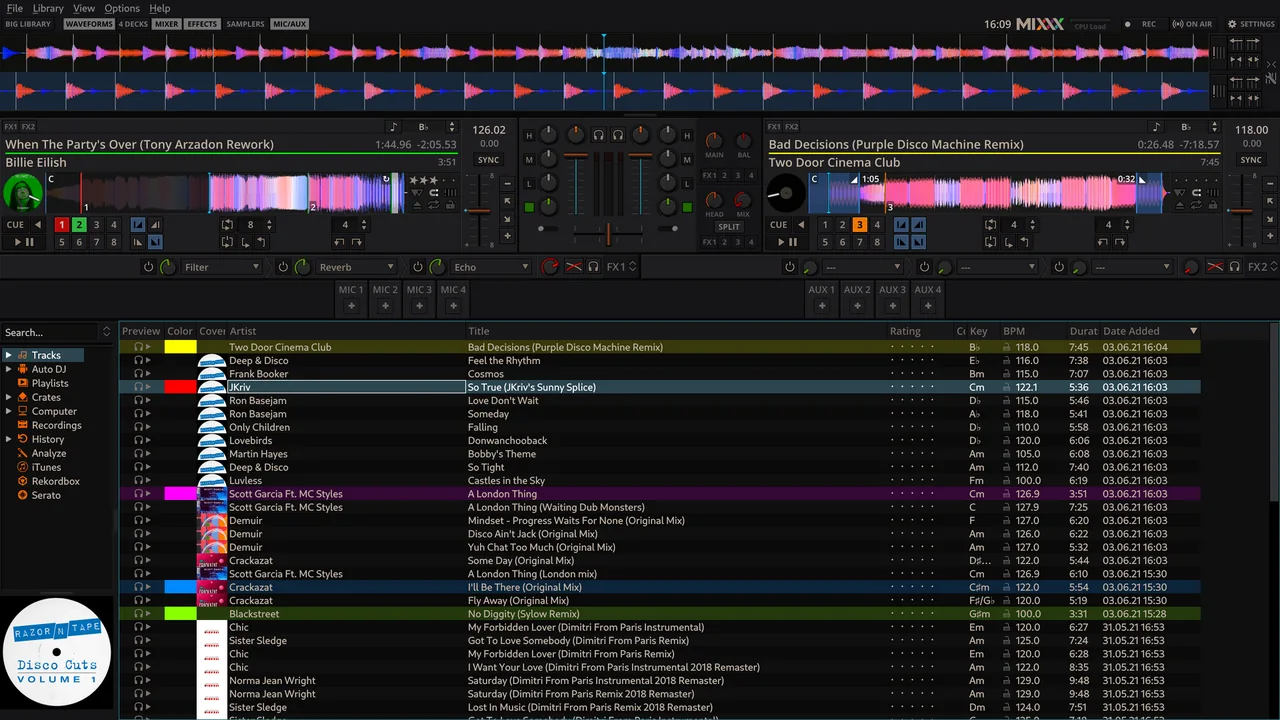

Mixxx is DJ software. It supports DJ controllers, effects, beat matching and recording, and can run live sets from a music library.
The repository’s LICENSE file says Mixxx is under the GNU GPL version 2 or any later version.
Quick start
Checked against the project’s own documentation on November 9, 2026. We have not run these installs ourselves. Commands are copied from the project’s pages, or from Flathub and Homebrew where the section says so.
Linux
The download page lists the Linux options. The Flathub package is verified by its publisher:
flatpak install flathub org.mixxx.MixxxWindows and macOS
Download from mixxx.org/download. The page recommends the stable 2.5.6 release for live use.
Homebrew has a cask for it. That is Homebrew’s packaging, not the project’s own:
brew install --cask mixxxNixOS
nixpkgs packages Mixxx as mixxx (source: pkgs/by-name/mi/mixxx/package.nix):
environment.systemPackages = [ pkgs.mixxx ];Rebuild with sudo nixos-rebuild switch, then launch Mixxx from the application menu.
First steps
- Open Mixxx and import your music into the library. Go to Preferences > Library and click Add to choose your music directory. Mixxx watches that folder for new tracks.
- Load a track onto a deck by dragging it from the library, then use the play and sync controls.
- If you have a DJ controller, enable it in the Controllers section of Preferences.
Sources: Mixxx manual, getting started and library preferences.
Linux · DJ software for mixing tracks with controllers or a keyboard. Paste into your AI assistant. It may only be able to guide you. Review changes before running anything.
Researched, not run by the Index. Checked 2026-11-12. No AI account or connection is needed here.
Read or copy the prompt manually
Windows and macOS · DJ software for mixing tracks with controllers or a keyboard. Paste into your AI assistant. It may only be able to guide you. Review changes before running anything.
Researched, not run by the Index. Checked 2026-11-12. No AI account or connection is needed here.
Read or copy the prompt manually
NixOS · DJ software for mixing tracks with controllers or a keyboard. Paste into your AI assistant. It may only be able to guide you. Review changes before running anything.
Researched, not run by the Index. Checked 2026-11-12. No AI account or connection is needed here.
Read or copy the prompt manually
Tags: Creative