Work & organize
Logseq
Privacy-first knowledge management with outlines and linked notes.
Release notes / 2.0.2
Released 2026-10-07. Snapshot from the included release data, not a live check.
Logseq 2.0.2 Beta brings smoother editing, faster startup, and more reliable everyday workflows to the DB version. [Join the iOS TestFlight beta](https://testflight.apple.com/join/eBcJ9Hpc), 2.0.2 is currently under App Store review. Web app: https://app.logseq.com/ ## Features - Gallery cards can now use URL properties as covers. - Added a "Clear heading" slash command. - Improved video embeds, with resizable desktop players and clickable YouTube timestamps. ## Thanks - **Special thanks to our community PR contributors!** Your fixes, performance improvements, translations,
Read the full release notes on GitHub ↗Available on these platforms
The 2.0.2 DB beta has desktop and Android artifacts and links a browser app. File-graph 0.10.x and DB graphs are different workflows; do not assume interchangeable data or sync. The 2.0.2 release says iOS is under App Store review via TestFlight, so no general available-iOS assertion is made here.
Compatibility details and official sources
- Linux - Beta desktop app
- Windows - Beta desktop app
- macOS - Beta desktop app
- Android - Beta mobile app
- Web - DB browser app
Official availability checked 2026-11-12. Availability is not feature parity. The recorded release and license refer to the linked source project; separate clients can differ. No install or compatibility test was run.
Before you install
Local-first notes, with a beta worth treating as beta.
- Which version?
- The file-based version is the established one. The newer Database version is beta with a data-loss warning from the project itself - automated backups are your job either way.
- Where do my notes live?
- As local Markdown or Org files linked into a graph, readable by any editor.
- What about sync and mobile?
- Real-time collaboration and its mobile sync are alpha. Local files plus your own sync (Syncthing, Git) is the stable route.
Advice and funding routes source-checked November 12, 2026. Researched, not an install or restore test. Installation source ↗ · Report a correction
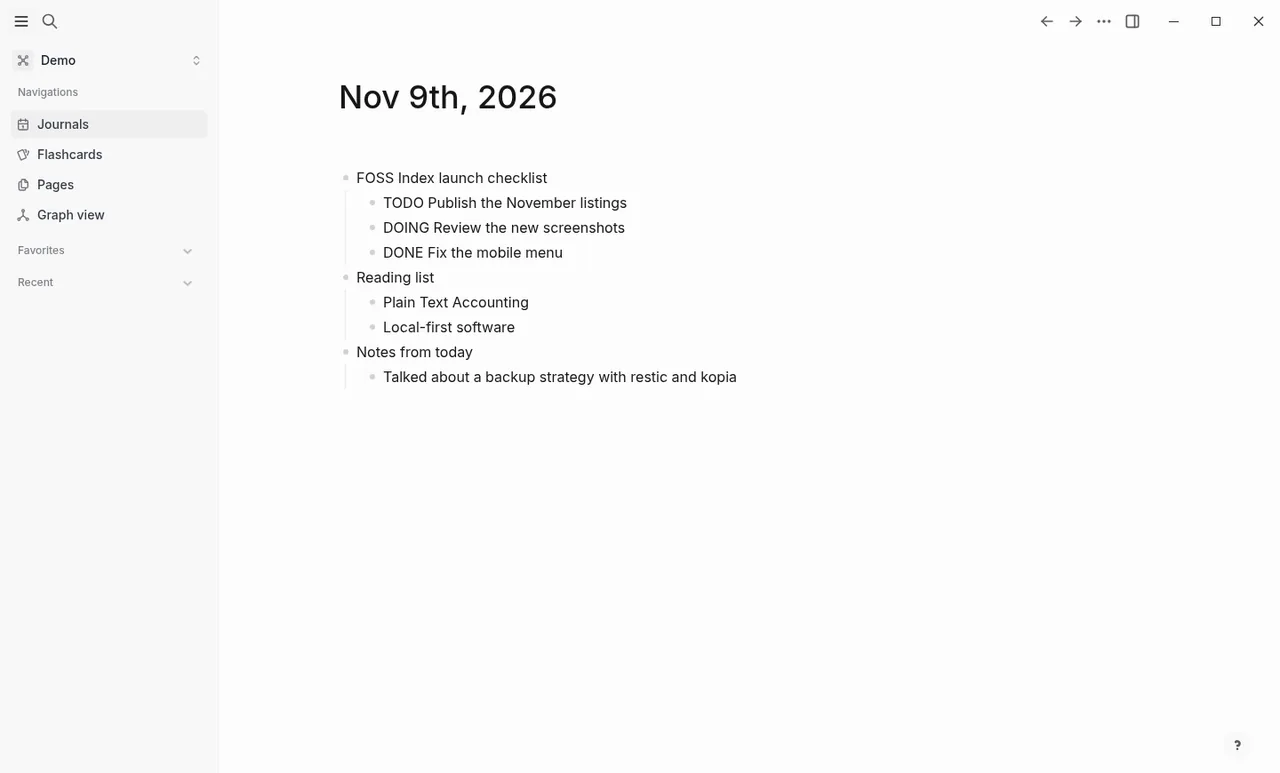
Logseq is a knowledge management and collaboration platform that stores notes as local files and links them into a graph. The repository’s LICENSE.md is the GNU AGPL version 3.
There are two versions. The file-based version is the established one. The README describes a newer Database version with DB graphs as beta, with a warning that data loss is possible and a recommendation for automated backups; its mobile app and real-time collaboration are alpha. Back up your graphs either way.
Quick start
Checked against the project’s own documentation on November 9, 2026. We have not run these installs ourselves. Commands are copied from the project’s pages, or from Flathub and Homebrew where the section says so.
Linux
The download page offers an AppImage and recommends AppImageLauncher for desktop integration. The Flathub package is verified by its publisher:
flatpak install flathub com.logseq.LogseqWindows and macOS
Download from logseq.com/downloads.
Homebrew has a cask for it. That is Homebrew’s packaging, not the project’s own:
brew install --cask logseqNixOS
nixpkgs packages Logseq as logseq (source: pkgs/by-name/lo/logseq/package.nix):
environment.systemPackages = [ pkgs.logseq ];Rebuild with sudo nixos-rebuild switch, then launch Logseq from the application menu.
First steps
- On first start Logseq asks you to create a graph, which is a folder on your disk holding your pages as plain files. Pick or create the folder yourself, in a place you back up.
- Start on the Journals page: type a bullet, press Tab to indent, and link pages with
[[double brackets]]. - To bring in existing Markdown notes, the docs describe creating a graph from existing Markdown files.
Source: Logseq docs.
Linux · Privacy-first knowledge management with outlines and linked notes. Paste into your AI assistant. It may only be able to guide you. Review changes before running anything.
Researched, not run by the Index. Checked 2026-11-12. No AI account or connection is needed here.
Read or copy the prompt manually
Windows and macOS · Privacy-first knowledge management with outlines and linked notes. Paste into your AI assistant. It may only be able to guide you. Review changes before running anything.
Researched, not run by the Index. Checked 2026-11-12. No AI account or connection is needed here.
Read or copy the prompt manually
NixOS · Privacy-first knowledge management with outlines and linked notes. Paste into your AI assistant. It may only be able to guide you. Review changes before running anything.
Researched, not run by the Index. Checked 2026-11-12. No AI account or connection is needed here.
Read or copy the prompt manually
Tags: Notes