Operating systems
Linux Mint
Friendly, familiar desktop Linux with the Cinnamon desktop, based on Ubuntu and Debian.
Version checked by hand on 2026-11-10. Snapshot from the included release data, not a live check.
No release-notes excerpt is recorded here.
Open the project's release source ↗Device compatibility
Official hardware and installation choices ↗
Linux Mint is a desktop operating system. Choose its supported edition and image for compatible hardware, not an Android/iOS app or a Windows/macOS application.
Compatibility details and official sources
Official availability checked 2026-11-12. Availability is not feature parity. The recorded release and license refer to the linked source project; separate clients can differ. No install or compatibility test was run.
Before you install
A familiar desktop first; codecs and drivers stay your choice.
- Which edition?
- Cinnamon is Mint's flagship and the familiar-layout choice; MATE and Xfce are lighter alternatives. All three are free downloads from the same page.
- Will it feel familiar?
- The start-style menu, taskbar and tray are deliberately traditional. Update and driver tools are Mint's own, and proprietary drivers are an opt-in, not a default.
- What about media playback?
- Multimedia codecs are an install-time checkbox, not bundled by default - tick the box if you want them.
Advice and funding routes source-checked November 12, 2026. Researched, not an install or restore test. Installation source ↗ · Report a correction
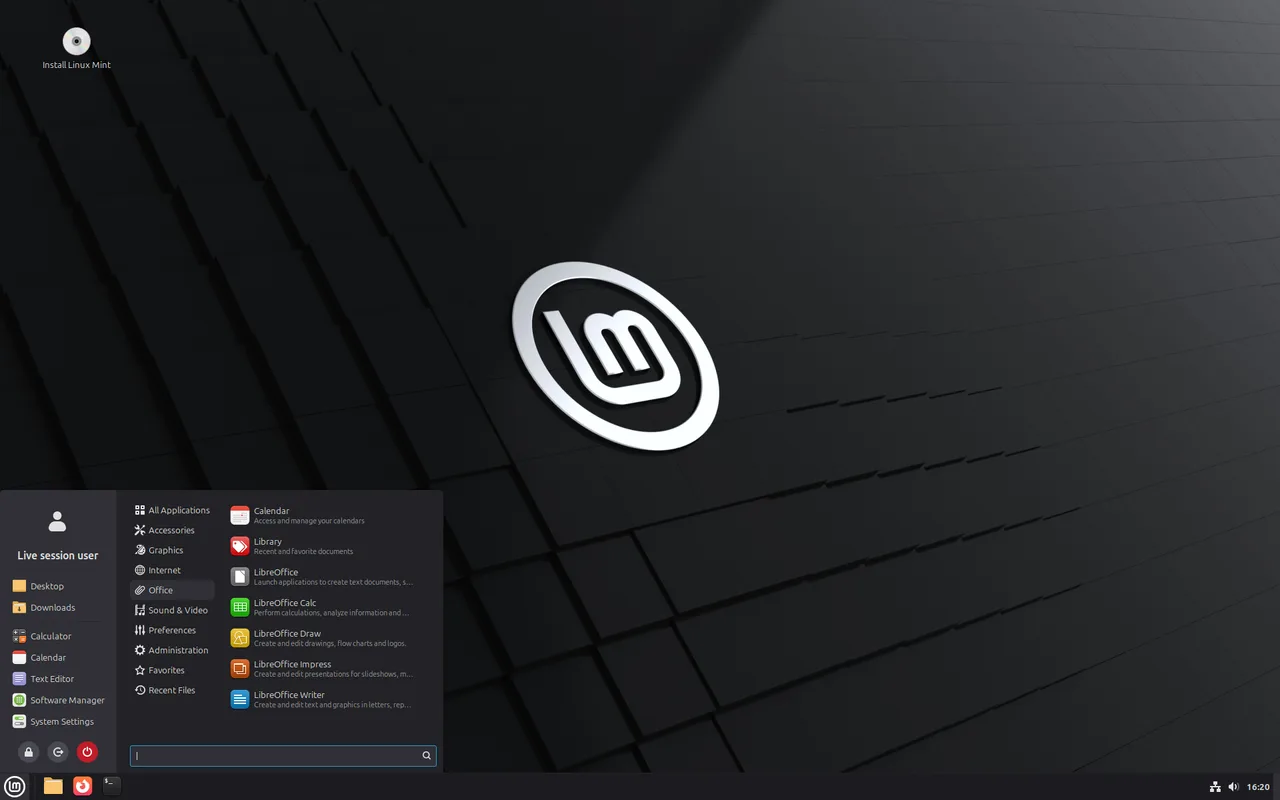

Linux Mint is a desktop-first distribution based on Ubuntu (itself based on Debian). Its Cinnamon edition goes for a familiar layout: a start-style menu, a taskbar and a system tray, plus its own update and driver tools.
Mint licenses its own components under the GPL and says the vast majority of what it ships is free and open source. Proprietary drivers are not installed by default, and multimedia codecs are an opt-in checkbox during installation.
Quick start
Checked against the project’s documentation on November 10, 2026. We have not run these steps ourselves.
Get the image
Download the Cinnamon edition from https://linuxmint.com/download.php, then verify it: the installation guide covers checking the ISO with the mirror’s sha256sum.txt and its GPG signature (https://linuxmint-installation-guide.readthedocs.io/en/latest/verify.html).
Write it to a USB stick
On Mint, right-click the ISO and choose “Make Bootable USB Stick”. Elsewhere, balenaEtcher works: select image, select drive, flash. The stick is erased in the process.
Try it, then install
Boot from the USB into the live session (user “mint”; changes there are not saved), then start “Install Linux Mint” from the desktop. After installing, open Driver Manager first, and add the multimedia codecs later if you want them.
One caution: 22.3 ships the HWE kernel 6.14, and the release notes point VirtualBox users and owners of older NVIDIA cards (470 driver) to Mint 22.1 instead.
Get the image · Plan a safe Linux Mint install. Paste into your AI assistant. It may only be able to guide you. Review changes before running anything.
Researched, not run by the Index. Checked 2026-11-12. No AI account or connection is needed here.
Read or copy the prompt manually
Tags: Operating systems