Work & organize
LibreOffice
Office suite for documents, spreadsheets and presentations.
Release notes / 26.8.3.1
Version checked by hand on 2026-11-10. Snapshot from the included release data, not a live check.
p Tag libreoffice-26.8.3.1 /p
Read the full release notes on GitHub ↗Available on these platforms
The official requirements page lists an Android LibreOffice Viewer separately. Do not assume a full desktop office suite on a phone. Other related mobile office products are separate projects.
Compatibility details and official sources
- Linux - Native desktop app
- Windows - Native desktop app
- macOS - Native desktop app
- Android - Document viewer, not the desktop editor
Official availability checked 2026-11-12. Availability is not feature parity. The recorded release and license refer to the linked source project; separate clients can differ. No install or compatibility test was run.
Before you install
The office suite that needs no account.
- Which package?
- Distribution packages on Linux; direct installers for Windows and macOS from libreoffice.org.
- What is the license?
- MPL-2.0 per the project's own licenses page. GitHub's mirror label says GPL-3.0, which does not match; the project's statement wins.
- Will it open my documents?
- It reads and writes Microsoft formats with occasional layout drift on complex documents; its native format is ODF.
Advice and funding routes source-checked November 12, 2026. Researched, not an install or restore test. Installation source ↗ · Report a correction
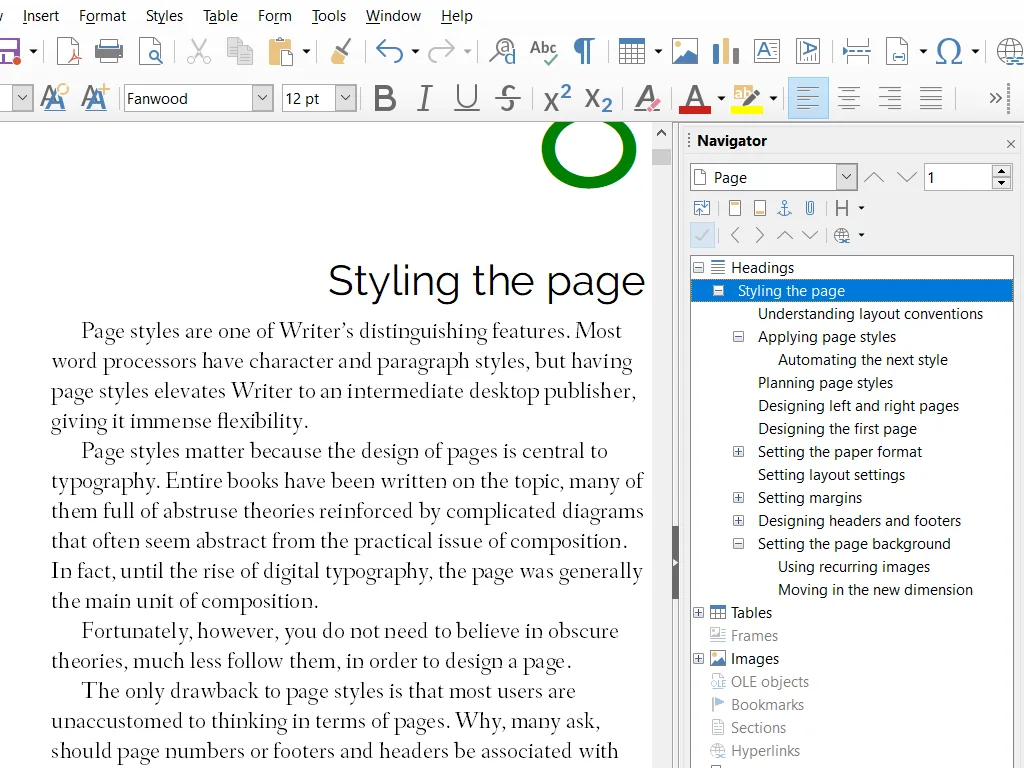
LibreOffice is a desktop office suite for word processing, spreadsheets and presentations. It runs on your own computer; there is no server to set up.
The license is the Mozilla Public License 2.0, as stated on the project’s licenses page. The GitHub repository is a read-only mirror, and GitHub labels it GPL-3.0, which does not match the project’s own statement. Development happens on the project’s Gerrit.
Quick start
Checked against the project’s own documentation on November 9, 2026. We have not run these installs ourselves. Commands are copied from the project’s pages, or from Flathub and Homebrew where the section says so.
Linux
The download page offers deb and rpm archives. Many distributions also ship LibreOffice in their own repositories. The Flathub package is verified by its publisher:
flatpak install flathub org.libreoffice.LibreOfficeWindows and macOS
Download from libreoffice.org/download. Pick the build for your processor: x86-64 or ARM64 on Windows, Apple Silicon or Intel on macOS.
Homebrew has a cask for it. That is Homebrew’s packaging, not the project’s own:
brew install --cask libreofficeNixOS
nixpkgs packages LibreOffice as libreoffice (source: pkgs/applications/office/libreoffice/default.nix):
environment.systemPackages = [ pkgs.libreoffice ];Rebuild with sudo nixos-rebuild switch, then launch the LibreOffice apps from the application menu.
First steps
- Open LibreOffice. The Start Center shows Writer (documents), Calc (spreadsheets), Impress (presentations), Draw and others.
- Open a Word or Excel file to see how it handles it, or start a new document.
- Save in the default OpenDocument format, or choose Save As and pick a Microsoft format when you need to share with Office users.
- File > Export as PDF makes a PDF.
The project’s Getting Started Guide is free.
Linux · Office suite for documents, spreadsheets and presentations. Paste into your AI assistant. It may only be able to guide you. Review changes before running anything.
Researched, not run by the Index. Checked 2026-11-12. No AI account or connection is needed here.
Read or copy the prompt manually
Windows and macOS · Office suite for documents, spreadsheets and presentations. Paste into your AI assistant. It may only be able to guide you. Review changes before running anything.
Researched, not run by the Index. Checked 2026-11-12. No AI account or connection is needed here.
Read or copy the prompt manually
NixOS · Office suite for documents, spreadsheets and presentations. Paste into your AI assistant. It may only be able to guide you. Review changes before running anything.
Researched, not run by the Index. Checked 2026-11-12. No AI account or connection is needed here.
Read or copy the prompt manually
Tags: Documents