Media & photos
Krita
Free painting and illustration program.
Release notes / 6.0.4.1
Version checked by hand on 2026-11-10. Snapshot from the included release data, not a live check.
p An critical bigfix release to fix a regression in making br impossible to change an ICC profile attached to a display /p
Read the full release notes on GitHub ↗Available on these platforms
Check the official download page for the supported OS version and processor architecture. A desktop download is not evidence of a native phone app.
Compatibility details and official sources
Official availability checked 2026-11-12. Availability is not feature parity. The recorded release and license refer to the linked source project; separate clients can differ. No install or compatibility test was run.
Before you install
Built by and for people who paint.
- Krita or GIMP?
- Krita is for digital painting and illustration; GIMP for retouching and compositing. Both are free - try both.
- Which package?
- Distribution packages, the AppImage, or the Windows and macOS builds. The GitHub repository is a mirror of KDE's infrastructure.
- How do files work?
- Native .kra files keep layers; export for sharing. It opens PSD files with caveats on exotic features.
Advice and funding routes source-checked November 12, 2026. Researched, not an install or restore test. Installation source ↗ · Report a correction
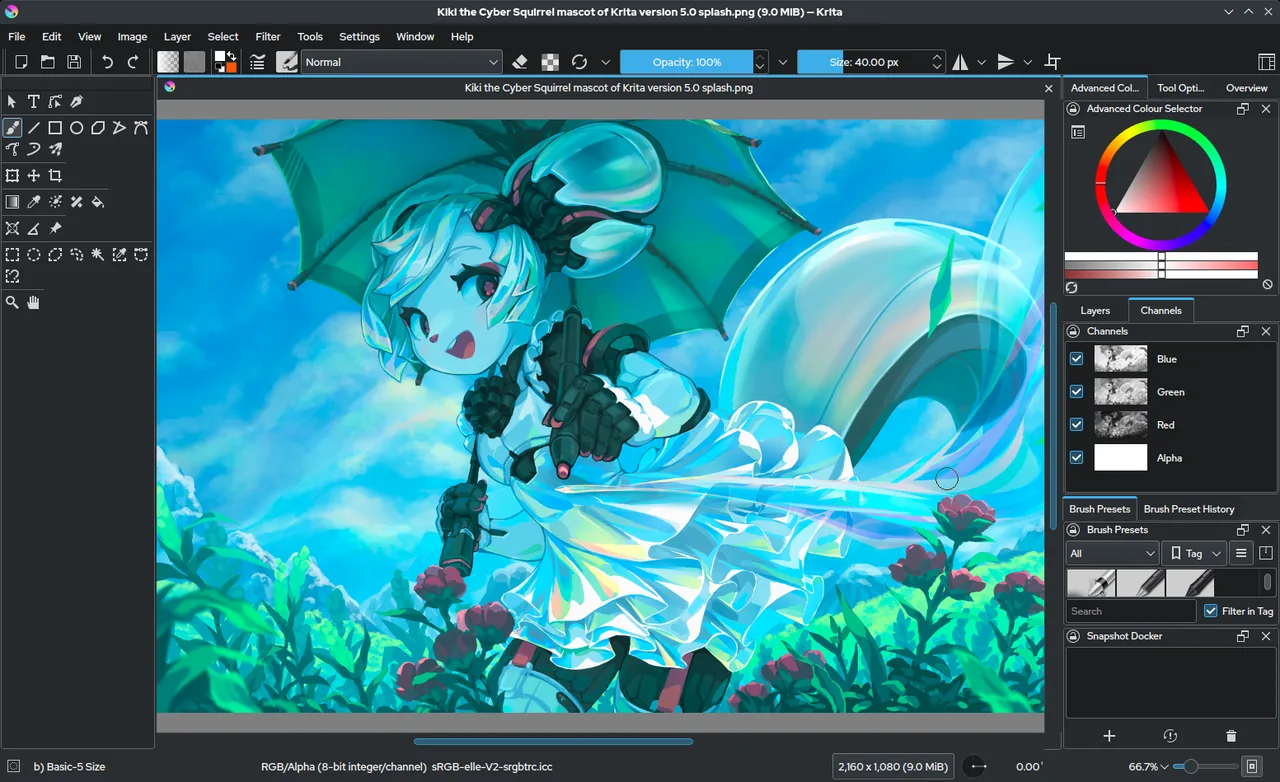

Krita is a desktop program for digital painting and illustration, made by a community of artists and developed under KDE. The project’s site states it is licensed under the GNU GPL.
The GitHub repository is a mirror; the project’s own repository is on KDE’s infrastructure.
Quick start
Checked against the project’s own documentation on November 9, 2026. We have not run these installs ourselves. Commands are copied from the project’s pages, or from Flathub and Homebrew where the section says so.
Linux
The download page links the AppImage and the source tarball. The Flathub package is verified by its publisher:
flatpak install flathub org.kde.kritaWindows and macOS
Download from krita.org/en/download. The paid Microsoft Store and Steam versions are optional ways to support development.
Homebrew has a cask for it. That is Homebrew’s packaging, not the project’s own:
brew install --cask kritaNixOS
nixpkgs packages Krita as krita (source: pkgs/by-name/kr/krita/package.nix):
environment.systemPackages = [ pkgs.krita ];Rebuild with sudo nixos-rebuild switch, then launch Krita from the application menu.
First steps
- On first start Krita opens with no document. Use File > New (Ctrl+N), open the Custom Document section and pick a size such as A4 at 300 ppi.
- Draw on the canvas. The brush tool is selected by default. Change colour from the colour selector docker.
- Save with File > Save.
Source: Krita manual, starting Krita.
Linux · Free painting and illustration program. Paste into your AI assistant. It may only be able to guide you. Review changes before running anything.
Researched, not run by the Index. Checked 2026-11-12. No AI account or connection is needed here.
Read or copy the prompt manually
Windows and macOS · Free painting and illustration program. Paste into your AI assistant. It may only be able to guide you. Review changes before running anything.
Researched, not run by the Index. Checked 2026-11-12. No AI account or connection is needed here.
Read or copy the prompt manually
NixOS · Free painting and illustration program. Paste into your AI assistant. It may only be able to guide you. Review changes before running anything.
Researched, not run by the Index. Checked 2026-11-12. No AI account or connection is needed here.
Read or copy the prompt manually
Tags: Creative