Servers & monitoring
DBeaver Community
Desktop database client for browsing tables, running SQL and exploring schemas.
Version checked by hand on 2026-11-11. Snapshot from the included release data, not a live check.
No release-notes excerpt is recorded here.
Open the project's release source ↗Available on these platforms
Choose the official package for your OS version and processor. This does not imply a phone app or identical features on every platform.
Compatibility details and official sources
Official availability checked 2026-11-12. Availability is not feature parity. The recorded release and license refer to the linked source project; separate clients can differ. No install or compatibility test was run.
Before you install
A client for databases you already have.
- Which edition?
- DBeaver Community is the free Apache-2.0 edition from dbeaver.io. PRO features are separate commercial products; this listing covers Community.
- Do I need a server?
- No server of its own: it connects to databases you point it at. A sample SQLite file is enough to explore.
- Where do my connections live?
- In the workspace on your machine. Saved database credentials stay local - treat them like passwords.
Advice and funding routes source-checked November 12, 2026. Researched, not an install or restore test. Installation source ↗ · Report a correction
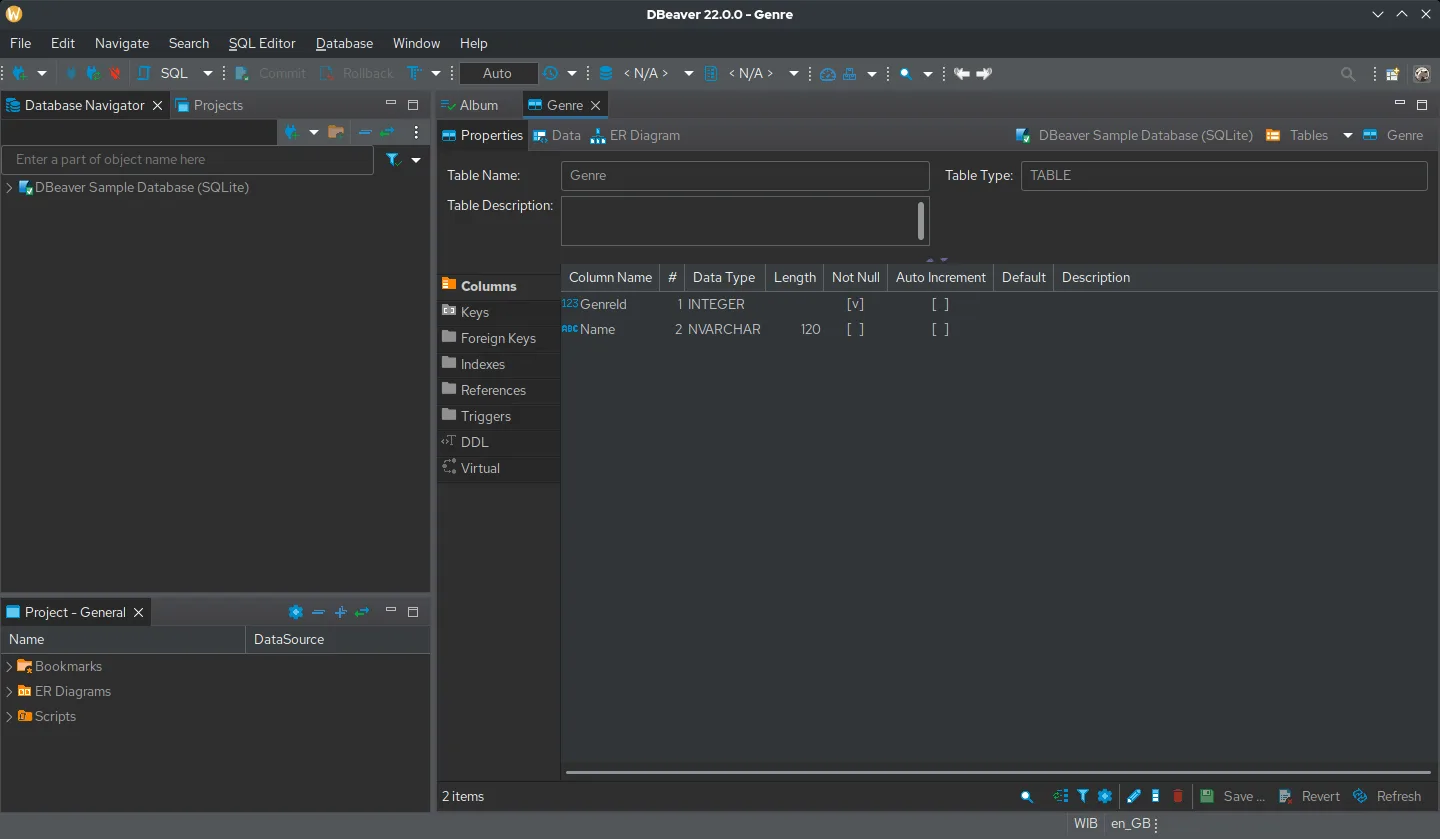

DBeaver Community is a desktop client for connecting to databases, browsing records, editing data and running SQL. It does not replace a database server: PostgreSQL stores the data; DBeaver provides a graphical way to work with it. A sample SQLite database is enough to explore the interface without a server.
This listing is for the Apache-2.0 Community edition from dbeaver.io. DBeaver PRO and its commercial-only features are separate products. Database drivers and bundled dependencies can carry their own licenses.
Quick start
Researched against upstream documentation on November 11, 2026. We have not installed DBeaver or run these steps as part of this listing.
Linux
Download the Community DEB or RPM for your architecture from the Community download page. From the download folder, install the exact filename you downloaded:
# Debian / Ubuntu: replace the filename with your downloaded Community DEB
sudo apt install ./dbeaver-ce_VERSION_amd64.deb

# Fedora: replace the filename with your downloaded Community RPM
sudo dnf install ./dbeaver-ce-VERSION-stable.x86_64.rpm
Use one command for your distribution, not both. Open DBeaver from your application menu. You do not need a paid license for Community. Choose Help > Create Sample Base to add the sample SQLite database. Expand its Tables node and open a table’s Data tab to browse sample records.
Windows and macOS
Get the Community installer for your system from dbeaver.io/download, run it and open DBeaver. Use Help > Create Sample Base for a local demo before connecting real data. For an open-source operating system too, explore the Index’s Linux listings.
NixOS
nixpkgs packages the Community binary as dbeaver-bin:
environment.systemPackages = [ pkgs.dbeaver-bin ];Rebuild with sudo nixos-rebuild switch, then launch DBeaver from the
application menu and create the sample base above. This is an open-source
application packaged from upstream binaries; -bin is not a PRO license.
First use
To connect PostgreSQL, choose Database > New Database Connection > PostgreSQL, then enter the host, database and credentials for your own server. DBeaver may ask to download its JDBC driver on first connection. Use Test Connection before finishing. Start with a read-only database account when exploring important data: editing a cell or running SQL can change the real database.
Documentation
Linux · Desktop database client for browsing tables, running SQL and exploring schemas. Paste into your AI assistant. It may only be able to guide you. Review changes before running anything.
Researched, not run by the Index. Checked 2026-11-12. No AI account or connection is needed here.
Read or copy the prompt manually
Windows and macOS · Desktop database client for browsing tables, running SQL and exploring schemas. Paste into your AI assistant. It may only be able to guide you. Review changes before running anything.
Researched, not run by the Index. Checked 2026-11-12. No AI account or connection is needed here.
Read or copy the prompt manually
NixOS · Desktop database client for browsing tables, running SQL and exploring schemas. Paste into your AI assistant. It may only be able to guide you. Review changes before running anything.
Researched, not run by the Index. Checked 2026-11-12. No AI account or connection is needed here.
Read or copy the prompt manually
Tags: Development