Media & photos
darktable
RAW photo workflow and developing application.
Release notes / release-5.6.2
Released 2026-10-04. Snapshot from the included release data, not a live check.
We're proud to announce the bug-fix release of darktable, 5.6.2! The github release is here: [https://github.com/darktable-org/darktable/releases/tag/release-5.6.2](https://github.com/darktable-org/darktable/releases/tag/release-5.6.2). To build from source, do not use the autogenerated tarball provided by GitHub on the release page, download our tar.xz file instead. If you're just building for yourself without creating a package for some distribution, then using source code cloning in git is an even more convenient way. The checksums are: ``` $ sha256sum darktable-5.6.2.tar.xz
Read the full release notes on GitHub ↗Available on these platforms
Check the official download page for the supported OS version and processor architecture. A desktop download is not evidence of a native phone app.
Compatibility details and official sources
Official availability checked 2026-11-12. Availability is not feature parity. The recorded release and license refer to the linked source project; separate clients can differ. No install or compatibility test was run.
Before you install
Your originals stay untouched.
- Which package?
- The install page's AppImage covers x86-64 and aarch64; the Flatpak exists but lacks the AI features, per the project's own note.
- Where do my edits go?
- Into sidecar files next to your photos; the originals are never altered. Back up the sidecars with the photos.
- darktable or Immich?
- darktable develops RAW photos; Immich stores and browses the library. They pair well and answer different questions.
Advice and funding routes source-checked November 12, 2026. Researched, not an install or restore test. Installation source ↗ · Report a correction
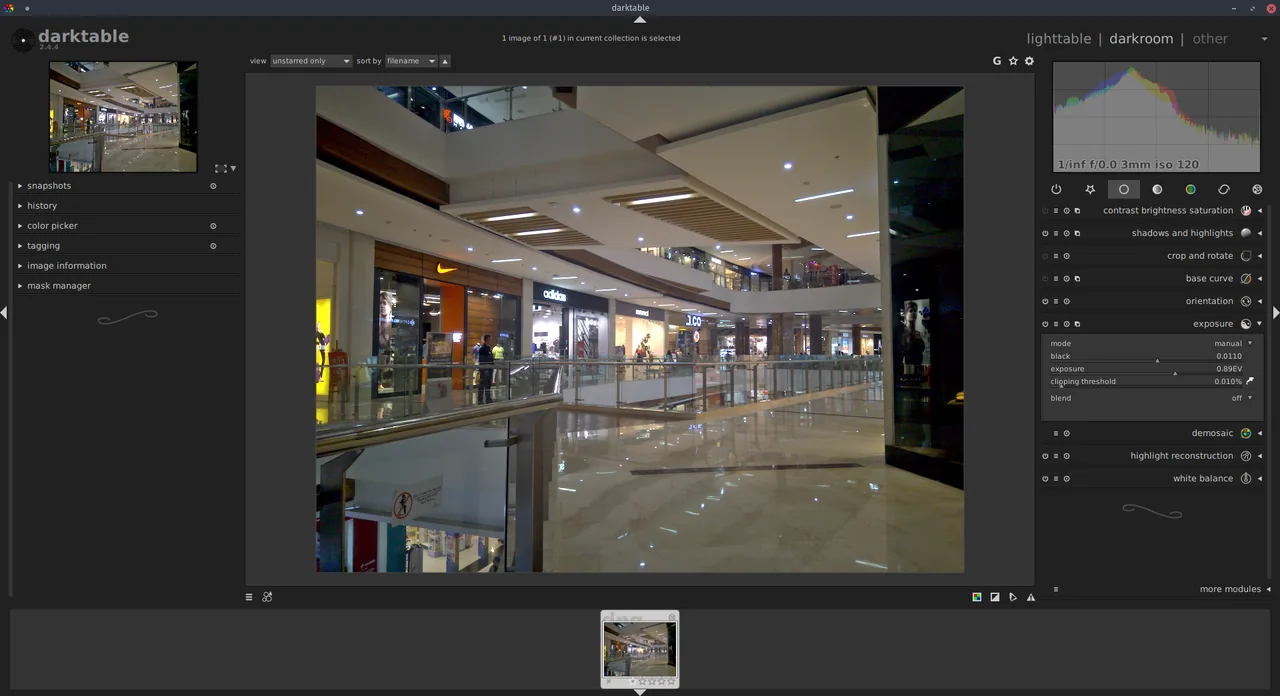

darktable manages and develops RAW photos on your desktop without altering the original files. It pairs with Immich: darktable is where you edit, Immich is where you store and browse.
Quick start
Checked against the project’s own documentation on November 9, 2026. We have not run these installs ourselves. Commands are copied from the project’s pages, or from Flathub and Homebrew where the section says so.
Linux
The install page offers an AppImage for x86-64 and aarch64, and notes a Flatpak that does not include darktable’s AI features. Distribution packages also exist; see the page for the project’s notes.
Windows and macOS
Installers are on the darktable install page. On macOS, if you see the warning that the app could not be verified, the project documents a fix on that page. It involves removing the quarantine flag from the app, so read the page first and only do it for a download you got from darktable.org.
NixOS
nixpkgs packages darktable as darktable (source: pkgs/by-name/da/darktable/package.nix):
environment.systemPackages = [ pkgs.darktable ];Rebuild with sudo nixos-rebuild switch, then launch darktable from the application menu.
First steps
- Open darktable. It starts in the lighttable view, where you import photos.
- Use import to add a folder of pictures, double-click one to open it in the darkroom and adjust it with the modules on the right.
- darktable keeps edits in a sidecar
.xmpfile next to each original and in its own library, so your original files are not overwritten. - Export edited copies from the lighttable’s export panel.
Source: darktable’s user manual.
Linux · RAW photo workflow and developing application. Paste into your AI assistant. It may only be able to guide you. Review changes before running anything.
Researched, not run by the Index. Checked 2026-11-12. No AI account or connection is needed here.
Read or copy the prompt manually
Windows and macOS · RAW photo workflow and developing application. Paste into your AI assistant. It may only be able to guide you. Review changes before running anything.
Researched, not run by the Index. Checked 2026-11-12. No AI account or connection is needed here.
Read or copy the prompt manually
NixOS · RAW photo workflow and developing application. Paste into your AI assistant. It may only be able to guide you. Review changes before running anything.
Researched, not run by the Index. Checked 2026-11-12. No AI account or connection is needed here.
Read or copy the prompt manually
Tags: Photos