Files & sharing
CryptPad
End-to-end encrypted collaborative office suite - docs, sheets, slides, forms, kanban and whiteboard - you can self-host.
Release notes / 2026.10.1
Released 2026-11-10. Snapshot from the included release data, not a live check.
Latest GitHub release at check time.
Read the full release notes on GitHub ↗Available on these platforms
Official hardware and installation choices ↗
Requires two separate domains (main and sandbox origin) served over HTTPS before browsers will load pads correctly.
Compatibility details and official sources
Official availability checked 2026-11-12. Availability is not feature parity. The recorded release and license refer to the linked source project; separate clients can differ. No install or compatibility test was run.
Before you install
A collaborative office suite the host cannot read.
- What does it run on?
- A Node.js server you host, or the project's own flagship instance. Documents, spreadsheets, slides, forms and boards are encrypted in the browser.
- Where is my data?
- The server stores only encrypted content - the host cannot read your documents. Keys live in the links you share.
- What will I maintain?
- A real production service: updates, storage, and backup of the encrypted blobs. Developed by XWiki SAS; the hosted cryptpad.fr is run by the same team.
Advice and funding routes source-checked November 12, 2026. Researched, not an install or restore test. Installation source ↗ · Report a correction
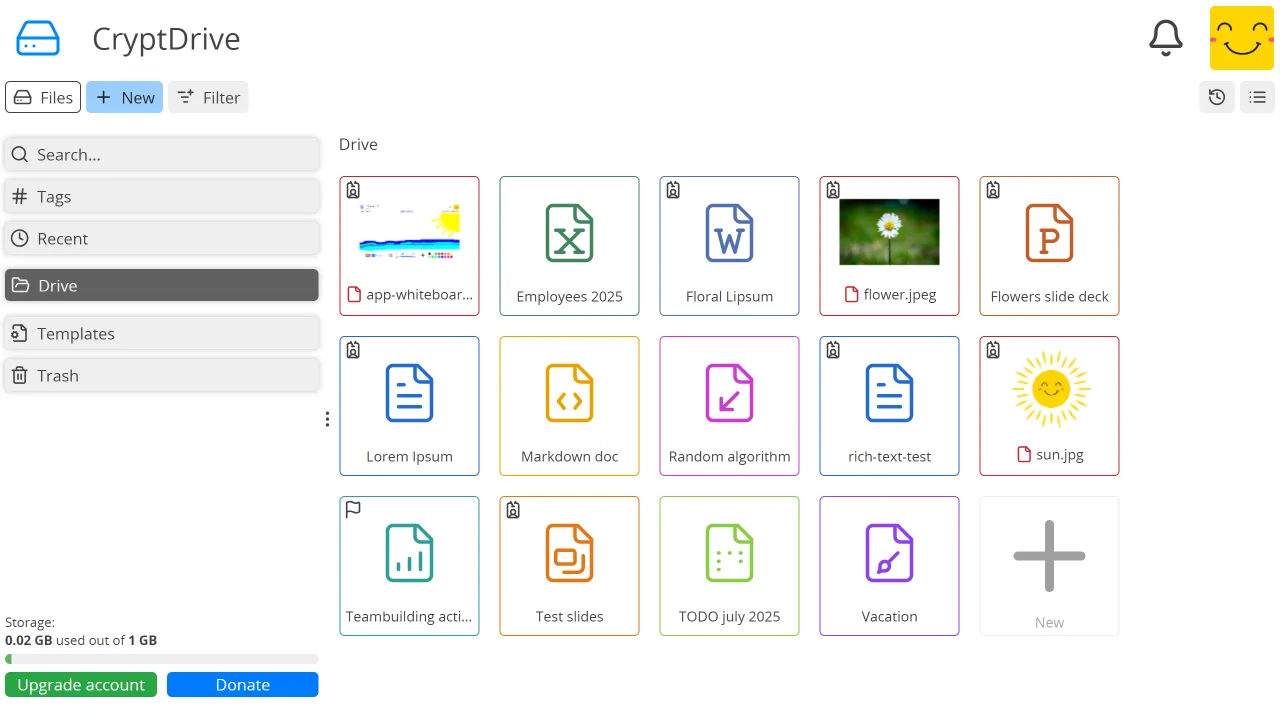

CryptPad is an AGPLv3 collaborative office suite where the server stores only encrypted content: documents, spreadsheets, slides, forms, kanban boards, whiteboards and a drive, all encrypted in the browser so the host cannot read them. It is developed by XWiki SAS, and the team runs the flagship cryptpad.fr instance; self-hosting gives you the same suite under your own domain and quotas.
CryptPad is the name and mark of the project. This is an independent listing, not an official CryptPad resource or an endorsement.
Quick start
Researched from CryptPad’s documentation and admin guide on November 12, 2026. We have not installed or run it.
Docker (upstream’s documented route)
The project publishes an official Docker setup; the documented route clones the repository and uses its compose files:
git clone https://github.com/cryptpad/cryptpad.git
cd cryptpad
cp config/config.example.js config/config.js
docker compose up -d
Edit config/config.js first: set your domains (the main domain and the
sandbox domain - CryptPad requires two separate origins for security), the
admin email and storage limits. Serve it over HTTPS through your reverse
proxy; the admin guide documents the required headers and the two-domain
setup in detail.
NixOS
services.cryptpad = {
  enable = true;
  settings = {
    httpSafeOrigin = "https://pad.example.com";
  };
};
Apply with sudo nixos-rebuild switch. The module provisions the service;
you still need the two-domain HTTPS setup described in the admin guide
before browsers will load pads correctly.
First use
Register an account, open the admin panel with your configured admin key, and confirm instance limits and public-signup policy match your intent - self-hosted instances default to open registration. Test a shared pad with a second browser before inviting a team.
Documentation
Docker (upstream's documented route) · End-to-end encrypted collaborative office suite - docs, sheets, slides, forms, kanban and whiteboard - you can self-host. Paste into your AI assistant. It may only be able to guide you. Review changes before running anything.
Researched, not run by the Index. Checked 2026-11-12. No AI account or connection is needed here.
Read or copy the prompt manually
NixOS · End-to-end encrypted collaborative office suite - docs, sheets, slides, forms, kanban and whiteboard - you can self-host. Paste into your AI assistant. It may only be able to guide you. Review changes before running anything.
Researched, not run by the Index. Checked 2026-11-12. No AI account or connection is needed here.
Read or copy the prompt manually
Tags: Collaboration