Operating systems
CalyxOS
An Android-based phone operating system with privacy-focused defaults for a specific supported-device list.
Release notes / 8.0.5.20
Version checked by hand on 2026-11-12. Snapshot from the included release data, not a live check.
The current official install matrix lists 8.0.5.20 dated November 3, 2026 on its displayed devices. Match the exact model/codename and current support tier before choosing an image; this is not support for every phone.
Read the full release notes ↗Device compatibility
Official hardware and installation choices ↗
Match the exact supported model/variant, unlock eligibility, maintained status and firmware-support lifetime. This replaces the OS on compatible Android hardware; it is not an Android app or an iPhone OS replacement. Installation can erase all phone data.
Compatibility details and official sources
Official availability checked 2026-11-12. Availability is not feature parity. The recorded release and license refer to the linked source project; separate clients can differ. No install or compatibility test was run.
Before you install
Pixel-first privacy with gentler defaults.
- Is my phone supported?
- CalyxOS supports specific Google Pixel models plus a small set of others on its device list. The official install page is the only authority - check it before anything else.
- What happens to the phone?
- The installer unlocks the bootloader and flashes the system; unlocking wipes the device. Whether relocking is safe depends on the device, so follow the official guide exactly.
- What about Google apps?
- microG provides compatibility for apps that expect Google services. It is a compatibility choice, not full Google Play; banking and integrity-checked apps vary.
Advice and funding routes source-checked November 12, 2026. Researched, not an install or restore test. Installation source ↗ · Report a correction
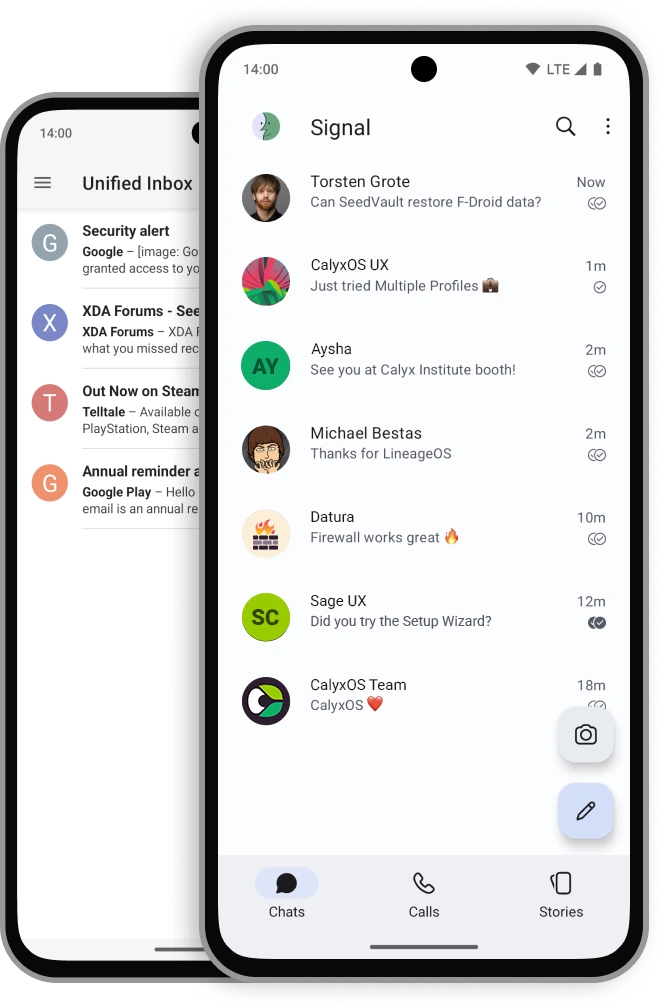
An Android-based phone operating system with privacy-focused defaults for a specific supported-device list.
This is an operating system for compatible Android hardware, not an Android app or an iPhone replacement. The source link is a manifest pointing to many repositories, not one binary or one license for the whole distribution.
The software combines open-source components under different licenses. Device firmware and vendor binaries can be proprietary and have their own terms. Consult the component source and the project’s build instructions before redistribution; neither a logo license nor a manifest repository license covers the complete phone image. CalyxOS is a project name/mark; this independent listing does not imply affiliation or endorsement.
Current official pages list November 2026 images and a November security update. The install table and security bulletin show different version labels, so match the exact device, current build and support tier rather than assuming a universal latest version.
Quick start
Researched against official instructions on November 12, 2026. We have not flashed a phone or run an installation.
Device-specific installation
- Match the exact model and codename at https://calyxos.org/install/ , then read https://calyxos.org/docs/guide/device-support/ . Supported families include specifically listed Pixel, Fairphone, Motorola and SHIFT devices, not every phone from those brands. Separate full vendor support from extended-security support: an available image does not mean every proprietary component still receives vendor security patches.
- Back up the phone and account recovery material. The OS installation replaces the existing system and wipes data. Read the device-specific prerequisites, including account/factory-reset protection and OEM unlocking. Bootloader unlockability is distinct from SIM/carrier unlocking; Verizon restrictions can block installation.
- Use the installer and instructions linked for the exact model. Read the official prerequisites before enabling OEM unlocking. Follow the project’s verification, flashing and supported bootloader-relocking process; do not improvise from another ROM’s steps.
- Finish setup, confirm system updates and the supported device state, then decide which compatibility services and apps to enable. Review permissions and your backup plan before importing important data.
First use
Check update availability and the device’s support end date. CalyxOS aims to keep Verified Boot, including relocking, on its supported targets. Do not promise security updates for unsupported vendor firmware or identical compatibility with stock Android.
NixOS and desktop hosts
This phone OS is not a NixOS service or desktop application. A Linux/NixOS, Windows or macOS computer may be used as an installer host only when the project supports that exact browser/toolchain and USB setup. Installing adb or finding a Nix package is not evidence that a phone is supported. Use the project’s host prerequisites rather than a generic NixOS rebuild recipe.
Current builds
Use the official device download matrix to match your exact model, maintained status and channel. A project-generation/version snapshot below does not replace that check. Do not infer device support or firmware security updates from the existence of a source branch or old image.
Documentation
- https://calyxos.org/install/
- https://calyxos.org/docs/guide/device-support/
- https://calyxos.org/docs/development/
- https://calyxos.org/news/2026/11/10/november-security-updates/
Device-specific installation · Plan a safe CalyxOS install on a supported phone. Paste into your AI assistant. It may only be able to guide you. Review changes before running anything.
Researched, not run by the Index. Checked 2026-11-12. No AI account or connection is needed here.
Read or copy the prompt manually
Tags: Operating systems, Security