Media & photos
Audiobookshelf
Self-hosted audiobook and podcast server with web, Android, and iOS apps and per-device progress.
Release notes / v2.37.2
Released 2026-10-23. Snapshot from the included release data, not a live check.
#### Important: New authentication system was added in [v2.26.0](https://github.com/advplyr/audiobookshelf/releases/tag/v2.26.0). See https://github.com/advplyr/audiobookshelf/discussions/4460 for details. ### Fixed - File copy and move fails with EPERM on some systems (e.g. TrueNAS) #5637 by @nichwall in #5668 - RSS feed cover images not updating after cover change #5306 by @SharonZhu0122 in #5418 - Audible search when API returns null products #5176 by @boqiaok in #5430 - Upload crash when multipart form repeats file fields by @rtainaan in #5437 - Debian package ships `audiobookshe…
Read the full release notes on GitHub ↗Available on these platforms
The official Android app is beta. The project also has an early iOS beta, but its README currently says TestFlight is full, so it is not listed as an available iOS download here. The mobile client connects to an Audiobookshelf server; third-party players are separate projects.
Compatibility details and official sources
- Android - Beta mobile client
Official availability checked 2026-11-12. Availability is not feature parity. The recorded release and license refer to the linked source project; separate clients can differ. No install or compatibility test was run.
Before you install
Your audiobooks, your hardware, every device in sync.
- What does it run on?
- A server you run - Docker, the Debian/Ubuntu package or a NixOS module - plus the web player and the project's own Android and iOS apps.
- Where is my data?
- Libraries, listening progress and stats stay on your hardware. Nothing routes through a third-party service.
- What will I maintain?
- Updates and storage for the audio files, and a backup of the library metadata if losing progress would hurt. It covers audio; Jellyfin is the usual video partner.
Advice and funding routes source-checked November 12, 2026. Researched, not an install or restore test. Installation source ↗ · Report a correction
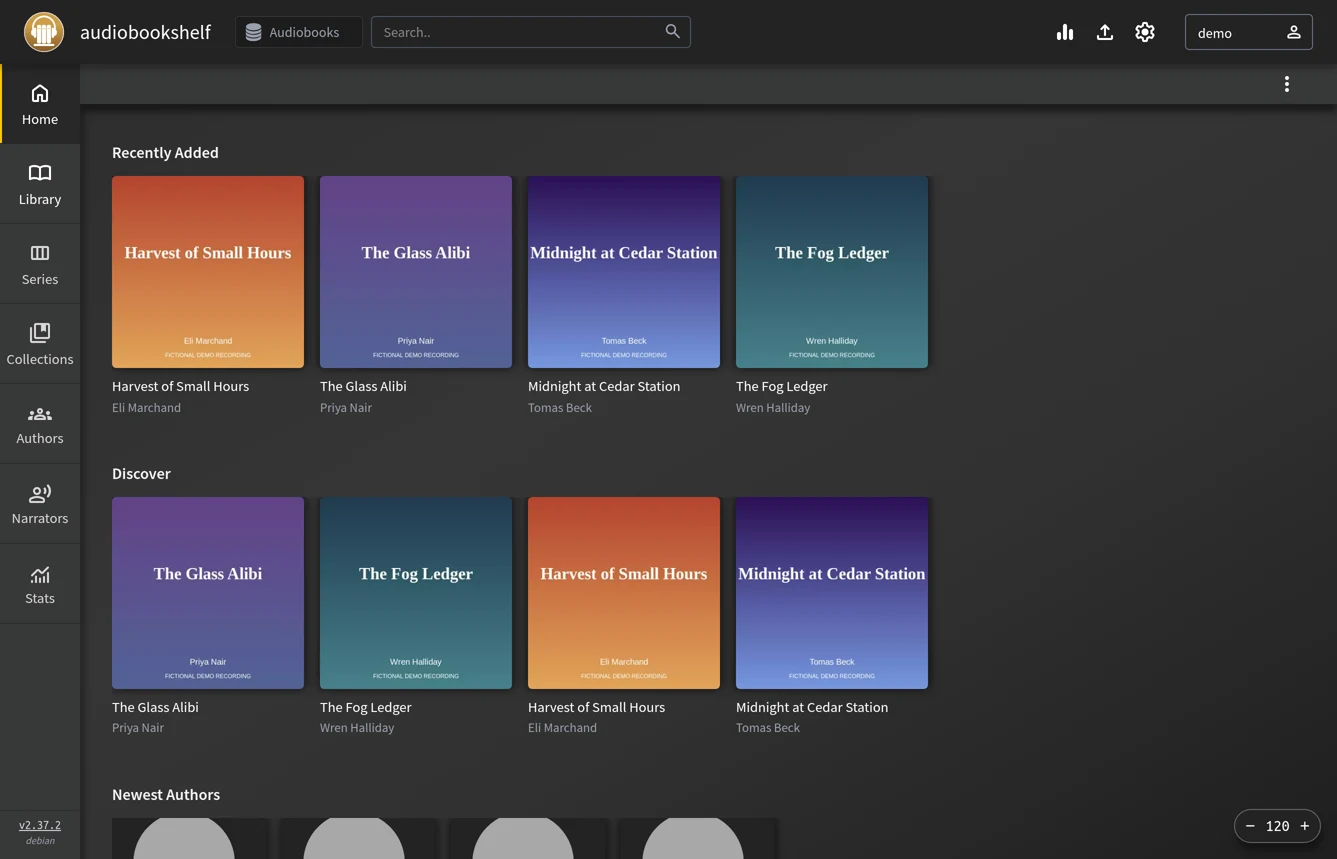
Audiobookshelf serves your audiobook and podcast libraries to the web and its own Android and iOS apps, remembering where you stopped on every device. Libraries, listening progress, and stats stay on your hardware. It covers the audio side of a media setup that Jellyfin handles for video.
Quick start
Verified against Audiobookshelf’s own documentation on November 8, 2026; we haven’t run these setups ourselves.
The project documents Docker and an official Debian/Ubuntu package repository; the NixOS module is maintained in nixpkgs.
Docker Compose
Save this as compose.yaml, adapted from the official example:
services:
  audiobookshelf:
    image: ghcr.io/advplyr/audiobookshelf:latest
    container_name: audiobookshelf
    ports:
      - 13378:80
    volumes:
      - ./audiobooks:/audiobooks
      - ./podcasts:/podcasts
      - ./metadata:/metadata
      - ./config:/config
    restart: unless-stopped
Then docker compose up -d and open http://localhost:13378. Point the
two media volumes at your actual collections; libraries, users, and
listening progress persist in ./config and ./metadata. Works on any host with Docker and the Compose plugin: on Ubuntu Server,
sudo apt install docker.io docker-compose-v2 covers both; on NixOS,
virtualisation.docker.enable = true; enables Docker.
Ubuntu Server
The project maintains an apt repository (amd64 only):
sudo apt install gnupg curl
wget -O- https://advplyr.github.io/audiobookshelf-ppa/KEY.gpg | gpg --dearmor | sudo tee /etc/apt/trusted.gpg.d/adb-archive-keyring.gpg
sudo curl -s -o /etc/apt/sources.list.d/audiobookshelf.list https://advplyr.github.io/audiobookshelf-ppa/audiobookshelf.list
sudo apt update
sudo apt install audiobookshelf
The package installs a systemd service; the web interface is on
http://localhost:13378 and the packaged defaults live in
/etc/default/audiobookshelf.
NixOS
services.audiobookshelf = {
  enable = true;
};
Then sudo nixos-rebuild switch. The module serves the web app on
http://127.0.0.1:8000 and stores its data in /var/lib/audiobookshelf.
Set services.audiobookshelf.host plus openFirewall = true if you
want LAN access without a reverse proxy.
Why it’s listed
Audiobooks and podcasts are the one media type a general media server handles poorly. Audiobookshelf fills that gap with proper apps and per-device progress, with no Audible account in the middle.
Docker Compose · Self-hosted audiobook and podcast server with web, Android, and iOS apps and per-device progress. Paste into your AI assistant. It may only be able to guide you. Review changes before running anything.
Researched, not run by the Index. Checked 2026-11-12. No AI account or connection is needed here.
Read or copy the prompt manually
Ubuntu Server · Self-hosted audiobook and podcast server with web, Android, and iOS apps and per-device progress. Paste into your AI assistant. It may only be able to guide you. Review changes before running anything.
Researched, not run by the Index. Checked 2026-11-12. No AI account or connection is needed here.
Read or copy the prompt manually
NixOS · Self-hosted audiobook and podcast server with web, Android, and iOS apps and per-device progress. Paste into your AI assistant. It may only be able to guide you. Review changes before running anything.
Researched, not run by the Index. Checked 2026-11-12. No AI account or connection is needed here.
Read or copy the prompt manually
Tags: Media
Want help running it? Ask FOSSadmin about hosting and maintenance ↗