Media & photos
Audacity
Multi-track audio editor and recorder.
Release notes / Audacity-4.0.2
Released 2026-11-02. Snapshot from the included release data, not a live check.
While we work hard to add new features and bring back missing ones in the upcoming 4.1, this patch release fixes many crashes and project corruption issues. - #12544 Fixed project corruption when loading projects that contain empty clips. - #12123 Fixed duplicate .aup4 extensions and errors when replacing projects during Save As. - #12436 Fixed project corruption when copying between projects. - #12436 Fixed incorrect pitch and clip loss when moving clips across tracks with different sample rates. - #12569 Fixed a crash when opening projects with sample snapping enabled. - #12573 Fixed
Read the full release notes on GitHub ↗Available on these platforms
Check the official download page for the supported OS version and processor architecture. A desktop download is not evidence of a native phone app.
Compatibility details and official sources
Official availability checked 2026-11-12. Availability is not feature parity. The recorded release and license refer to the linked source project; separate clients can differ. No install or compatibility test was run.
Before you install
Install once, edit locally; nothing leaves the machine.
- Which package do I install?
- The project's download page names the supported package for each distribution; Windows and macOS have the project's own installers.
- Where does my work live?
- In files you choose: .aup3 project files and whatever you export. Editing never uploads anything.
- Does it need an account?
- No. Recording, editing and exporting are fully offline.
Advice and funding routes source-checked November 12, 2026. Researched, not an install or restore test. Installation source ↗ · Report a correction
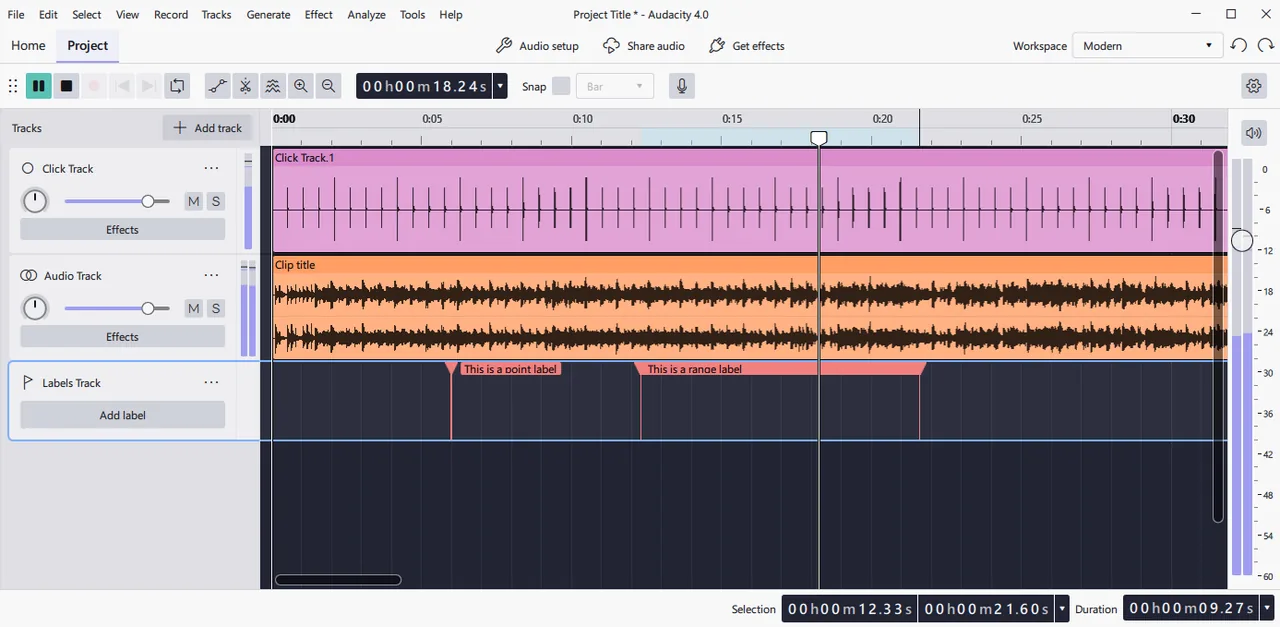

Audacity records and edits audio on your computer. It is used for cleaning up recordings, cutting and mixing tracks, and exporting to common formats.
The project’s LICENSE file says Audacity is released under the GNU GPL version 3, and that many source files are also available under version 2 or later.
Quick start
Checked against the project’s own documentation on November 9, 2026. We have not run these installs ourselves. Commands are copied from the project’s pages, or from Flathub and Homebrew where the section says so.
Linux
The project’s Linux download page lists the supported packages for each distribution. Use the option it gives for yours.
Windows and macOS
Download the installer from audacityteam.org/download and run it.
Homebrew has a cask for it. That is Homebrew’s packaging, not the project’s own:
brew install --cask audacityNixOS
nixpkgs packages Audacity as audacity (source: pkgs/by-name/au/audacity/package.nix):
environment.systemPackages = [ pkgs.audacity ];Rebuild with sudo nixos-rebuild switch, then launch Audacity from the application menu.
First steps
- Open Audacity. The project’s built-in guide is under Help > Quick Help.
- To edit a file you already have, import it with File > Import, press Play on the toolbar, and select a part of the waveform to work on.
- To record, set the input level first and aim for peaks around -6 dB, then press the Record button on the Transport toolbar.
- Save your work as an Audacity project (File > Save Project). Export an MP3 or other audio file from the File menu when you’re done.
Sources: the Audacity manual’s Quick Help and recording and editing tutorial.
Linux · Multi-track audio editor and recorder. Paste into your AI assistant. It may only be able to guide you. Review changes before running anything.
Researched, not run by the Index. Checked 2026-11-12. No AI account or connection is needed here.
Read or copy the prompt manually
Windows and macOS · Multi-track audio editor and recorder. Paste into your AI assistant. It may only be able to guide you. Review changes before running anything.
Researched, not run by the Index. Checked 2026-11-12. No AI account or connection is needed here.
Read or copy the prompt manually
NixOS · Multi-track audio editor and recorder. Paste into your AI assistant. It may only be able to guide you. Review changes before running anything.
Researched, not run by the Index. Checked 2026-11-12. No AI account or connection is needed here.
Read or copy the prompt manually
Tags: Creative